
Free 
Arduino Bumper
Thingiverse
This collection gathers 3D models that people print for Arduino-based builds: board cases and holders, robot arms and hands, drawing machines, and a few items that only share the keyword. It is useful when a project needs a printed part rather than a store-bought one, and when the electronics are already chosen. Each listing leads to an author page with the STL files and the notes that come with them. Polyzon does not confirm whether models are free, their price, license, official status, affiliation, safety or fitness. Check the current terms at the source.
 A Polyzon collection · 48 models from 4 platforms
Polyzon assembles this collection from search results on the connected platforms. Repeats and models without a preview are removed, weak matches go to the end, and the rest keeps the search order. Models belong to their authors — check the terms on each model's page.
Selection rules: the Polyzon editorial team · Text updated 2026-10-15


%2Fhttps%3A%2F%2Ffbi.cults3d.com%2Fuploaders%2F2657677%2Fillustration-file%2F1433240883-29337-1523%2Farduino_1.jpg&w=300)


%2Fhttps%3A%2F%2Ffbi.cults3d.com%2Fuploaders%2F17468605%2Fillustration-file%2F5bed0d3f-6eb3-4e96-9247-7509a34e8817%2FMiniatura-Brazo-Rob%25C3%25B3tico-2.0-min.png&w=300)



%2Fhttps%3A%2F%2Ffbi.cults3d.com%2Fuploaders%2F14213767%2Fillustration-file%2Fcf8117b5-dde8-4337-b874-44c0d1a4cb5b%2FIMG_2456_display_large.JPG&w=300)




%2Fhttps%3A%2F%2Ffbi.cults3d.com%2Fuploaders%2F14057309%2Fillustration-file%2F09b51cb1-bb0b-4f56-ae51-fff63b9f24aa%2FInstructables%2520Cover%2520Card.jpg&w=300)



%2Fhttps%3A%2F%2Ffbi.cults3d.com%2Fuploaders%2F13512827%2Fillustration-file%2F8b07c688-8491-4fe0-933a-cb3d32445ead%2F6e884396957e22019ea0da2e6430111c_preview_featured.jpg&w=300)



%2Fhttps%3A%2F%2Ffbi.cults3d.com%2Fuploaders%2F14214222%2Fillustration-file%2Fd68d51d0-bef2-4f5d-8df6-4f3de101aa43%2F_DSC2915_display_large.jpg&w=300)


%2Fhttps%3A%2F%2Ffbi.cults3d.com%2Fuploaders%2F15774102%2Fillustration-file%2Fae0b82ca-8745-4e1b-b8e3-22bf198ab4ed%2FLaser-pointer-by-jjRobots-with-GREEN-LASER_v2.jpg&w=300)
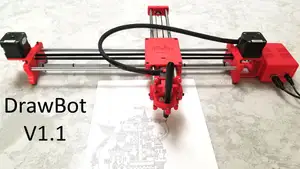


%2Fhttps%3A%2F%2Ffbi.cults3d.com%2Fuploaders%2F13320524%2Fillustration-file%2F78410c3a-f0f2-48ca-aed0-0bd74d51c16f%2F9c745bce0fce3aea6fc9feb12fe18463_preview_featured.jpg&w=300)
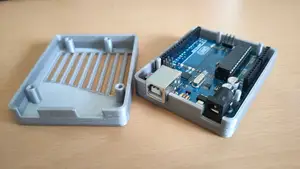
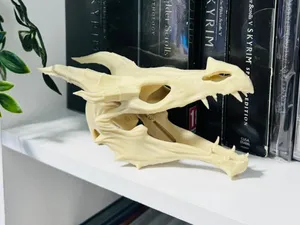

%2Fhttps%3A%2F%2Ffbi.cults3d.com%2Fuploaders%2F13334671%2Fillustration-file%2F799f56ff-00d3-4b14-9d33-384250e59fc9%2FIMG_3773.jpg&w=300)
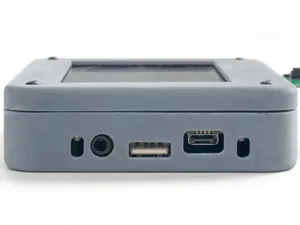

%2Fhttps%3A%2F%2Ffbi.cults3d.com%2Fuploaders%2F17468605%2Fillustration-file%2F95424903-61df-4b9e-bbc4-ebb5200b06e7%2FMiniatura-Laser-CNC-1.png&w=300)

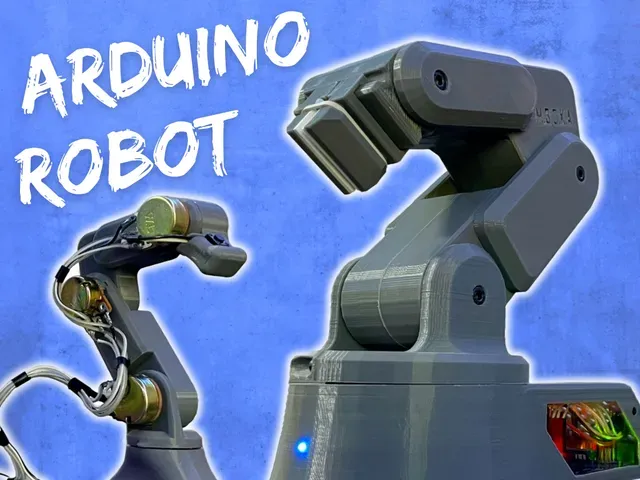
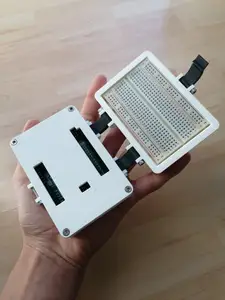
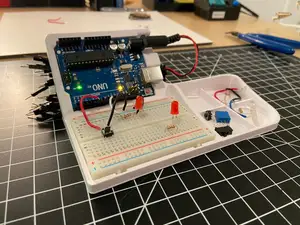
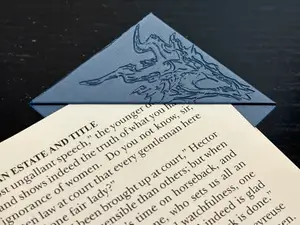
The models fall into a few groups. Enclosures range from a snug shell for a single board to larger portable lab cases and breadboard holders, and they differ mainly in how the board is fixed inside and where the openings sit. Robot arms and hands are multi-part builds that usually combine printed joints with servos and a controller, while drawing machines and plotters use a frame, rails and a CNC shield. The reference also shows fandom props and figures that have nothing to do with microcontrollers, so a quick look at the title and preview images saves time.
Before printing, open the author's page and read what is listed there: overall size and scale, the number of separate parts, whether the model is split for a smaller build volume, and whether supports are mentioned. Check the material and settings the author gives, since thin walls and close tolerances behave differently in PLA and PETG. For anything that moves, look at how the joints, bearings and fasteners are described, and at photos of real prints rather than renders. If the electronics are not specified, the mechanical parts may still work, but the assembly order is worth reading first.
Search results for this topic are noisy, so refining the wording helps. Try synonyms such as enclosure, housing, mount, bracket or holder instead of case, and add the board name or form factor when the fit matters. For moving builds, terms like robotic arm, gripper, plotter, drawing machine or CNC frame return different sets than a plain keyword. Related directions include electronics project boxes, sensor mounts, camera sliders and small workshop jigs, which often appear under the same search terms.


The full catalog of topics — from home & household to CNC, searchable across the connected sources.
%2Fhttps%3A%2F%2Ffbi.cults3d.com%2Fuploaders%2F17468605%2Fillustration-file%2Ff77c684f-cbf0-475f-b72d-e9ff9e1283e3%2FP1330383.jpg&w=640)