
Free 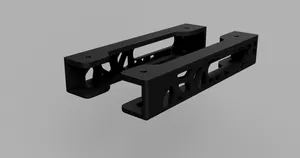
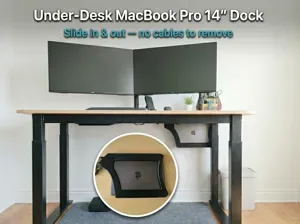
MacBook Pro M3/M2/M1 Voronoi Under Desk Mount (14/16 Inch)
Printables


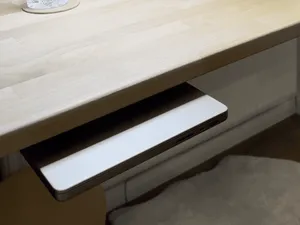
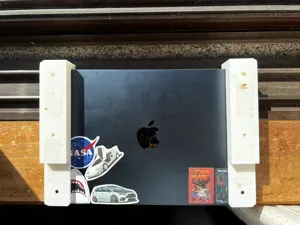
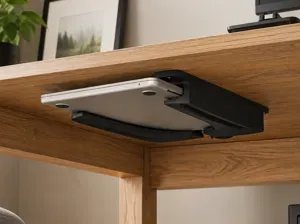
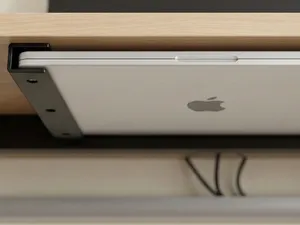
This is an under-desk mount which I originally made for the MacBook Pro M2 but can cater to a wide range of laptops up to 18mm in thickness. The width of the laptop is self-adjustable by the distance you screw the mount to be. It provides screw holes on the top and bottom of the model for easy installation. Most I/O ports are available, depending on the laptop model. For the MacBook Pro M2 14 inch, the following IO ports are available:
- MagSafe charging port on the left side - 2 USB-C ports on the left side - 3.5mm audio-jack - HDMI port on the right (unless you have a thick shroud) - USB-C port on the right - SD-Card slot is NOT available Installation
BOM
- Printed left and right bracket, preferrably in a stronger material such as PLA-CF, PETG, PETG-CF, … - 4 x M4 screw which can screw into the desk (make sure the screw isn't long enough so that it penetrates the other side of your desk) - 4 x Felt strip 150mm in length and 10mm in width to prevent laptop from scratching with abrasive filaments (optional), if you have velcro laying around, the soft part of that also works Installation
Important: Apply the felt strips in the final step so they don't cover the screw holes before you've been able to screw them in.
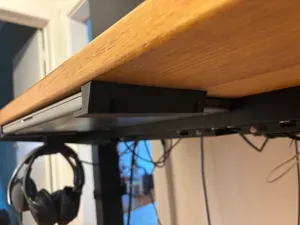
- Lay the two brackets on a table, with your laptop inside of it. Measure the width the brackets are apart. - If you are able to place your desk upside down, you can immedeatly lay the brackets at the underside of the desk and draw out the screw holes on the underside of the table. Else, measure the distance of the holes and draw. - Depending on the softness of the wood, you may need to pre-thread the holes in the desk. For my IKEA Karlby desk I could immedeatly screw in the screws through the brackets and mount the brackets. Make sure the screws go through all the way into the recessed holes to prevent them sticking out and scratching your laptop - Once the brackets are mounted, place the felt strips on the upper and bottom rails of the mount. - Enjoy your under-desk laptop mount
A1 Mini, 0.2mm layer, 3 walls, 25% infill One plate print using the A1 Mini on a 0.4mm nozzle.

%2Fhttps%3A%2F%2Ffbi.cults3d.com%2Fuploaders%2F33089941%2Fillustration-file%2F85cd6443-7483-42aa-acf8-b0c814568b8e%2Fneo_01_bajo_escritorio.png&w=300)


Names are used only to indicate the source of a result. Polyzon is not affiliated with the listed sites.
Comments 0
Loading comments…