
Free 
Custom Name Plate (Resin & Face down modes too!)
MakerWorld
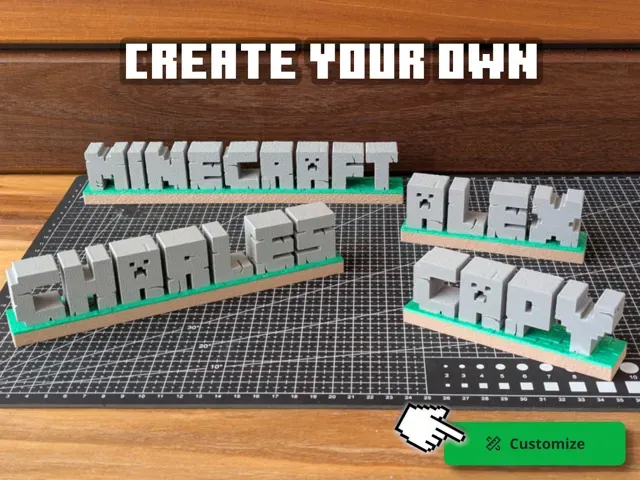
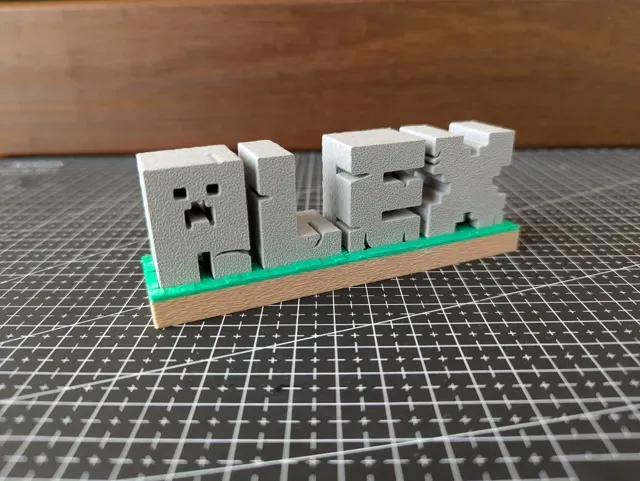
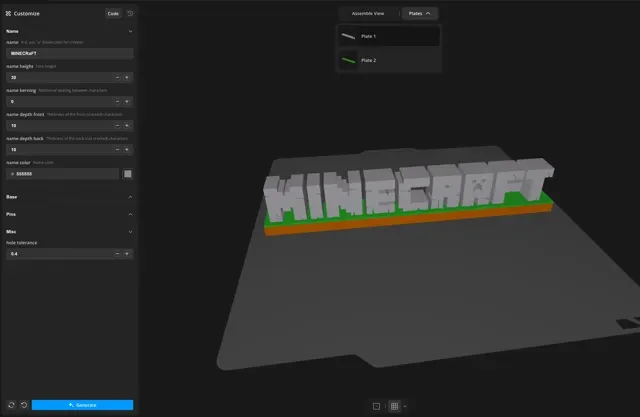
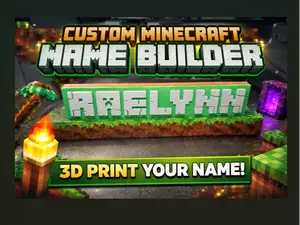
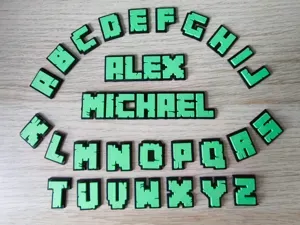
Create your own Minecraft-style name sign !
This customizable model lets you generate a personalized stone-block nameplate with the look and feel of Minecraft logo text, perfect for desks, shelves, or gifts. Parametric, so customize to any text and dimensions.
Printing Notes
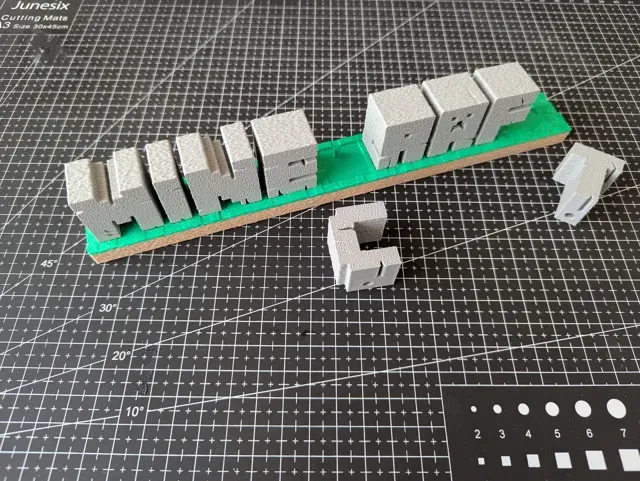
- Text only supports A-Z (uppercase) letters, 0-9 , lowercase “ a ” (Creeper), lowercase “ r ” and “b” (rounder looks), space and thin-space . - The letters are formed by two parts, the front one “cracked” and a back one “not cracked”, the back one is needed to support the letters and pins, be sure if you modify the sizes the pins still fits into it. - Check the parameters descriptions on the Customizer . - AMS is optional: If you don't have one, under Base select split base so it puts one color per plate, or optionally add a pause at the right layer and swap filaments. - For compatibility, different objects are put in different plates, but you can use a single plate and print by object if you have space. - Glue isn't required if you use snapping pins - Letter slots and pins are printed with a (-0.2 +0.2) tolerance, adjust Misc > hole tolerance if needed. - Text are printed face down in order to give the front face a good texture, change in slicer if you want. - Printer profile models uses Fuzzy Skin and Hilbert Curves to give it a organic texture, see notes below. Textured Appearance Steps (optional)
Check the original printing profiles for a example model with this appearance, these are the steps:
- Globally set Fuzzy Skin thickness to 0.2, do not globally enable it. - Use Fuzzy Skin painting on the outer walls of the base, do not use on the letter slots and pins on top or it may mess up fitting. - Use Fuzzy Skin painting on the edge faces of the letters (just drag the bucket around until the complete loop is painted), do not use fuzzy skin on the surface that contacts with the base nor the pins. - On the letters object select Top surface pattern to Hilbert Curves - On the base object set Top surface pattern to Hilbert Curves: - Alternatively: Create a height range or cube modifier part that only applies that to the grass surface, not the pins nor the slot surfaces, that will keep contact surfaces flatter Snapping pins (optional, experimental) - No glue
Enable it under Pins > pins snap, these will create compliant connector pins that should provide a tighter fit that doesn't require glueing.
- It isn't designed to be taken out, once snapped it forcing it out may break it. - Has separated depth, radius and tolerance parameters. - Tolerance is under Misc > pins snap hole tolerance, adjust if needed. - Even properly snapped in it won't be as strong as glueing as the pin itself is a weak point, combining snapping pins and glue is the strongest way.
Snapping pins, no glue required MINECRAFT text, snapping pins
Regular pins, glue required MINECRAFT text, regular (loose) pins, glue required
No AMS, one color per plate, regular pins MINECRAFT text, split base ON
P2S/P1S Ready|AMS|One Plate|0.45mm wall - Layout Consolidation Protocol (Critical Efficiency Breakthrough): - The Upgrade: The entire model set was consolidated from the original two separate build plates down to a single, highly-optimized plate . - Result: This strategic reduction eliminates a time-consuming plate swap and drastically cuts down on manual preparation, resulting in a significant and measurable saving in overall print time and user effort . - Print-by-Object Strategy (Critical Safety Feature): - The Upgrade: The print sequence is set to "Print by Object" (Object Sequencing) . - Result: This is a critical reliability upgrade for printing multiple, separate components. It eliminates the risk of the print head colliding with already completed parts, ensuring a high-success-rate, fail-safe print without needing enclosures. - High-Speed Aesthetic Optimization: - The Upgrade: Print speeds were fully optimized, including the Top Surface Speed set to 150 mm/s . - Result: This deliberate speed increase is possible due to the P2S platform and is justified by the blocky, low-detail nature of the Minecraft aesthetic. It achieves a drastic reduction in total print time while maintaining sufficient quality for the block-based top surface. - Structural Rigidity via Shell Density Enhancement: - The Upgrade: Outer shell extrusion widened to 0.45mm , and retractions were precisely tuned. - Result: The wider extrusion is essential for reinforcing the thin, outer perimeter of the plate, improving its structural rigidity and resistance to bending . The fine-tuned retractions ensure a clean-flow state to prevent stringing between the separate parts, guaranteeing a clean final product.



Names are used only to indicate the source of a result. Polyzon is not affiliated with the listed sites.