
Free 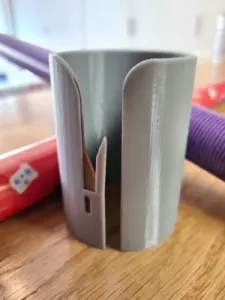
Wrapping paper cutter / Gift wrap
MakerWorld
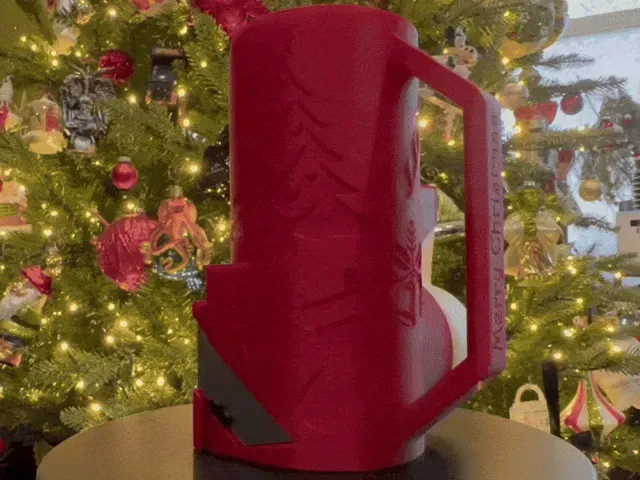
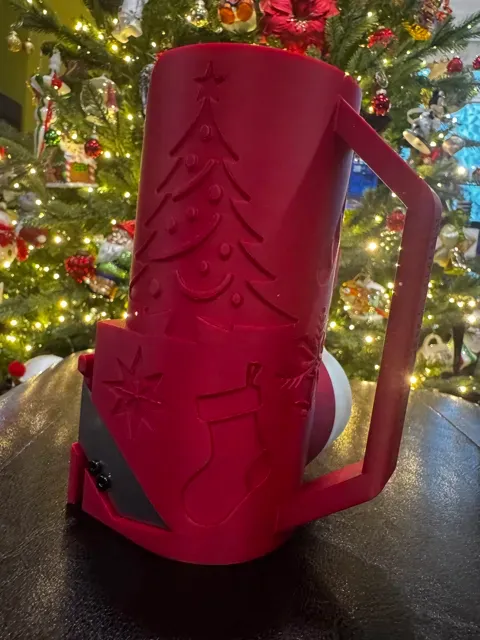
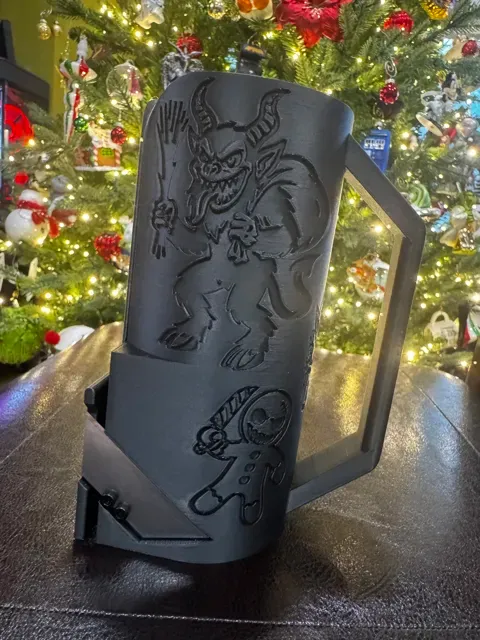
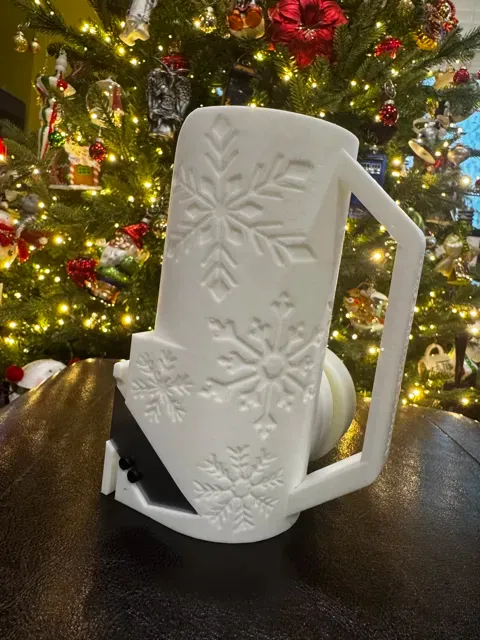

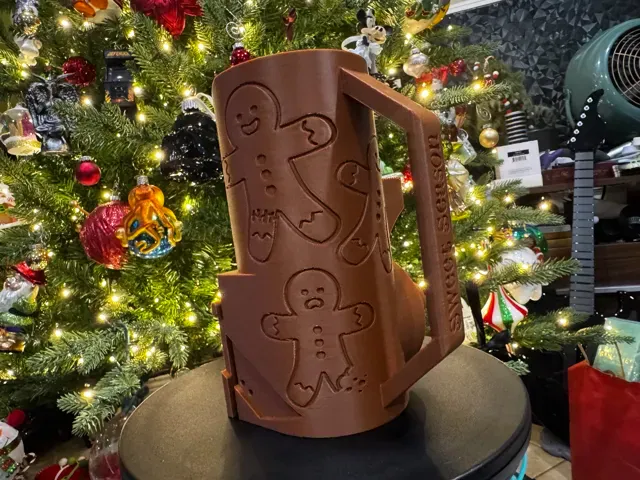
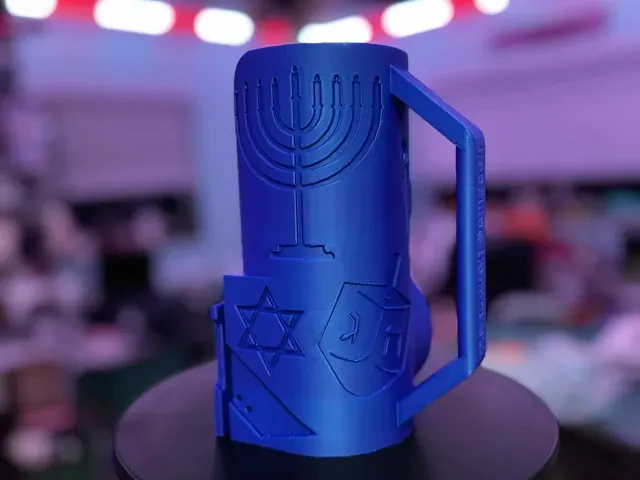
Update 12/15: Three new profiles added - a gingerbread design, a Hanukkah design, and a blank design for custom text/images. These have also been added to the left-hand profile.
Update 12/13: Several users have requested a more robust blade guard, so the model has been updated to prevent the possibility of the blade protruding from the bottom.
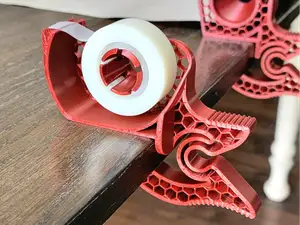
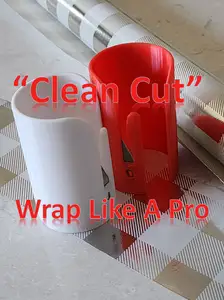
Meet your new gift-wrap sidekick: a “deluxe” handheld cutter that helps keep your supplies at the ready.
(Read: My wife, who somehow keeps losing tape rolls, and definitely not because I keep misplacing them , asked for this specific combination, and I couldn't find one I liked).
Features:
- Uses a standard utility knife blade, available pretty much anywhere. I used ones from Harbor Freight. - Inset-blade design to prevent accidental cuts while handling. - Side-mounted scotch tape roll holder with integrated cutter for one-handed convenience. - Stands vertically or horizontally, won't wobble off your table as it wildly shakes in your wrapping-induced rage. - Comfortable handle design won't make you throw it across the room, probably. - Multiple design options: Classic Christmas, Krampus, Snowflakes, and an everyday gift-wrap theme. Whether you’re wrapping one present or tackling a whole holiday pile, this cutter helps keeps your workflow tidy, quick, and hopefully a little less frustrating.
Requires two 3x4-6mm screws for mounting the blade.
Designed to be printed with minimal, easily removable supports. A brim is recommended, and used on the included profiles to help with bed adhesion.
Usage:
Like any wrapping paper cutter, this one uses friction against a single blade to cut, and sometimes physics gets in the way. I experimented with a variety of blade angles before settling on this one, which seemed to work the best. If you're having trouble getting the cut started, it helps a lot to make sure there's tension on the edge of the paper. The more tension, the easier the cut. Usually, holding the paper's edge in place should work for getting the cut started, as shown in the image below. Please ignore the beaten-up state of my fingers.
Some wrapping paper is very thin, and can be difficult to work without it crumpling, but I've had success with even most of the thin stuff so far.
Tap to view this GIF in the Handy app.
For using the tape cutter, I designed this model using standard-sized scotch magic tape rolls. Cutting works best with your thumb held against the “blade” serrations and pulling downward while twisting slightly. This is just what feels natural to me, so I hadn't really given much thought to how others might expect it to work. I'm interested in hearing details about your experience if you've used it.
I've wrapped about two dozen gifts with this personally, while using it single-handed. I asked my wife about how she'd been using it, and she told me she holds it steady with her other hand, and that “normal” people (presumably, her) aren't going to “contort their fingers" like I do.
I mean, come on. I'm holding the model here, but my fingers are doing what they'd do if it was just sitting on the table. Middle finger braces the model to pull the tape, then slide underneath the cutter for leverage when ripping it downward. This doesn't look weird, right?
Right? Right.
Tap to view this GIF in the Handy app.
I appreciate the general suggestions I've gotten on adding weights, but I don't see how to do that without making the model thicker at the bottom, which would pretty much negate it's primary function as a cutter. If anyone has any specific ideas on how to achieve that, I'd love to hear them.
Merry Christmas - 0.2mm layer, 2 walls, 10% infill Christmas-themed Cutter
- Layer Height: 0.20mm - Walls: 2, classic - Infill: Gyroid, 10% - Brim: Outer and Inner - 10mm
Winter Wonderland - 0.2mm layer, 2 walls, 10% infill Snowflake-themed Cutter
- Layer Height: 0.20mm - Walls: 2, classic - Infill: Gyroid, 10% - Brim: Outer and Inner - 10mm
Gruß vom Krampus - .0.2mm layer, 2 walls, 10% infill Krampus-themed Cutter
- Layer Height: 0.20mm - Walls: 2, classic - Infill: Gyroid, 10% - Brim: Outer and Inner - 10mm
Wrap it Up - 0.2mm layer, 2 walls, 10% infill General Gift-themed Cutter (holiday agnostic)
- Layer Height: 0.20mm - Walls: 2, classic - Infill: Gyroid, 10% - Brim: Outer and Inner - 10mm
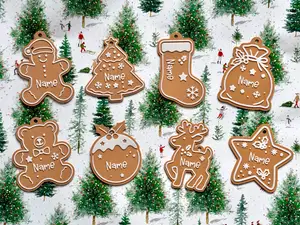
Sweet Season - 0.2mm layer, 2 walls, 10% infill Gingerbread-themed Cutter
- Layer Height: 0.20mm - Walls: 2, classic - Infill: Gyroid, 10% - Brim: Outer and Inner - 10mm
Hanukkah Sameach - 0.2mm layer, 2 walls, 10% infill Hanukkah-themed Cutter
- Layer Height: 0.20mm - Walls: 2, classic - Infill: Gyroid, 10% - Brim: Outer and Inner - 10mm
Blank (No design) - 0.2mm layer, 2 walls, 10% infill Blank Cutter
- Layer Height: 0.20mm - Walls: 2, classic - Infill: Gyroid, 10% - Brim: Outer and Inner - 10mm
Left-handed Versions - 0.2mm layer, 2 walls, 10% infill Left-handed Versions - Choose Plate
- Layer Height: 0.20mm - Walls: 2, classic - Infill: Gyroid, 10% - Brim: Outer and Inner - 10mm


Names are used only to indicate the source of a result. Polyzon is not affiliated with the listed sites.