
Free 
BallTrack Spinner Galaxy – TripleAxis Orbit Fidget
MakerWorld
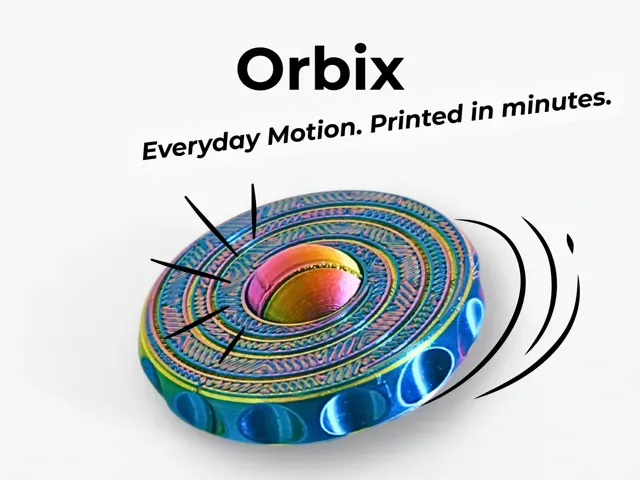
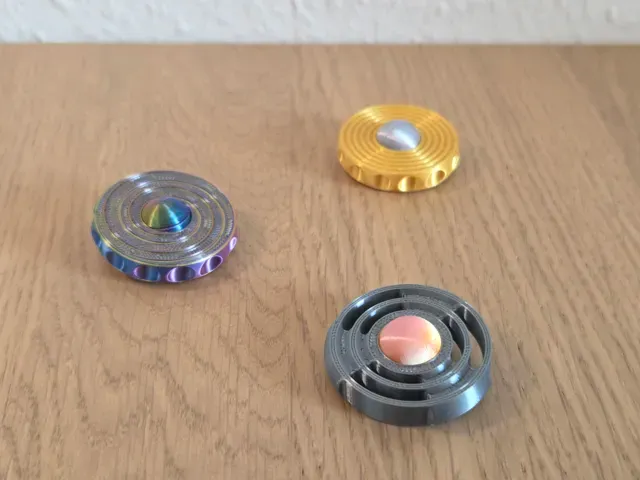
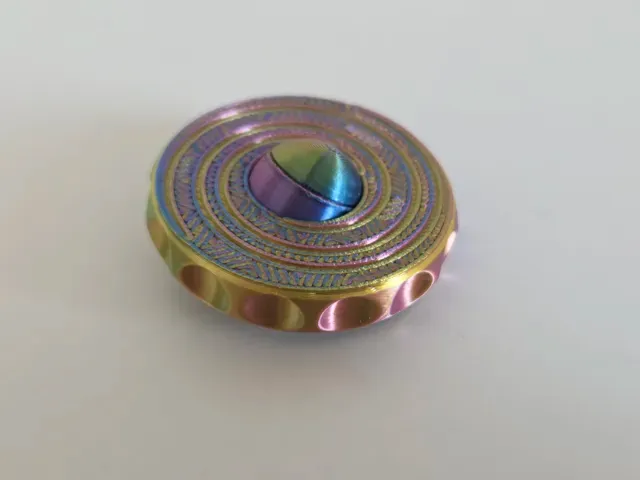
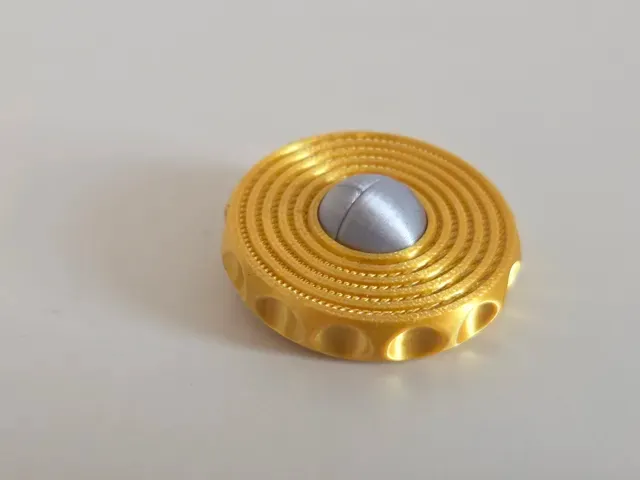
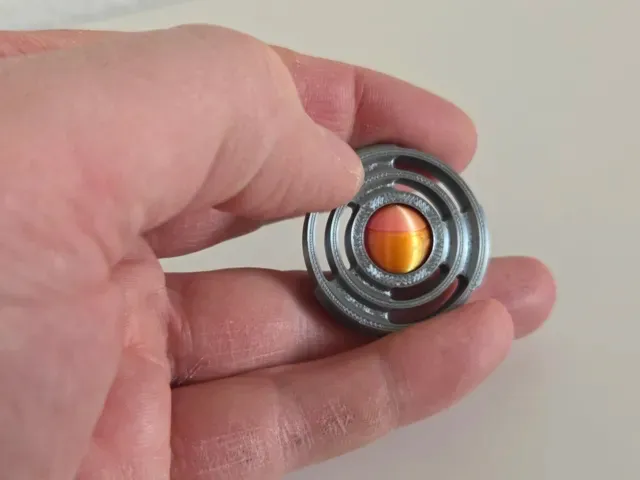
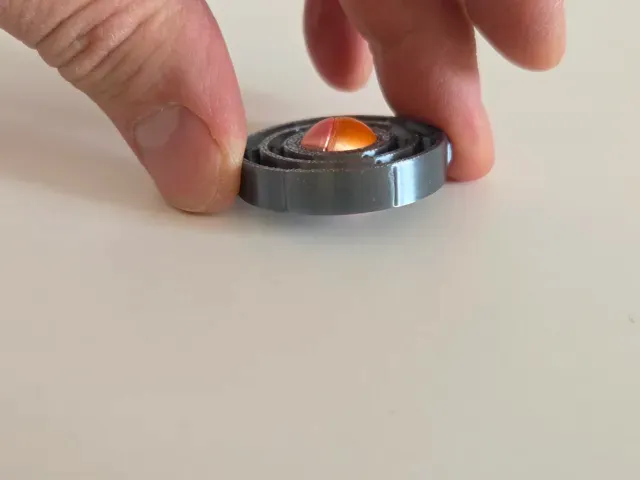
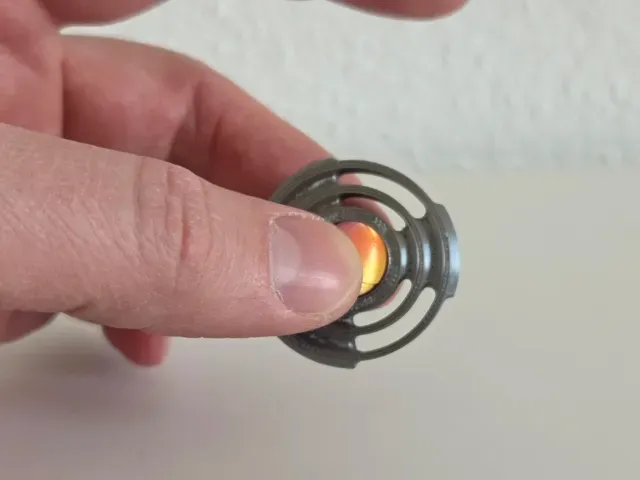
Orbix — Triple‑Motion EDC Fidget Collection
Everyday Motion. Printed in Minutes.
Orbix is a triple‑motion EDC fidget designed for instant satisfaction, smooth mechanics, and fast, support‑free printing. Each model offers a unique tactile experience: orbiting, spinning, and gyroscopic motion. All versions are optimized for clean PLA printing and everyday carry durability.
Halo is the premium, visually expressive model — perfect for color effects and layer‑change prints.
Classic is the fast‑print hero — 19:10 pure print time in PLA Galaxy, under 25 minutes including heat‑up.
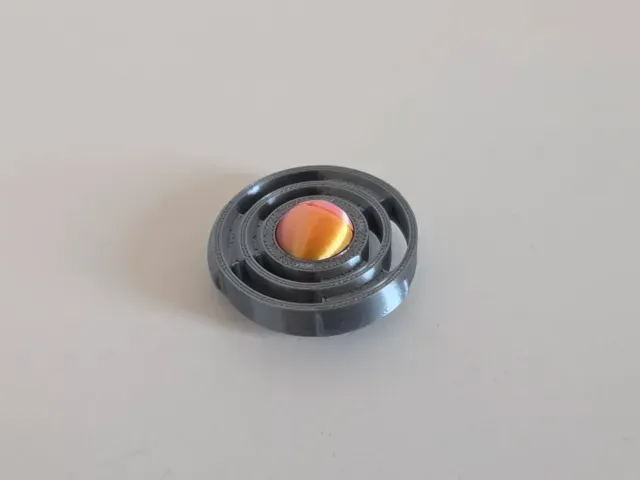
Skeleton is the minimal, technical variant with a lightweight feel.
All models are available as PiP (Print‑in‑Place) or Disc Edition with a separate sphere.
PRINT SETTINGS
- No supports - 0.2 mm layer height recommended - 2 perimeters - PLA Basic, PLA Galaxy, or Silk - PiP versions print partially assembled (see assembly guide) - Disc versions print the sphere separately - Important: Let all parts cool completely before assembly. Warm parts will not fit correctly. VARIANTS
HALO
- PiP Edition - Disc Edition (separate sphere, press‑fit) - Layer‑Change Edition (showcase) CLASSIC
- PiP Edition (under 25 min total, 19:10 pure print time) - Disc Edition (separate sphere, press‑fit) - Fast‑Print Edition (PLA Galaxy) SKELETON
- PiP Edition - Disc Edition (separate sphere, press‑fit)
ASSEMBLY GUIDE
1. Prepare the Sphere (all variants)
Every version uses a sphere made from two halves that screw together .
- Remove the small brims from both sphere halves (they come off easily). - Make sure the parts are fully cooled before assembly. - Screw both halves together until they sit flush. - Do not overtighten. 2. PiP Versions (Print‑in‑Place)
The sphere is already inside the ring.
- Simply screw the two sphere halves together while they sit inside the ring. - Check that the sphere rotates freely. - Done. 3. Disc Versions (Sphere printed separately)
These versions require pressing the finished sphere into the ring.
Important: The ring has one larger opening on the bottom side . Only insert the sphere from this side.
Steps:
- Screw the sphere halves together (fully cooled). - Position the sphere at the larger bottom opening of the ring. - Place the ring on a hard, flat surface (stone floor, tile, countertop). - Press the ring firmly downward onto the sphere, the sphere will pop into the ring. - It requires force. - It always works. - If it doesn’t fit: the parts were still warm or you tried the smaller side. - Check that the sphere spins freely. WARNINGS
- Do not assemble while parts are warm. - Do not use tools to press the sphere in. - Do not press on soft surfaces (wood, cutting mats, etc.). - Small parts — keep away from children.
Orbix Classic — Fast‑Print Edition (Under 20 Min) ⚪ Orbix Classic — Fast‑Print Edition
Optimized for maximum speed and clean motion. Minimal travel, efficient toolpaths, and tight tolerances. Prints in under 20 minutes depending on machine and filament (pure print time 19:10, under 25min incl. warmup). Support‑free. Assemble the sphere cold by screwing the halves together.
Orbix Halo — PiP Edition 🔵 1. Orbix Halo — PiP Edition
Support‑free print‑in‑place version of the Orbix Halo. Fully assembled off the bed. Only the sphere halves need to be screwed together after cooling. Smooth motion, clean tolerances, no post‑processing required except removing the small brims on the sphere parts.
Orbix Halo — Disc Edition (Press‑Fit Sphere) 🔵 2. Orbix Halo — Disc Edition (Press‑Fit Sphere)
Sphere printed separately for two‑color or contrast setups. Screw the sphere halves together when fully cooled, then press‑fit it into the larger bottom opening of the ring. Requires firm pressure on a hard surface. Support‑free and mechanically robust.
Orbix Halo — Layer‑Change Edition 🔵 3. Orbix Halo — Layer‑Change Edition
Optimized for visible layer‑change effects. Same geometry as the PiP version, but tuned for clean color transitions and crisp concentric lines. Support‑free. Assemble the sphere by screwing the halves together after cooling.
Orbix Classic — PiP Edition (Under 30 min) ⚪ 4. Orbix Classic — PiP Edition (Under 30 min)
Print‑in‑place version of the Classic Orbix. Under 30 minutes including heat‑up. Support‑free. Only the sphere halves need to be screwed together after cooling.
Orbix Classic — Disc Edition (Press‑Fit Sphere) ⚪ 5. Orbix Classic — Disc Edition (Press‑Fit Sphere)
Sphere printed separately for color contrast or material mixing. Assemble the sphere cold, then press‑fit it into the larger bottom opening of the ring using firm pressure on a hard, flat surface. Support‑free and extremely durable.
Orbix Skeleton — PiP Edition 🟣 6. Orbix Skeleton — PiP Edition
Lightweight print‑in‑place version with open geometry. Support‑free and fully assembled off the bed. Screw the sphere halves together after cooling. Designed for smooth, low‑friction motion.
Orbix Skeleton — Disc Edition (Press‑Fit Sphere) 🟣 7. Orbix Skeleton — Disc Edition (Press‑Fit Sphere)
Sphere printed separately for contrast or multi‑material setups. Assemble the sphere cold, then press‑fit it into the larger bottom opening of the ring using firm downward pressure. Support‑free and mechanically clean.
Names are used only to indicate the source of a result. Polyzon is not affiliated with the listed sites.
Comments