
Free 
Harlock Hueforge - Albator
MakerWorld

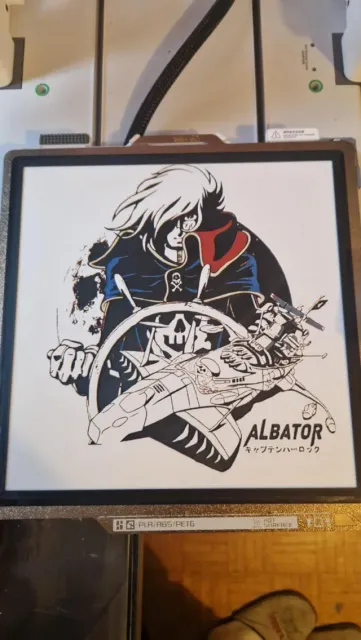
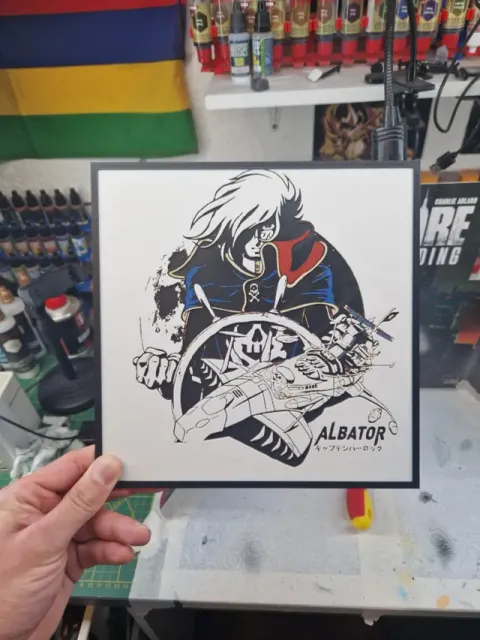
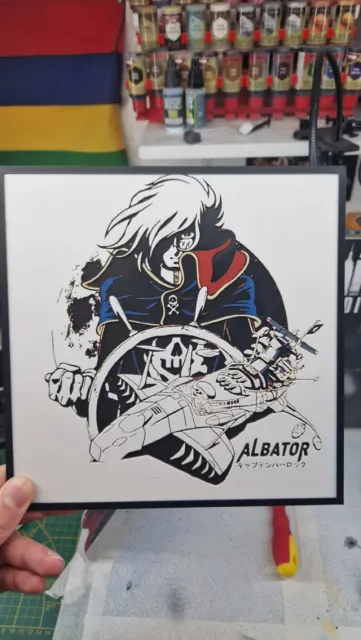
Boost Me 2 versions available, 4 colors and 5 colors
5 colors:
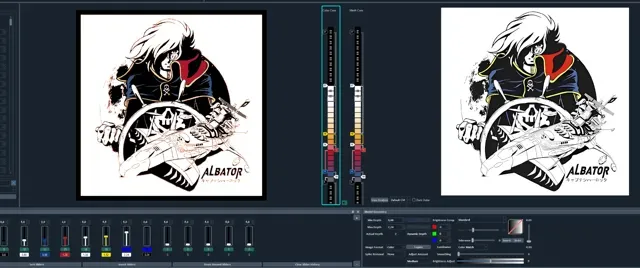
Project: Albator 5 colors.hfp Print at 100% infill with a layer height of 0.08mm with a base layer of 0.16mm
The Model is 235x235mm in size You may print at higher layer heights below the Min Depth of 0.48mm
Filaments Used: PLA BambuLab Basic Black Transmission Distance: 0.6 PLA BambuLab Basic Jade White Transmission Distance: 5 PLA BambuLab Basic Blue Transmission Distance: 2.9 PLA BambuLab Basic Red Transmission Distance: 4 PLA BambuLab Basic Yellow Transmission Distance: 5.5 This print uses 5 unique filaments
Swap Instructions: Start with Black At layer #9 (0.8mm) swap to Jade White At layer #10 (0.88mm) swap to Blue At layer #11 (0.96mm) swap to Red At layer #15 (1.28mm) swap to Jade White At layer #16 (1.36mm) swap to Yellow At layer #18 (1.52mm) swap to Jade White
Border Only Colors from here until the end. At layer #27 (2.24mm) swap to Black for the rest.
4 colors:
Project: Albator 4 colors.hfp Print at 100% infill with a layer height of 0.08mm with a base layer of 0.16mm
The Model is 235x235mm in size You may print at higher layer heights below the Min Depth of 0.48mm
Filaments Used: PLA BambuLab Basic Black Transmission Distance: 0.6 PLA BambuLab Basic Jade White Transmission Distance: 5 PLA BambuLab Basic Red Transmission Distance: 4 PLA BambuLab Basic Yellow Transmission Distance: 5.5 This print uses 4 unique filaments
Swap Instructions: Start with Black At layer #9 (0.8mm) swap to Jade White At layer #10 (0.88mm) swap to Black At layer #11 (0.96mm) swap to Red At layer #15 (1.28mm) swap to Jade White At layer #16 (1.36mm) swap to Yellow At layer #18 (1.52mm) swap to Jade White
Border Only Colors from here until the end. At layer #27 (2.24mm) swap to Black for the rest.
Comment imprimer plus de 4 couleurs avec un seul AMS : à partir de 42 sec sur la vidéo
How to print more than 4 colours with a single AMS : from 42 sec onwards in the video
0.08mm layer, 2 walls, 100% infill 4 Colors Print at 100% infill with a layer height of 0.08mm with a base layer of 0.16mm
0.08mm layer, 2 walls, 100% infill 5 Colors Print at 100% infill with a layer height of 0.08mm with a base layer of 0.16mm





Names are used only to indicate the source of a result. Polyzon is not affiliated with the listed sites.