
Free 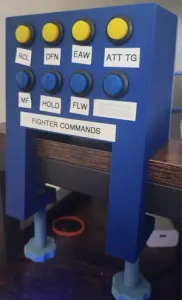
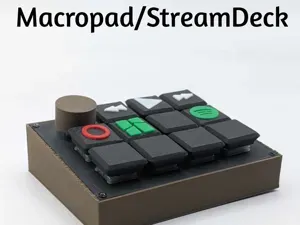
Macro Button Box - 8 Button
MakerWorld
![Simple DIY Macro Keyboard [3/4 Key's]](https://cache.polyzon.org/api/img?url=https%3A%2F%2Fmedia.printables.com%2Fmedia%2Fprints%2F100704%2Fimages%2F1014025_feaf37a8-89bc-463b-80f1-76f3dd5170ac%2Fimg_0672.jpeg&w=640)
![Simple DIY Macro Keyboard [3/4 Key's] — Image 2 of 2](https://cache.polyzon.org/api/img?url=https%3A%2F%2Fmedia.printables.com%2Fmedia%2Fprints%2F100704%2Fimages%2F1014024_973325a5-0646-43d1-b43d-5d9f93bc07a0%2Fimg_0673.jpeg&w=640)
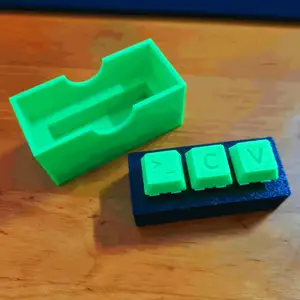
A very simple 3, or 4 Key Macro Keyboard Design
Hardware
- Cherry MX (like) Keys - Arduino Pro Micro
Code It doesn't get any easier really, create a new Arduino file with just this in, edit the Pins and actual Commands, and upload it to the Board, as easy as that you got yourself a simple macro Keyboard!
int buttonPin1 = 1; // Set a button to any pin int buttonPin2 = 2; // Set a button to any pin ...
void setup() { pinMode(buttonPin, INPUT); // Set the button as an input digitalWrite(buttonPin, HIGH); // Pull the button high }
void loop() { if (digitalRead(buttonPin1) == 0) // if the button goes low { Keyboard.write('ü'); // send character '$' delay(100); // delay }
if (digitalRead(buttonPin2) == 0) // if the button goes low { Keyboard.write('p'); // send character '$' delay(100); // delay }
if (digitalRead(buttonPin3) == 0) // if the button goes low { Keyboard.write('i'); // send character '$' delay(100); // delay ... }






Names are used only to indicate the source of a result. Polyzon is not affiliated with the listed sites.
Comments 0
Loading comments…