
Free 
Qidi Q1 Pro - Mount for the Nevermore V6
Printables


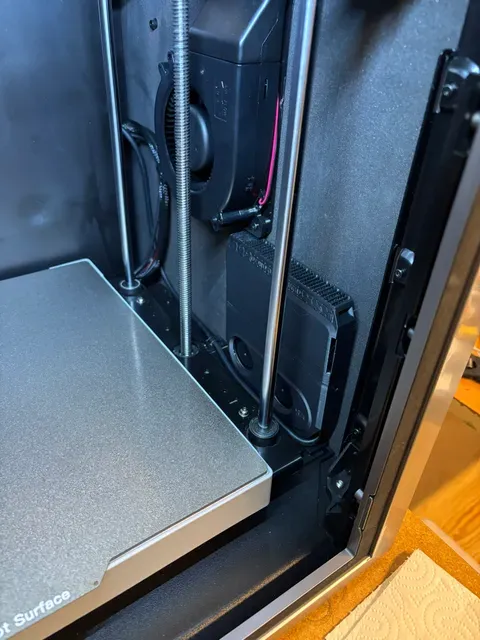
This simple mount allows you to mount for Nevermore V6 (2020 Extrusions) to the Qidi Plus 4. It sits in the front right between the door and the aux cooling fan. It replaces the chamber exhaust fan on the mainboard.
Install
- Print and assemble a Nevermore V6 with 2020 Extrusions. Choose the straight cartridge. - I suggest using a silicone / PTFE / FEP cable for the improved heat resistance as it will be inside a heated chamber. - Test the Nevermore V6 before install - Print the mount listed here with ABS / ASA or similar material that has good heat resistance. - Install one 6 mm x 3 mm magnet to the mount - The mount attaches to the bottom of the Plenum with a M3 screw and nut - Locate the black screw on the bottom front right of the Plus 4 and remove it. - Preload the screw to the mount. - Align the mount to the hole. - Tighen the screw, a ball hex driver is helpful here - Ensure the Nevemore is flush with the wall of the printer. It should not go too far out as the bed might hit it. It will lean slightly, but this is okay. - Pull the cable through the hole where the heated bed cables come through to the chamber. - Remove this JST connector for the exhaust fan and replace with your Nevermore Connector The nevermore will now run instead of your chamber filter in the rear or the printer.


Names are used only to indicate the source of a result. Polyzon is not affiliated with the listed sites.