
Free 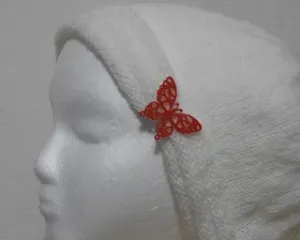
Butterfly 1 Button
Printables


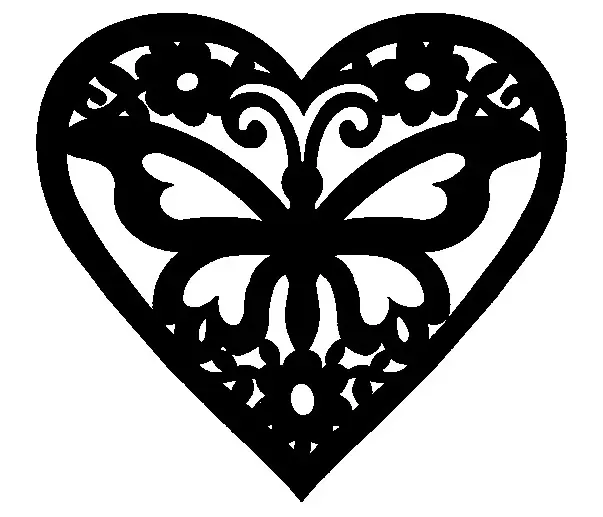
This is a small butterfly with a 2mm hole on the back for sewing it onto a knitted hat.
Printing
I printed it face down, single color, no support, with PLA. The layer height should be a small as your printer can handle for the fine detail.
How I design a button:
- Find or create a picture (JPG, PNG, BMP).
- Ideally, the picture should be straight on with no shading.
- It should have no background (try Remove Background from Image for Free ).
- It should have as few colors as possible (it will be converted to black and white).
- Convert the picture to SVG.
- try Free SVG Converter
- try JPG to SVG (Online & Free)
- Note: Getting a good, clean SVG is critical; it can also be the longest and most tedious part of the project.
- Import the SVG into your design tool (Fusion 360, OpenSCAD).
- Resize the SVG as desired.
- Make an attachment.
- Add a loop with a hole of appropriate size.
- Cut button holes.



![ErgonoMouse [Free version] - 6DOF Controller Knob & Joystick with Wheel, Buttons & Keys](https://cache.polyzon.org/api/img?url=https%3A%2F%2Fmedia.printables.com%2Fmedia%2Fprints%2F973725%2Fimages%2F7443301_6431622c-6203-4049-abb5-c021b4241c1f_e177f1da-39c9-4328-8e49-8818ce495155%2Fpromo-knob-free.png&w=300)
Names are used only to indicate the source of a result. Polyzon is not affiliated with the listed sites.