
Free 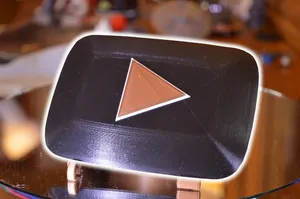
YouTube Play Button Award
Printables


This is a plaque I designed for a youtuber. You can add your own custom text by loading this model into tinkercad, I left the text field empty in order for you to do this, or leave it blank. In order to get both colors going you have to add in a vertical pause at height in the gcode, this is easily achieved in cura by using the top menu Extensions->Post Processing->Modify gcode->Pause at height and change the settings to pause at the layer you want to do a color swap at. This layer number will change based on your slicers settings and layer height but I usually slice the model and enter preview mode to see which layer the color should swap at. If you are struggling with the pause at height feel free to drop a comment, a good video of this for cura can be found on youtube by searching for Multi-Color 3D Print in CURA 3 on ENDER 3 under the CHEP channel. Should be the same for most machines even if you aren using an ender3
Print instructions
Category: Decor Print Settings
Printer Brand: Creality
Printer: Ender 3 Pro
Rafts: No
Supports: No
Resolution: .2
Infill: 5%
Filament: Inland PLA White, Red
Notes:
Print speed was 50 mm/s
How I Designed This
Tinkercad!








Names are used only to indicate the source of a result. Polyzon is not affiliated with the listed sites.
Comments 0
Loading comments…