
Free ![M3202 Ender-5 / 5 Pro / 5 Plus [Micro Swiss NG Extruder] - Fan Shrouds and Brackets](https://cache.polyzon.org/api/img?url=https%3A%2F%2Fmedia.printables.com%2Fmedia%2Fprints%2F752863%2Fimages%2F5874787_8bffd4fb-4eb5-421b-88d9-65f5b8c4600b_20be6ab3-368f-446f-9baa-60e0dd019b02%2F4ngender5_2400x2400.webp&w=300)
M3202 Ender-5 / 5 Pro / 5 Plus [Micro Swiss NG Extruder] - Fan Shrouds and Brackets
Printables
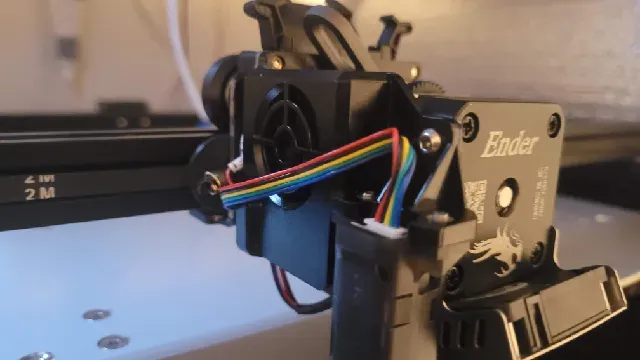
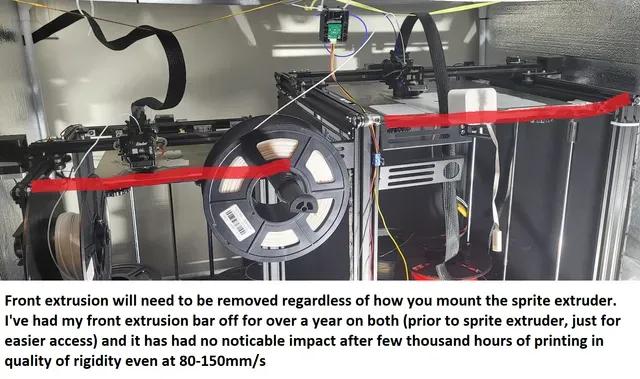


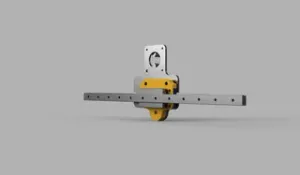
I was in need of adding a sprite extruder to my Ender 5 Plus. After looking at what everyone else did, I realized I can just simply add a back plate to hold the GT belts and remove the triangle piece that was coming from the left side of the Sprite Extruder carriage plate.
Step 1:
Purchase the creality sprite direct drive extruder hotend kit. MAKE SURE IT COMES WITH A CARRIAGE PLATE!! (Metal plate with wheels)
Step 2: Using a hacksaw/band saw/dremel/whatever you want to remove the Triangle piece of the Carriage plate just like the way it was done in the photos.
Step 3: Print the adapter plate using as thick as line as you can go. I printed with 0.6mm nozzle with 0.8mm extrusion width and 4 walls and 6 top and bottom layers.
Step 4: Use the two screw that was holding the stock creality hotend cover and use that to secure the adapter plate on to the back of the Creality Sprite Extruder carriage plate.
Step 5: Carefully replace the wires in Ender 5/Pro/Plus. I was able to shove the CR/BL Touch original cape into the sleeve cable. You will also NOT USE ALL OF THE NEW SLEEVE CABLE!. Some of them I have no idea what it's for, but those are the ones that creality didn't show using in their demo videos.
IF YOU HAVE A CREALITY STOCK BOARD: The only cable you need to mod is the hotend fan cable. You need to cut off the leads from the sleeve cable and solder it onto the two pin plug.
If you have a SKR or other board, you may not need to cut the fan cable.
May the force be with you.


![M3302 Ender 5/Pro/Plus [Micro Swiss NG REVO Extruder] - Fan Shroud and Brackets](https://cache.polyzon.org/api/img?url=https%3A%2F%2Fmedia.printables.com%2Fmedia%2Fprints%2F735325%2Fimages%2F5748609_a9d64cd5-5eda-4399-a8be-543f085c15c6_d84847a4-8b28-4e4c-99e6-bdd8af654401%2Fngrevoender5001_2400x2400.webp&w=300)





Names are used only to indicate the source of a result. Polyzon is not affiliated with the listed sites.