Free 
Filament Cutter Sherpa Mini ERCF V2
Printables
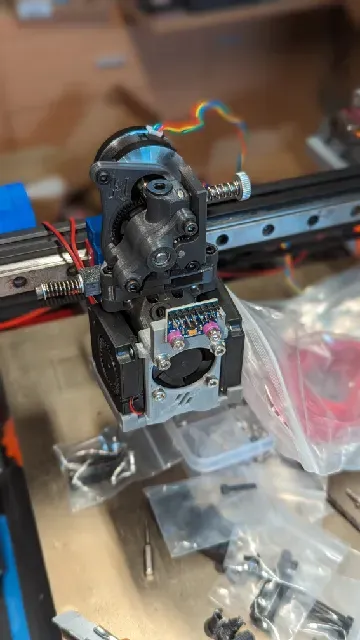
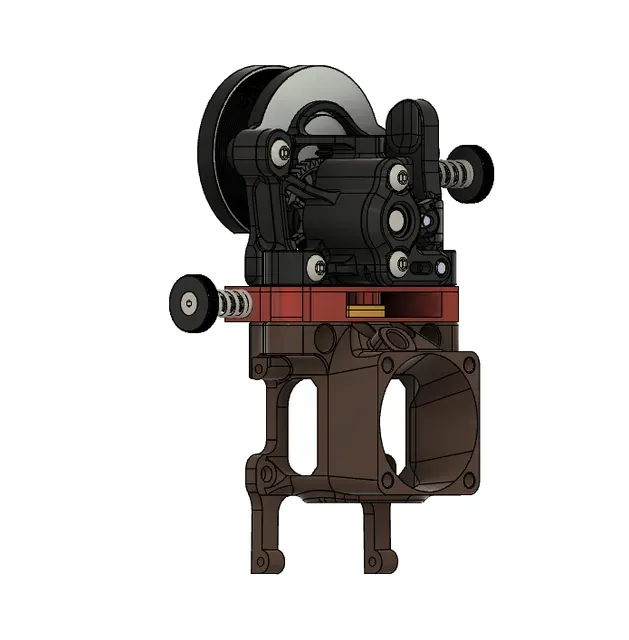
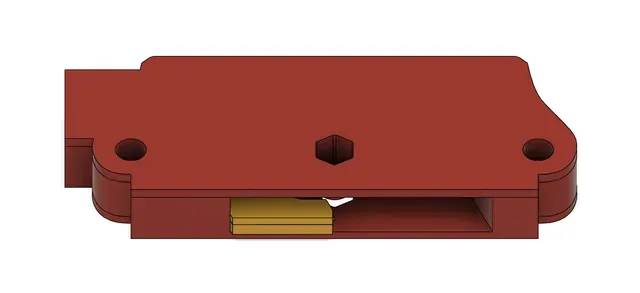





Edit : ajout de la version Xol (Non testé pour le moment)
Edit 2 : ajout du fichier Step, je suis en train de tenter une version avec levier mais pour le moment je suis limité dans mes compétences en modélisation
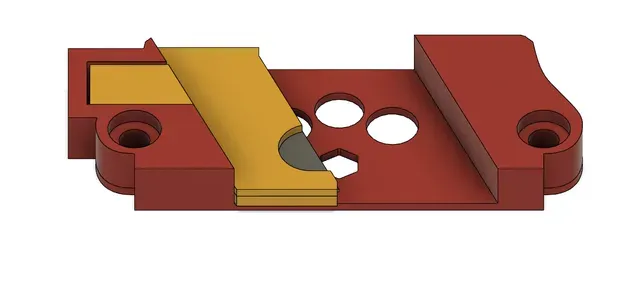
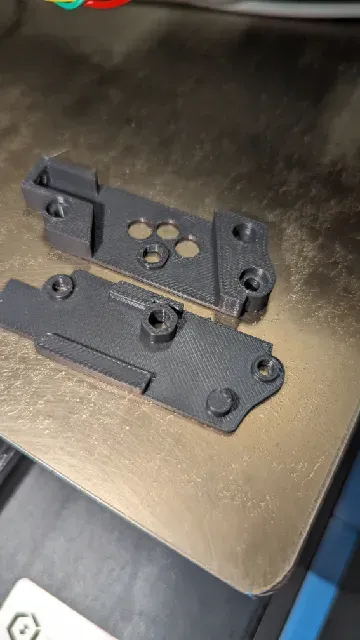
Filament Cutter pour ERCF, à monter sous le Sherpa Mini, pour ma part il est monté sur le Smol Mantis, mais doit être compatible avec tous les montages avec Sherpa Mini comme le Xol
Il faudra coller la lame dans le support de lame c'est une simple lame de cutter 9mm ou l'on va conserver uniquement la partie qui permet de tenir la lame dans le cutter (Voir photo)
Ensuite, il faudra placer le support de lame dans la partie basse du Cutter, il y a un trou qui est prévu pour mettre une vis de 3mm avec un ressort pour le rappel de la lame, placer la partie supérieure et tester si c'est assez libre lorsque l'on appuie sur la vis. Pour ma part j'ai collé la partie supérieur mais ce n'est peut être pas obligatoire.
Il y aura 2 morceaux de ptfe à venir installer :
- le premier qui va du sherpa mini au cutter, il faudra le couper à ras (Voir photo) - le deuxième entre la hotend et le cutter, qu'il faudra couper à ras également (Voir photo) Pour la partie qui remonte de la hotend, il faudra agrandir le trou du ptfe pour faciliter la réinsertion du filament( Utilisation d'une petite fraise conique ou forêt de 2.5 voir 3mm à l'entrée, voir photo avec le cercle rouge)
Il y a dans le dossier la butée pour les voron Switchwire la version pour les 2.4 et trident viendra plus tard, je compte sur la communauté n'ayant pas ces machines
Il ne restera plus qu'à installer sur votre toolhead.
Concernant la macro à renseigner dans votre slicer, il faudra mettre la macro en fin de description dans votre fichier macros.cfg. Pour ma part j'ai des steppers de stepperonline en 59Nm, en augmentant le run_current pendant la macro cela suffit à couper le filament. Je vais ajouter prochainement une version avec levier pour que cela force moins. Pour le moment malheureusement il faudra tester par rapport à vos stepper. Je vais affiner au fil de mes tests.
Pour la configuration je me suis servi de la config de filametrix :
https://github.com/sorted01/Filametrix/blob/main/mmu_additional.cfg
Pour le moment la version n'est pas finale, je vais faire des tests pour améliorer et si vous souhaitez tester et me remonter des infos ou modifications ce ne sera pas de refus.
English version :
Edit: addition of the Xol version (Not tested at the moment)
Edit 2: added the Step file, I am trying a version with lever but at the moment I am limited in my modeling skills
Filament Cutter for ERCF, to be mounted under the Sherpa Mini, for my part it is mounted on the Smol Mantis, but must be compatible with all assemblies with Sherpa Mini like the Xol
You will have to stick the blade in the blade holder, it is a simple 9mm cutter blade where you will only keep the part which allows you to hold the blade in the cutter (See photo)
Then, you will need to place the blade support in the lower part of the Cutter, there is a hole which is provided to put a 3mm screw with a spring to return the blade, place the upper part and test if it is quite free when pressing on the screw. For my part I glued the upper part but it may not be obligatory.
There will be 2 pieces of PTFE to come and install:
the first one which goes from the mini sherpa to the cutter, it will have to be cut flush (See photo) the second between the hotend and the cutter, which will also have to be cut flush (See photo)
For the part that comes up from the hotend, it will be necessary to enlarge the hole in the PTFE to facilitate the reinsertion of the filament (Use of a small conical cutter or drill of 2.5 or 3mm at the entrance, see photo with the red circle)
There is in the file the stop for the voron Switchwire the version for 2.4 and trident will come later, I am counting on the community not having these machines
All you have to do is install it on your toolhead.
Concerning the macro to be entered in your slicer, you will need to put the macro at the end of the description in your macros.cfg file. For my part I have stepperonline steppers in 59Nm, by increasing the run_current during the macro this is enough to cut the filament. I will soon add a version with a lever so that it requires less force. For the moment unfortunately it will be necessary to test against your steppers. I will refine it as I test.
For the configuration I used the filametrix config:
https://github.com/sorted01/Filametrix/blob/main/mmu_additional.cfg
For the moment the version is not final, I will do tests to improve and if you wish to test and send me information or modifications it will not be refused.
[gcode_macro Filament_cutting]
gcode: G92 E0
G1 E-35 F1800 #removal of filament before cutting
G1 X20 F5000
SET_TMC_CURRENT STEPPER=stepper_x CURRENT=2
SET_TMC_CURRENT STEPPER=stepper_z CURRENT=2
G1 X0 F1000
G1 E-35 F1800 #removal of the filament for extraction from the extruder
SET_TMC_CURRENT STEPPER=stepper_x CURRENT=1.100
SET_TMC_CURRENT STEPPER=stepper_z CURRENT=1.100
Names are used only to indicate the source of a result. Polyzon is not affiliated with the listed sites.