
Free 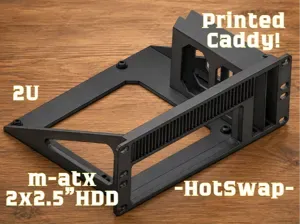
10" Rack ITX Mount + 2x 15mm 2.5" HotSwap HDD
MakerWorld
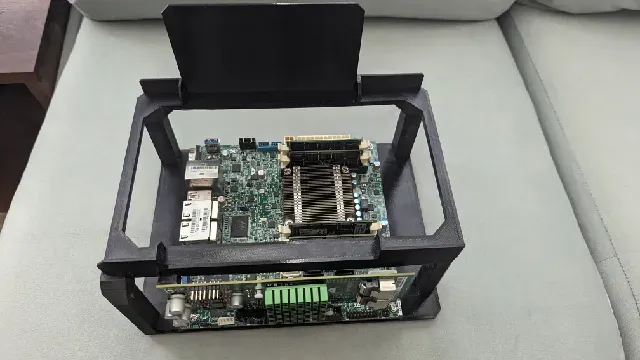


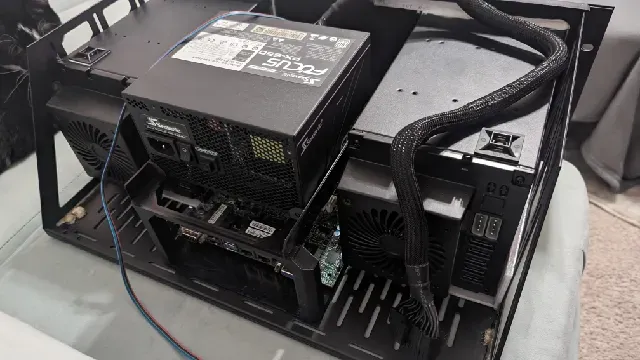
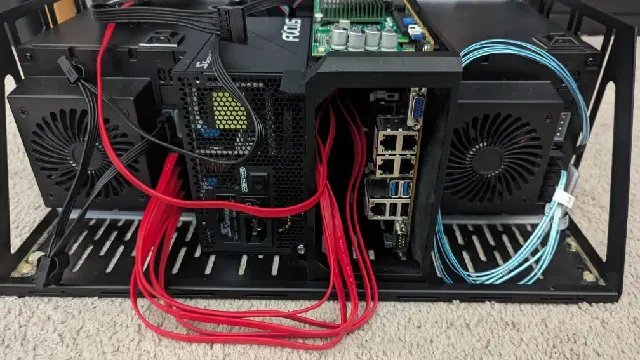



I wanted some way to cram my ITX TrueNAS system into my 450mm Navepoint networking rack, but couldn't find anything on the market that could fit such a short depth. The closest thing was the Sliger CX3701 at just under 15", but even that is too tight of a fit with rear cables sticking out.
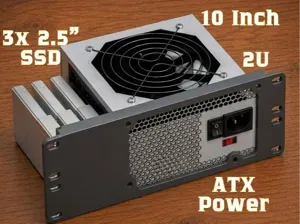
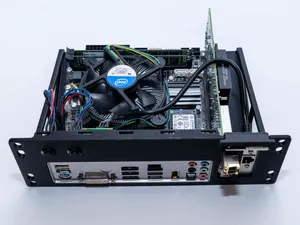
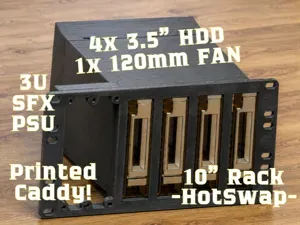
This layout in this project with an ATX PSU and ITX mobo in between two hot-swap bays lets you cram 10x 3.5" hard drives and 4x 2.5" SSDs with less than 12" of depth, and I could've potentially packed it down a short as 10" even. I could've went with an SFX PSU, but preferred the larger fan on the full size ATX ones. (plus they are cheaper)
I titled it 4U(ish) because the HBA fan is actually the one thing that sticks up barely above the 4U envelope.
3D-Printed Parts
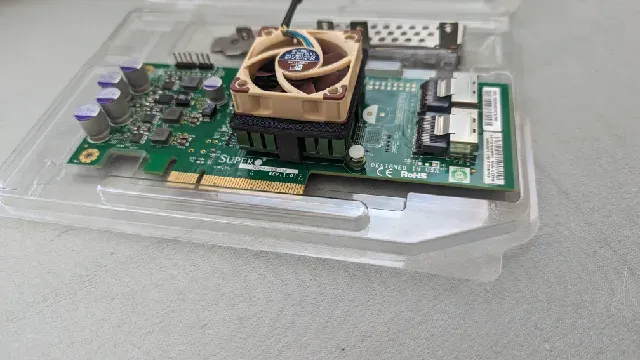
The “LSI_9211_Fan_Clip_40mm” clips a Noctua NF-A4x10 fan onto a Supermicro AOC-S3008L-L8e HBA card for cooling.
The “SSD_7mm_Dual_Mount” can be glued to the top of the hot-swap bays to hold 2x 2.5"x7mm SSDs for your boot drive or more storage.
The "MBD-A1SRi-2758F-O_Fan_Clip_40mm" holds a Noctua NF-A4x10 onto the CPU heatsink of a Supermicro MBD-A1SRi-2758F-O for active cooling. Unfortunately it is epoxied onto the top of the heatsink. I couldn't design a super reliable way to clip it around the edges like I did with the HBA fan clip.
Cooling Considerations
In my application I have this right under two fans at the very top of my rack for cooling, but if you need more cooling you should be able to fit a 140mm fan at the very front. (you'll have to find some spot to stick your power button then if you want one still) Tbh if you do this there's little point in even having a front faceplate as there would be very little left to even cover up. Airflow/Cooling is a challenge with this setup given the tight fit - you will need a relatively well cooled rack along with active cooling for the CPU and HBA. I had hoped the PSU fan would be enough to move some air over the CPU but it was running a bit too hot for my liking.
Print Settings
Supports are unfortunately required for all of these models. You're especially going to have a lot of them to remove on the base part unless you have a printer with godlike bridging capabilities. I've included 3mf files with all of my print setting for a mk3s with PETG.
Non-3D-Printed Parts
A sturdy rack-mounted shelf. I used a 4U shelf from Middle Atlantic as I was trying to get them to custom cut it for me, but in the end they didn't cut the drive bays in the correct orientation and I had to cut it myself from a blank faceplate anyway.
Some sort of 5x 3.5" to 3x 5.25" hot-swap bay. I used: https://www.amazon.com/gp/product/B0BV142WM5 but you can find these on eBay, Aliexpress, or etc.
The main board screws are M3x5mm - they should be fairly standard with most Assorted PC screw kits.
Panel-mounted power button /w LED. https://www.amazon.com/gp/product/B0986XLJJH
Compatible with ATX power supplies of 85mm height and 140mm length. It's best to use a modular power supply as you don't have a ton of space for extra cables. It's also best to have one with a large always spinning fan as this is doubling as cooling for the motherboard area.
I am using a Supermicro MBD-A1SRi-2758F-O Mini ITX Server Motherboard with a lower power Atom/Avoton CPU.
I am using Noctua NF-A4x10 PWM fans for both cooling the Supermicro AOC-S3008L-L8e HBA card and the CPU on a Supermicro MBD-A1SRi-2758F motherboard.


Names are used only to indicate the source of a result. Polyzon is not affiliated with the listed sites.