
$ 22.00 
BeamCase SW - SFF sandwich case in 18 different sizes (7.2-10.3l)
Printables

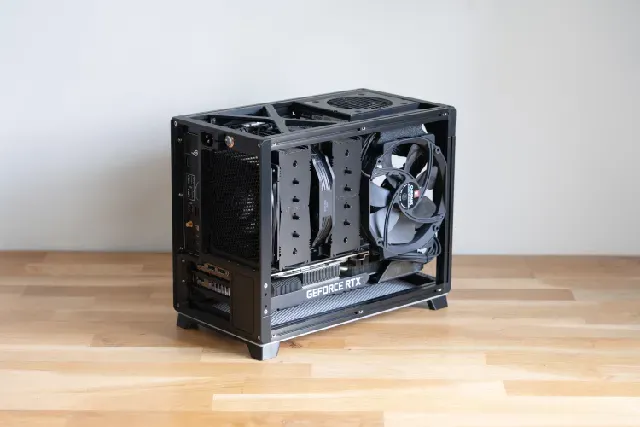
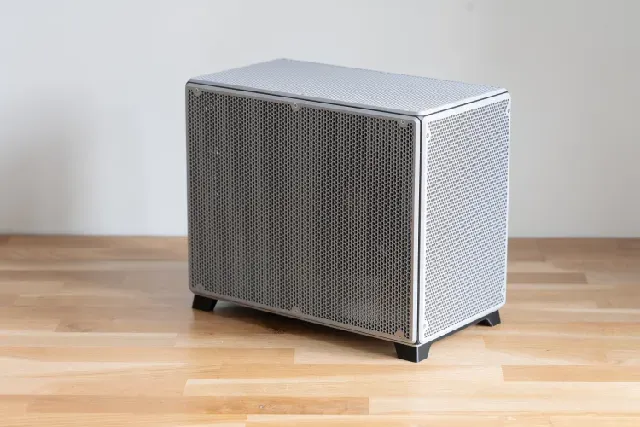
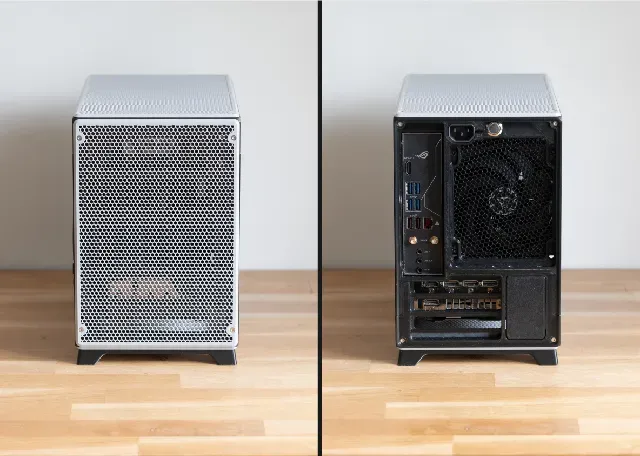


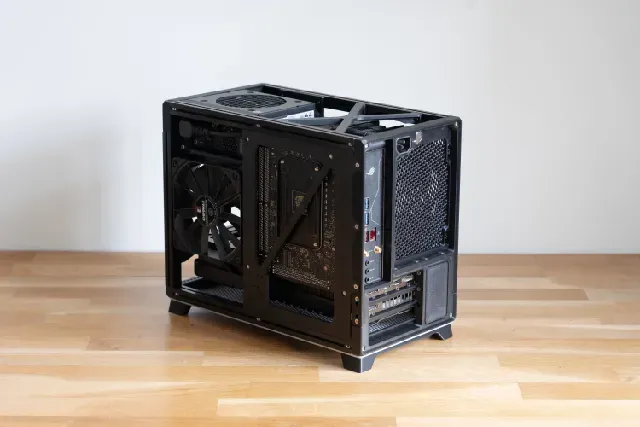
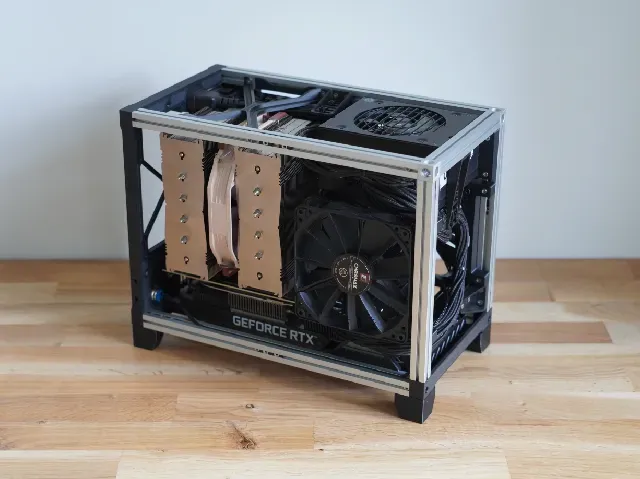


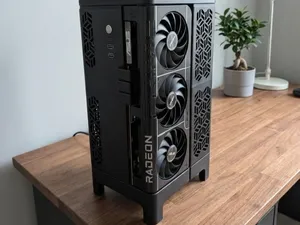
BeamCase is a system that allows you to create your own case with the combination of 3d prints and Makerbeam XL profiles (or similar 15x15 aluminum extrusions). Beamcase SFF is a system optimized towards compact builds with good cooling while still allowing a lot of flexibility. It allows the use of large aircoolers like the Noctua NH-d15 and large GPUs. By combining 3d prints and Makerbeam XL profiles the case is extremely customizable and strong at the same time.
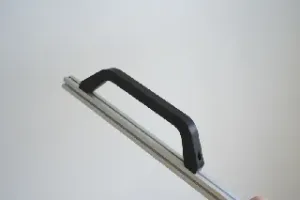
The files for sale here include all the brackets to complete a frame in multiple different variations. There are the standard and SLIM version and those as a 2 or 3 slot variation and each of those has different options for the rear IO bracket, with support for a rear 120mm or 92mm fan with different PSU extensions and the option for a rear mounted full size ATX power supply. (the 2 slot version has clearance for 2.75 slot GPUs and the 3 slot version for 3.75 GPUs slots) Fan brackets, alternative handles and more can be found on my profile for free.
new SLIM version
The SLIM version of BeamCase SFF is 20mm narrower than the standard one, which reduces the overall width from 180mm to 160mm and CPU cooler clearance from 160mm to 140mm. The only difference between the SLIM version are the components, that are dedicating the width, which is the upper and lower rear IO-bracket, and the upper and lower front beam replacement. The standard case has an IFW of 150 and the SLIM version has an IFW of 130, this is important if you want to mount other brackets, that you can find on my profile.
Components structure and naming:
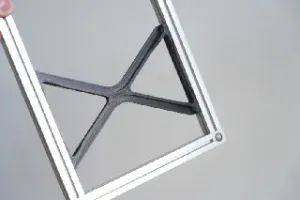
The frames come in standard and SLIM versions. The upper rear IO-bracket comes in various versions for the standard ans SLIM versions. There is the option of a rear mounted 120mm (92mm) fan and different PSU extension mounting options, as well as rear mounted PSU options (which will limit the CPU cooler clearance). The files also include an empty upper rear IO bracket that can be used to create your own variations. (for example integrated pump mounts and so on) That upper rear IO bracket is combined with the parts for each version which can be found in the correspondingly named folder. That includes the lower IO bracket, mainboard beams and lower beam replacement, pcie cover, SFX psu mounting bracket.
By default 300mm long Makerbeam XL (or similar 15x15mm extrusions) are used for the length, which give enough clearance for 315mm long GPUs. The length of the case is purely defined, by the length of the profiles, so longer profiles, will give more GPU clearance. Each case can be customized to your needs with additional brackets .
to make the positioning of brackets easier use these Nut-Positioners .
Updates:
V5.5 Update
- New round case style with soft corners and large split lines showing the frame.
- Added a new one piece mainboard tray for extra strength.
- More case panel options including one-piece panels for large printers.
- added case panel sizes for lengths between 200-360mm which can be found here.
- Reworked upper rear IO brackets, with additional rear fan cover.
- New upper IO bracket for rear mounted SFX PSUs
- new alternative front PSU mount that is stronger but less flexible.
- small strength improvements around the rear panel
- improved clearance around the top left corner of the motherboard
- general fitment improvements
V5.0 Update
- v5 of BeamCase SFF is a major update, that reworks the entire construction of BeamCase SFF. The core aspects and dimensions are the same, but with the updated construction. The largest part, the rear panel is split, which means the case can now be printed on smaller printbed.
- modular split rear panel construction with multiple rear IO panel options.
This is an Intro and in depth assembly tutorial of BeamCase ATX and SFF V5.
Required Hardware
Screws: M3x8mm countersunk screws M3x16mm countersunk screws 6-32 unc screws around 17mm long for the internal sfx power supply (4pcs) (and 11-12mm long ones for a rear mounted ATX version)
Nuts: standard M3 nuts (and potentially with these nut-positioners ) and optionally thin M3 square nuts according to DIN 562 (together with these nut-positioners ) (I am located in Germany and buy my screws here .)
Makerbeam XLprofiles (or similar 15x15mm extrusions using m3 screws and nuts): 4x Makerbeam Xl profiles 300mm long (or other length depending on your desires size) 2x Makerbeam Xl profiles 200mm long
Powerbutton: The case has a spot for a 16mm generic powerbutton at the back, but other options are possible, with additional brackets.
Cable: For the internal SFX (or SFX-L) psu you will need a psu extension, the exact length and angle will depend on your setup. There are options both for a screw in type extension and a clamp in style (see video for details). (I am located in Germany and buy mine here )
Print Instructions frame:
The frame parts should be printed in somewhat heat resistant materials, PETG or better ABS. All parts are designed to be printed without supports, but a skirt is advised with the larger pieces. The frame parts should be printed with at least 4 walls and 35% infill in order to be strong enough. You should consider shrinkage of the material as the parts have to be precise in order to fit properly. (I use Sunlu ABS and Bambu Lab ABS, I adjusted for shrinkage by scaling everything to 100.5% but some people were able to print it in PETg without any scale adjustments.)
Print instructions outer panels:
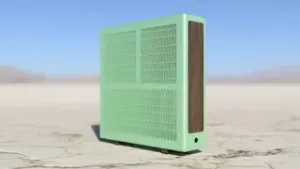
All panels for a size come in a single STL file and must be separated using the function split to objects. To get the mesh you have to reduce the top and bottom layers to zero. This exposes the Infill which acts as the mesh. The case in the images shown uses honeycomb Infill with a density of 17%, but you can play around with different patterns and density, just keep airflow in mind. Additionally, I use 6 walls for the case panels to add strength around the edge. (disable “one wall on top layer” to consistently have 6 walls)
With V5.5 of BeamCase SFF there is now multiple case panel options for various different printed sizes. There is the option for one piece case panels, but these require a fairly large print bed of 330m (at 300mm beam length).
The case panels are primarily aesthetic so they can be printed in any material you like (in some rare cases PLA panels can deform with high exhaust air temperatures). For the panels to fit perfectly they have to be printed accurately, so ideally consider shrinkage. Usually, these panels shrink less than the frame parts as they are printed very open. (for ABS I set scaling to 100.35% for the case panels)
Printer Requirements:
Both the 2 slot and 3 slot version require a printbed of at least 220x185mm, which means that everything to print this case will fit on an Ender 3 style printer.
For the one piece case panels you need a print bed 30mm longer than the chosen profile length, so 330mm for the standard 300mm beams.





Names are used only to indicate the source of a result. Polyzon is not affiliated with the listed sites.