
Free 
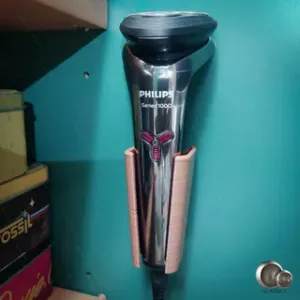
Philips shaver wall mount (Series 1000)
MakerWorld




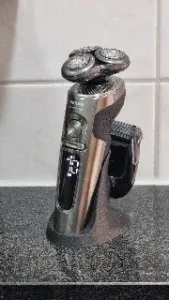
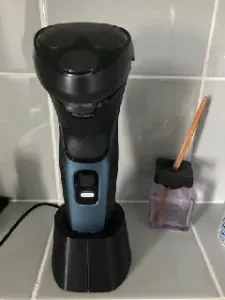
Charing stands for Philips S9900 series shaver.
- Put a shaver on the stand, and you can charge your shaver. - If you want to travel, you can easily disassemble and take out the charging cable from the stand. - It fits with the Philips S9900 series shaver (I tested with my S9980). - No glue. No screws. - Parametric FreeCAD source file is available; I don't know if other series like S9000 Prestige, the other S9000 series than the S9980, or the S7000 series fit with this design, but you can modify the source and make the best fit with your shaver.
Background
There are several different models for the Philips S9900 series shaver.
The difference between S9985/50 and S9982/54 is the colour, and the charging stand comes with S9982/54, but S9982/54 is around 50$ expensive than S9985/50.
Recently, I decided to buy S9985/50 and design and create a charging stand by myself.
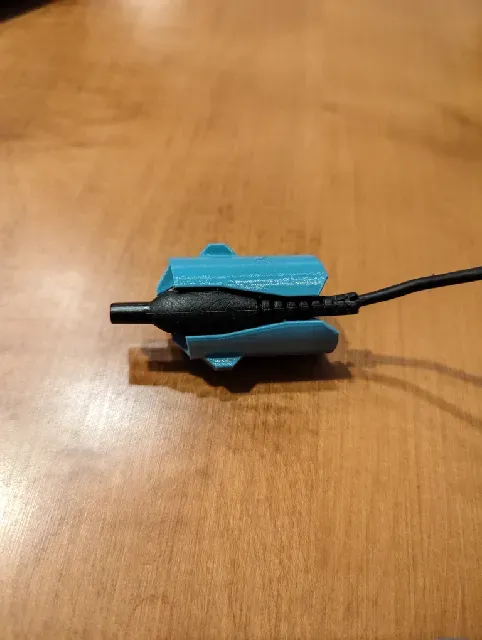
Looking at the photo of the charging stands with S9982/54, connecting a charging cable to it, the stands have a separate charging connector. I used an old Philips Shaver S9185, and a cleaner can charge the shaver, but it broke. One idea is to disassemble the broken cleaner and reuse the charging connector, but there are more generic ways.
I have gotten an idea from the Dyson cleaner to fix the connector upwards on a stand and install a cleaner on top of it so we don't need additional separate connectors.
Assembly
- Insert the charging cable into the hole of the stand from the bottom. - Put the charging connector into the holder. Please note that you should install the connector in the correct direction. It would be best to look at the connector; one side is flat, and the other has a notch. A flat face should face "r" (rear), and the notch side should face "f" (front). - Insert the holder into the stand. Check the "f" and "r" signs on the top of the holder; the "f" side should face the front. When you insert, insert the holder in a thirty-degree turn-to-the-left position. Please check that the protrusions of the holder match with the notches of the hole of the stand.
- If you insert it in the incorrect direction, the holder does not go in. - Once the holder stops, rotate the holder 30 degrees clockwise to fix the holder with the stand. There are two holes on the top surface of the holder, so you can turn the holder easily using a radio pillar or any other fine-tipped tool. - Insert the charging cable into the notch at the bottom of the stand.
Disassembly
- Take out the charging cable from the notch of the stand. - Rotate the holder 30 degrees counter-clockwise using a radio pillar or other tool. - Push the holder from the bottom hole so that the holder easily comes out from the stand. - Detach the holder from the cable.
- Detach the cable from the stand. Printing
- You don't need any specific configurations. You can print it with default settings without support. - If you generate 3D data from the FreeCAD source file, please check the direction of the bottom surface of the holder. The bottom has a ten-degree tilt, so you should fit the bottom with the print surface before slicing it. - I printed prototypes with PLA and production with Prusament PETG Chalky Blue. Both PLA and PETG work fine. Tools used to make the design
- REVOPOINT MINI 2: 3D scanner to scan and get 3D data of the Philips S9980 shaver. The data is beneficial to fix the position of the power connector. - Meshlab: Open Source mesh handling tool to correct the orientation of the data output from REVOPOINT. - FreeCAD: The fully featured Open Source 3D CAD tool is practically the only option to create free 3D data with free software. - Prusa MK4 and Prusament: Well-tested consumer class 3D printer to print structural and functional objects. They use their machine to create their parts every day. The reliability and quality of the output object of Prusa MK4 are excellent; at the same time, MK4 prints high-quality objects at a high speed.




Names are used only to indicate the source of a result. Polyzon is not affiliated with the listed sites.