
Free 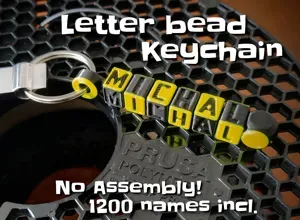
Letter bead keychain (configurable)
MakerWorld
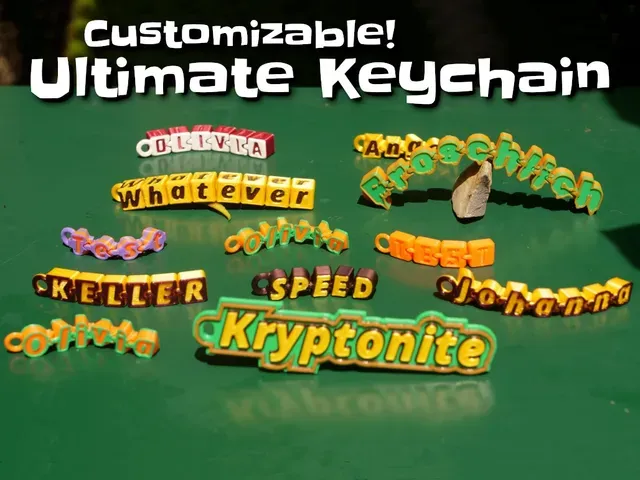


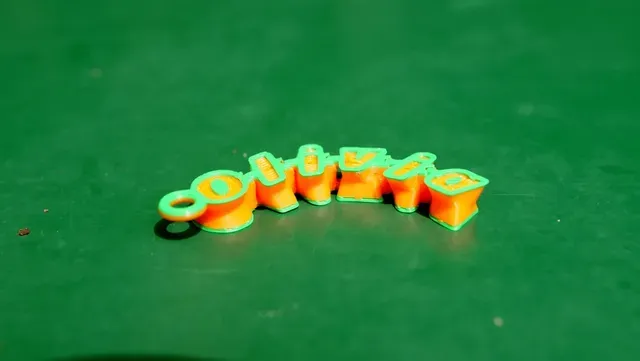
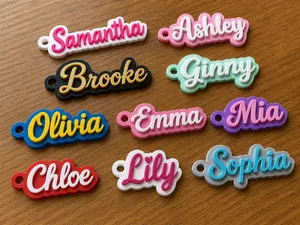
A keychain with your or your family/friends first name, written in individual letter beads or as a stiff tag. The beads are connected flexibly with rings and move after printing. Its also nice for fidgeting . Note that this model is print-in-place, so no support material is needed.
Customizing
All is configurable with OpenSCAD. To do that, please:
- install the latest develop snapshot of OpenSCAD on your own computer - activate “ textmetrics ” via Edit → Preferences → Features → textmetrics - - follow the detailed customizing instructions below or follow these in depth instructions . Or use the customizer button on Makerworld .
Update!
🆕6.6.2024: Added 2 more keychain variants: “bubbly”, “stiff_different_heights”!
Keychain types included
- Extrude_raised The text is readable from one side, do a filament change to have the letters pop out - - Straight The text is readable from both sides. - - Hourglass The text is readable from both sides. - - Cubes If you want to customize this to have 4 different words on each side, check out the wobbly keychain ! - - Stiff_bar - - stiff_pointy_outline - - Stiff_round_outline - - Bricks Text is readable from both sides. Notice that the bricks are different width, depending on the letter width. - - Same_size_bricks Text is readable from both sides. Notice that the bricks are all the same width. - - Bubbly All letters slightly bubbly - - Extrude_outline All letters extruded, with an outline on top. Text is readable from one side. - - Stiff_Different_Heights All letters of different height - - Extrude_from_both_sides All letters extruded, with an outline on top. Text is readable from both sides! - Print-in-place
The model does not need support material at all. The individual cubes are linked to each other and can wiggle around like there is no tomorrow.
In case the beads stick together, just rotate / move them a bit and they will get free.
Multicolor
Change filament at respective heights or use a multi-material print to achieve the multi-color look.
Share your make
If you could take a picture of an actual print, please "Comment" and attach the picture. - I am curious to see your uses in the wild! Also please leave a review with stars. If the option does not show up, make sure to download the model when you are logged in with your user and after a while the rating option will appear.
Thanks
Thanks to melzein for finding bugs ain the OpenSCAD code (Please download the newest .scad file) and suggesting improvements for the cusotmizer tab.
Thanks to wstein for his ' Customizable Multiline Tag or Keychain ' which was used for the “stiff” keychain variants
Thanks to darktiger for his print and picture of the keytag “Ana”.
Other models
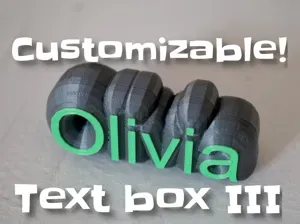
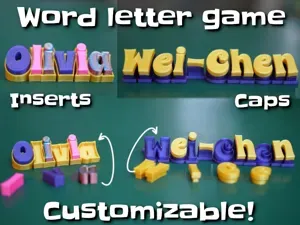
There are more configurable-text-based creations available, like multi-line label , gadget display stand , bunting banner , customizable text box III , pyramid text , name plate , Customizable text box with lid and round text . Have also a look at my configurable pack of dogs , rabbits , reindeers and santas . There are also useful coat hangers and finger toys .
Please have a look at all my customizable creations . There are configurable-text-based creations, multi-line label , gadget display stand , sweeping name plate , bunting banner , customizable text box III , pyramid text , name plate , Customizable text box with lid and round text . Have also a look at my configurable pack of dogs , rabbits , reindeers and santas . There are also useful coat hangers and finger toys . Or just check out all my creations .
Have fun!
Detailed customizing instructions
- Download latest version of OpenSCAD , (See section "Development snapshots" at ( https://www.openscad.org/downloads.html ) ) - Download the "LetterCubesKeychain_V5_FourDifferentNames.scad" file from here. - Open the .scad file in OpenSCAD. - Change the variables to your liking: - To display the customizer , in the OpenSCAD "View" menu, the option called [Hide customizer] must be unselected. - For fonts: - Set the fontname (and ensure you have that font installed on your system): fontname="Bangers"; - The current font is “Blocktastic”, available online - Press "F5" to get a quick preview. - Press " F6 " when you like the preview. This will render the geometry and takes a little time. - Press " F7 " to save the geometry to an .STL file. - Slice and print the .STL file. Some Fixes if you have issues with OpenSCAD:
1) Your font of choice is not found by OpenSCAD on your PC.
- In case you miss some fonts in OpenSCAD, download them from google: http://www.google.com/fonts - e.g. for "Bangers" here: https://fonts.google.com/specimen/Bangers - Install all the fonts you want to use. Then restart OpenSCAD. 2) OpenSCAD won't pick up newly installed fonts in C:/Windows/Fonts.
- In case new fonts are missing, put the font TTF files also in C:\Program Files/OpenSCAD/fonts/Liberation-2.00.1/ttf and restart OpenSCAD again. - Alternatively, put them in C:\Program Files/OpenSCAD/fonts/Lib




Names are used only to indicate the source of a result. Polyzon is not affiliated with the listed sites.