
Free 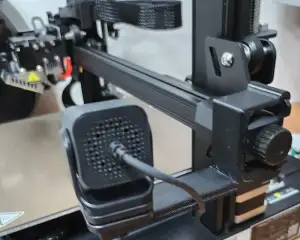
Creality Ender 3 S1 (Pro) Z-axis Camera Mount
Creality Cloud


Mount a Creality camera to the Z-axis of a CR-10 Smart printer.
02Jan24 UPDATE: I added an .stl file with a version that puts the camera about 100mm farther away from the build plate. The camera seems to focus better that far away.
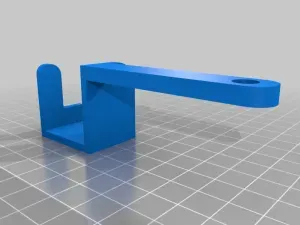
The 2nd photo is of the "farther" camera mount. I have glued portions of the previous (blue) mount to stiffen the new mount.
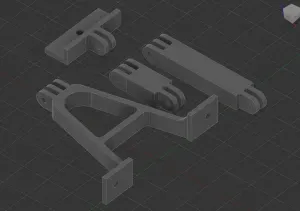
05Jan24 UPDATE: I have re-designed the mount (for the "farther" position) to simplify it greatly (see "Modified Farther Creality Camera mount (1).stl"), and it prints a lot faster than the original "farther" mount. See the final 2 photos.
For those of you not intimately familiar with this printer and this camera, the camera plugs directly into the printer using the printer's USB port, and then the camera is accessed using the Creality Print (a.k.a. Creality Cloud) application on many platforms. The camera can be found here: https://www.amazon.com/Petforu-Creality-Smart-Kit-Camera/dp/B097ZSSXD5/ref=sr_1_6?crid=3K1P3JYXWUKML&keywords=creality+camera&qid=1704230018&sprefix=creality+camera%2Caps%2C77&sr=8-6 or as part of the Wifi Box: https://www.amazon.com/Intelligent-Assistant-Time-Lapse-Photography-3D/dp/B0BFR24B9X/ref=sr_1_5?crid=3K1P3JYXWUKML&keywords=creality+camera&qid=1704230018&sprefix=creality+camera%2Caps%2C77&sr=8-5
***BUT*** the wifi box is not needed with the CR-10 Smart printer, which has a built-in wifi box!!!!!




Names are used only to indicate the source of a result. Polyzon is not affiliated with the listed sites.