
Gratis 
FPV Drone wall mount
Thingiverse
This collection gathers 3D models that hold, carry or attach a drone and its parts: wall hangers, camera brackets, controller stands and small frame components. Most files are meant for desktop 3D printing in common filaments, and the range covers racing quads, camera drones and tiny whoops. It helps you find a mounting solution for storage, transport or camera work without searching each platform separately. Polyzon does not confirm whether models are free, their price, license, official status, affiliation, safety or fitness. Check the current terms at the source.
Esta colección está escrita en inglés, pero la búsqueda funciona en cualquier idioma.
 Una colección de Polyzon · 48 modelos de 4 plataformas
Polyzon reúne esta colección a partir de los resultados de búsqueda de las plataformas conectadas. Se eliminan los duplicados y los modelos sin vista previa, las coincidencias débiles van al final y el resto mantiene el orden de la búsqueda. Los modelos pertenecen a sus autores: consulta las condiciones en la página de cada modelo.
Criterios de selección: el equipo editorial de Polyzon · Texto actualizado el 13/10/2026

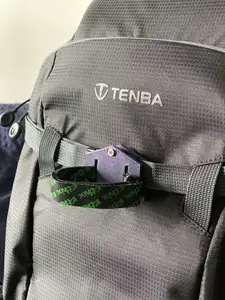
%2Fhttps%3A%2F%2Ffbi.cults3d.com%2Fuploaders%2F14956071%2Fillustration-file%2Feec3eabc-bfa1-4c32-8d44-70334d692802%2Fpreview.jpg&w=300)

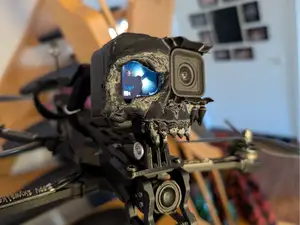
%2Fhttps%3A%2F%2Ffbi.cults3d.com%2Fuploaders%2F13322943%2Fillustration-file%2F59d7d166-5019-4575-b294-c144a0993d6b%2F20230323_113714.jpg&w=300)

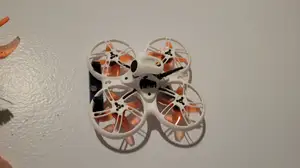
%2Fhttps%3A%2F%2Ffbi.cults3d.com%2Fuploaders%2F36232455%2Fillustration-file%2F91f2b868-67fa-48b2-87c3-6a0e8970bee0%2FImage-25-noiab.-2025-gh.%252C-23_40_22-1.png&w=300)
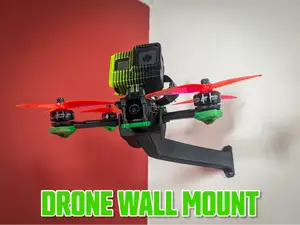

%2Fhttps%3A%2F%2Ffbi.cults3d.com%2Fuploaders%2F14956071%2Fillustration-file%2F5dece091-595c-4d9b-9d9a-95515326ac96%2FWallpaper.jpg&w=300)

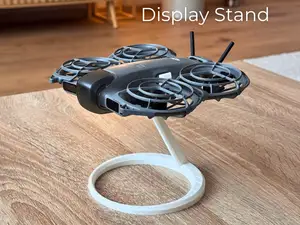

%2Fhttps%3A%2F%2Ffbi.cults3d.com%2Fuploaders%2F24009264%2Fillustration-file%2F3f3278b6-7272-4737-a0f5-6b6f3098a759%2FZnimok-iekrana-2025-06-05-153846.png&w=300)
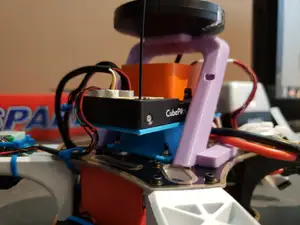
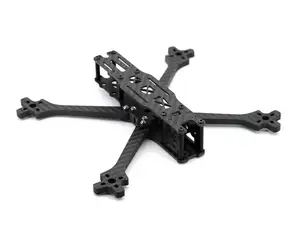

%2Fhttps%3A%2F%2Ffbi.cults3d.com%2Fuploaders%2F36232455%2Fillustration-file%2Fd42f3776-d416-4d0a-bc2f-a15fbc874533%2FModular-sliding-mount-for-FPV-electronics.png&w=300)
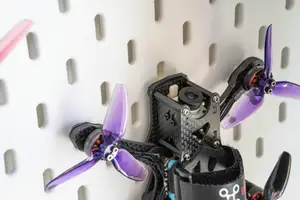

%2Fhttps%3A%2F%2Ffbi.cults3d.com%2Fuploaders%2F36232455%2Fillustration-file%2F177312c5-ac40-48d6-ab7a-354958639de7%2FCamera-Mount-Comparison_-Real-vs-CAD.png&w=300)

%2Fhttps%3A%2F%2Ffbi.cults3d.com%2Fuploaders%2F14420780%2Fillustration-file%2F8013fcf0-2afc-40cf-9d0c-c8d2be93ae9b%2F20230922_153516-1.jpg&w=300)


%2Fhttps%3A%2F%2Ffbi.cults3d.com%2Fuploaders%2F14420780%2Fillustration-file%2F0c3cae59-3927-42ef-9d28-482587118562%2F20230922_153648.jpg&w=300)
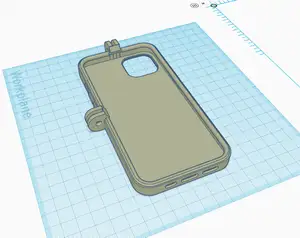


%2Fhttps%3A%2F%2Ffbi.cults3d.com%2Fuploaders%2F13060803%2Fillustration-file%2F326a86f9-ebed-415b-b620-6cadaa27e9a4%2F20161224_005005.jpg&w=300)

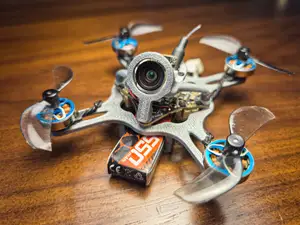

%2Fhttps%3A%2F%2Ffbi.cults3d.com%2Fuploaders%2F35511326%2Fillustration-file%2F839e64e5-66f3-4b12-8e18-8b263ce6edf8%2F820139b3-92bb-42cc-a91f-43b335a53404.jpg&w=300)
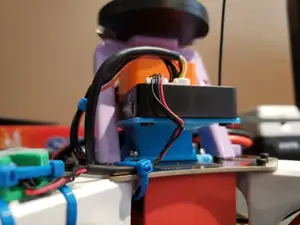
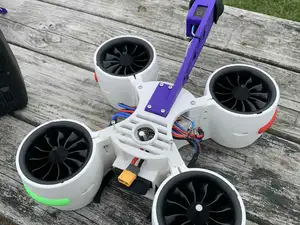
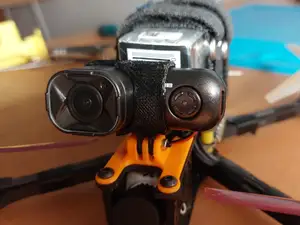
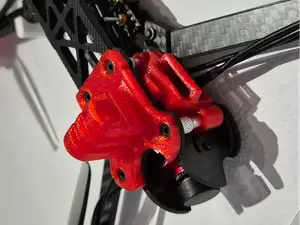
The models split roughly by what they hold. Wall hangers and pegboard mounts keep a quad or controller out of the way between flights, while camera brackets position an action camera on the frame at a chosen angle. There are also stands for display, drop mechanisms for payload straps, and small holders for connectors or batteries inside a build. Each group has its own demands on stiffness and on how the part meets the airframe.
When choosing a file, open the author's page and read the listed dimensions, the scale, and how many parts need to be joined. Check whether the model was designed for a specific frame size or camera body, and whether the author notes supports, orientation or a particular material and layer height. Photos of real prints are the most useful signal, since thin arms and screw bosses behave differently from a solid stand.
To narrow the results, try synonyms and related terms: quadcopter, FPV, racing drone, tinywhoop, action camera, gimbal, transmitter, battery holder, pegboard, wall hanger. Combining a mount type with a component name usually returns fewer and more relevant files than a single broad word. If nothing matches your frame, look at adjustable or parametric mounts that you can resize before printing.
If a part carries load or vibration, think about wall thickness and infill rather than only the shape. Mounts that clamp around a tube or arm often need a slight clearance so they slide on without cracking, and screws should be checked against the holes in the file. For camera brackets, the angle range and the way the camera is fixed matter more than the outer styling.
%2Fhttps%3A%2F%2Ffbi.cults3d.com%2Fuploaders%2F1881599%2Fillustration-file%2F4125%2F2.jpg&w=300)


%2Fhttps%3A%2F%2Ffbi.cults3d.com%2Fuploaders%2F13320524%2Fillustration-file%2F78410c3a-f0f2-48ca-aed0-0bd74d51c16f%2F9c745bce0fce3aea6fc9feb12fe18463_preview_featured.jpg&w=300)

El catálogo completo de temáticas, del hogar al CNC, con búsqueda en todas las plataformas conectadas.
%2Fhttps%3A%2F%2Ffbi.cults3d.com%2Fuploaders%2F16178431%2Fillustration-file%2Fcfb3c9a1-cf45-423e-9401-a2059419bcbb%2FIMG_1148-2.jpg&w=640)
