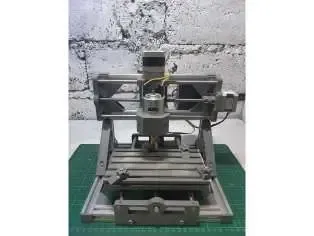
Gratuit 
Clamping Block for CNC 3018
Thingiverse
This collection gathers printable parts built around the CNC 3018 desktop router: frame elements, Z-axis upgrades, cable routing, workholding and axis guides. It is useful when you want to modify or repair a machine and prefer to print the parts on your own 3D printer instead of ordering them. The listings mix full DIY builds with small accessories, so the scope of each one varies a lot. Polyzon does not confirm whether models are free, their price, license, official status, affiliation, safety or fitness. Check the current terms at the source.
Le texte de cette collection est rédigé en anglais ; la recherche, elle, fonctionne dans toutes les langues.
 Une collection Polyzon · 48 modèles sur 5 plateformes
Polyzon compose cette collection à partir des résultats de recherche des plateformes connectées. Les doublons et les modèles sans aperçu sont retirés, les correspondances faibles sont placées à la fin, et le reste suit l’ordre de la recherche. Les modèles appartiennent à leurs auteurs : consultez les conditions sur la page de chaque modèle.
Règles de sélection : la rédaction de Polyzon · Texte mis à jour le 10/10/2026


%2Fhttps%3A%2F%2Ffbi.cults3d.com%2Fuploaders%2F13874668%2Fillustration-file%2F1189a196-0745-4cc6-b9b1-826f2125d5be%2F3067dbdba325df63140799fe76432a1f_display_large.jpg&w=300)


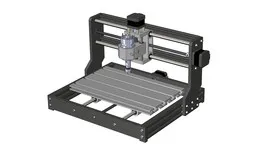


%2Fhttps%3A%2F%2Ffbi.cults3d.com%2Fuploaders%2F13893581%2Fillustration-file%2F8cdb4aee-63ca-4766-bffc-5280db568ff0%2Fa28df8780b06b5a1be60ae51c6f506db_display_large.jpg&w=300)
%2Fhttps%3A%2F%2Ffbi.cults3d.com%2Fuploaders%2F14480669%2Fillustration-file%2Ff9b1ff09-5d0a-4d19-92d8-189889615a1d%2F352a8d8dd08fdfcc1edb6cdf51ea6d91.png&w=300)
%2Fhttps%3A%2F%2Ffbi.cults3d.com%2Fuploaders%2F17273436%2Fillustration-file%2Ff5a62aa3-2605-4b7d-a182-06db9d33dc17%2Ffull.JPG&w=300)
%2Fhttps%3A%2F%2Ffbi.cults3d.com%2Fuploaders%2F14480669%2Fillustration-file%2Fa0059fa7-5f85-4cfb-b314-9a8e9a0a7331%2FScreenshot_2019-11-28%2520T%2520nut%2520for%2520CNC%25203018%2520by%2520pgraaff.png&w=300)


%2Fhttps%3A%2F%2Ffbi.cults3d.com%2Fuploaders%2F13306099%2Fillustration-file%2Fbe11cbd1-4fef-4277-984d-151da2b16a39%2FP_20190518_161455.jpg&w=300)

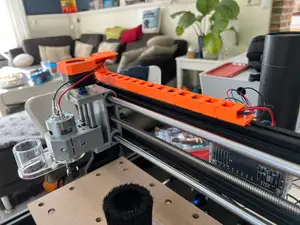
%2Fhttps%3A%2F%2Ffbi.cults3d.com%2Fuploaders%2F13605354%2Fillustration-file%2F269caaaa-fc74-4d5b-90e6-e59c07f1993d%2FRear_mount_72mm_LM10uu_spacing__v2.png&w=300)

%2Fhttps%3A%2F%2Ffbi.cults3d.com%2Fuploaders%2F13306099%2Fillustration-file%2F29c4d213-b36e-4f0e-b121-e08380ede259%2FDSC00352.JPG&w=300)

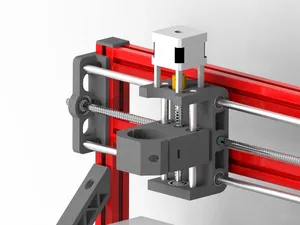


%2Fhttps%3A%2F%2Ffbi.cults3d.com%2Fuploaders%2F5413378%2Fillustration-file%2F12c85211-709e-4ac6-90db-97c23721db6e%2FIMG_20210606_141057143.jpg&w=300)
%2Fhttps%3A%2F%2Ffbi.cults3d.com%2Fuploaders%2F13605354%2Fillustration-file%2F085c90da-2b69-486b-9b04-2b7ed69791a6%2Fcnc_clamp2.jpg&w=300)
%2Fhttps%3A%2F%2Ffbi.cults3d.com%2Fuploaders%2F12919061%2Fillustration-file%2F6428c8a4-88c1-4345-bc81-852349a3b634%2FIMG_20180126_091137.jpg&w=300)


%2Fhttps%3A%2F%2Ffbi.cults3d.com%2Fuploaders%2F14480669%2Fillustration-file%2Fd934319f-77f6-4c63-b2ef-ac0a69634f3e%2F83027f2936e20ab96074684d20e8e8bb.png&w=300)


The models fall into a few groups. Structural pieces cover frames, plates and profile mounts, while upgrade parts concentrate on the Z-axis and the Y guide. Smaller accessories handle cable routing, drag chains, endstops, chip suction and clamping, including holders shaped for PCB blanks. Some entries are complete reverse-engineered machines, others are single brackets.
Before printing, open the author's model page and read the listed dimensions, since the 3018 exists in several frame lengths and the Pro version differs from the base machine. Check how many parts the model contains, whether assembly needs extra hardware such as screws, rods or bearings, and whether the author expects supports. The material and settings the author lists matter too, because brackets and clamps take load differently from covers and cable tidies. Photos of real prints show how the part sits on the machine.
If the results feel narrow, try related wording: router, milling machine, gantry, spindle mount, lead screw, linear rail, wasteboard, tool holder, dust shoe. Searching by the axis you want to change, or by the accessory type, usually returns a different set of models than searching the machine name alone.




Le catalogue complet des thèmes, de la maison à la CNC, avec une recherche sur tous les sites connectés.