
Gratuit 
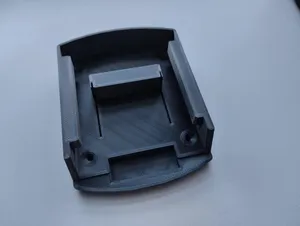
Makita Battery Mount
Thingiverse
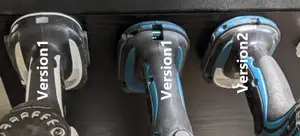
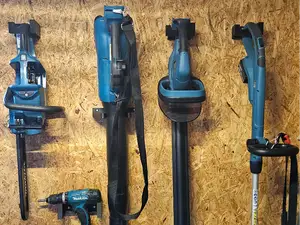
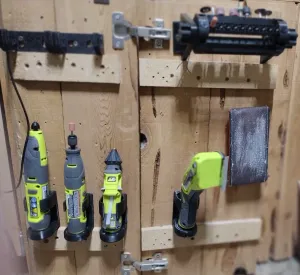
This collection gathers STL files for mounting Makita tools and batteries: wall brackets, board-system holders and spindle adapters for routers. The models differ in how the tool is gripped, how the part is fixed to a surface and how much material the print takes. It is useful if you want your 3D printer to solve storage and machine-mounting tasks around a workshop. Polyzon does not confirm whether models are free, their price, license, official status, affiliation, safety or fitness. Check the current terms at the source.
Le texte de cette collection est rédigé en anglais ; la recherche, elle, fonctionne dans toutes les langues.
 Une collection Polyzon · 47 modèles sur 4 plateformes
Polyzon compose cette collection à partir des résultats de recherche des plateformes connectées. Les doublons et les modèles sans aperçu sont retirés, les correspondances faibles sont placées à la fin, et le reste suit l’ordre de la recherche. Les modèles appartiennent à leurs auteurs : consultez les conditions sur la page de chaque modèle.
Règles de sélection : la rédaction de Polyzon · Texte mis à jour le 14/10/2026

%2Fhttps%3A%2F%2Ffbi.cults3d.com%2Fuploaders%2F28067274%2Fillustration-file%2Febe80085-5bd7-4d42-b376-e6ca0fffe023%2FCover-v2-Square.jpg&w=300)


%2Fhttps%3A%2F%2Ffbi.cults3d.com%2Fuploaders%2F14750461%2Fillustration-file%2F4f32c725-37e3-4db2-9190-73dff29bdc87%2FIMG_3417.jpg&w=300)

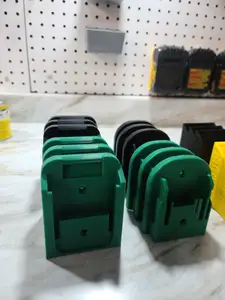

%2Fhttps%3A%2F%2Ffbi.cults3d.com%2Fuploaders%2F13317855%2Fillustration-file%2Fda6f6fe7-15f7-48c8-9c80-29cf590c33f6%2FMakita_Tool_Holder.png&w=300)

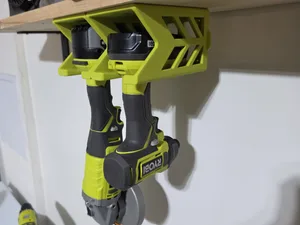
%2Fhttps%3A%2F%2Ffbi.cults3d.com%2Fuploaders%2F14258917%2Fillustration-file%2F21204d70-cbbe-46f8-acf5-5339919799b1%2Fz6917490287413_dbc730e518828d2b310a9160e5db44e1.jpg&w=300)
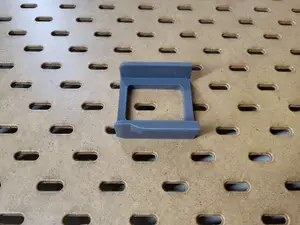
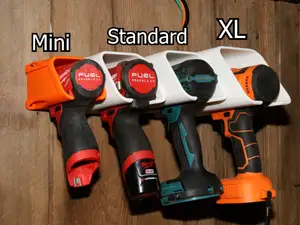

%2Fhttps%3A%2F%2Ffbi.cults3d.com%2Fuploaders%2F12957961%2Fillustration-file%2F697f75fd-c512-484d-8de3-b0418237ad05%2FIMG_0466.jpg&w=300)


%2Fhttps%3A%2F%2Ffbi.cults3d.com%2Fuploaders%2F20728667%2Fillustration-file%2F19f31084-3403-4937-bf0b-a3154da9e704%2F20240504_213054.jpg&w=300)


%2Fhttps%3A%2F%2Ffbi.cults3d.com%2Fuploaders%2F18954677%2Fillustration-file%2F40ac0603-7037-4dfa-88d1-cc3b740c018e%2FC159E887-CD87-47CE-A072-2C84C9CEA59E.jpeg&w=300)



%2Fhttps%3A%2F%2Ffbi.cults3d.com%2Fuploaders%2F28067274%2Fillustration-file%2Fee61d6ea-9fe0-4dd3-ae28-ea7d8faec77c%2FCover-V2%2560square.jpg&w=300)


%2Fhttps%3A%2F%2Ffbi.cults3d.com%2Fuploaders%2F14667527%2Fillustration-file%2Ff0632aaf-8092-4d1d-9fed-4c2a7cad6d5c%2F20211230_132152.jpg&w=300)


%2Fhttps%3A%2F%2Ffbi.cults3d.com%2Fuploaders%2F21903775%2Fillustration-file%2F93dccc48-8097-45c0-870a-f7b1a68f2be3%2F20180418_171700.jpg&w=300)

%2Fhttps%3A%2F%2Ffbi.cults3d.com%2Fuploaders%2F25958461%2Fillustration-file%2F2c581633-1cec-46e8-b3bb-d2d329d4dc61%2FScreenshot-2025-11-30-094120.png&w=300)
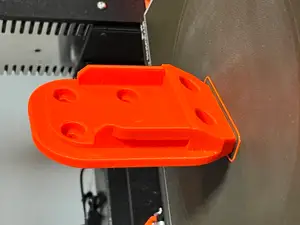
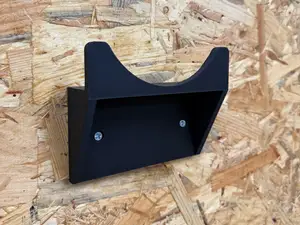
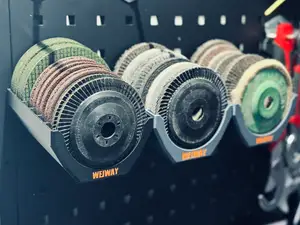
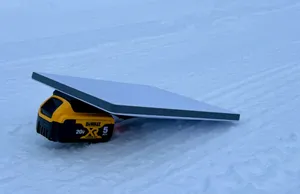
Battery mounts usually hold an 18V pack by its slide interface and hang on a wall or inside a cabinet, while tool holders grip the body, the handle or the base of a drill or driver. Board-system brackets clip into a perforated panel, and CNC or router mounts replace a spindle clamp on a machine frame. Some files are drawn for one tool shape, others use a wider opening that accepts several cordless brands.
Before printing, look at the author's page for the dimensions the model was drawn around: the battery slide, the tool body diameter, screw hole spacing and the wall plate thickness. Check whether the part is split into several pieces, how it is oriented on the bed, and whether the author lists supports, material and settings. Photos of real prints help you judge wall thickness and where the load sits.
If the first search gives few results, try other words for the same object: holder, bracket, dock, rack or rail, combined with 18V, LXT, drill, impact driver or angle grinder. Related topics such as pegboard storage, workshop organisation, router mounts and spindle adapters often lead to files that fit the same job. Adding the tool type or the machine frame to the query narrows the list faster than a brand name alone.



%2Fhttps%3A%2F%2Ffbi.cults3d.com%2Fuploaders%2F13845051%2Fillustration-file%2F771721dc-69c5-45b5-b1d7-04098e879400%2Fgiffff2.gif&w=300)
Le catalogue complet des thèmes, de la maison à la CNC, avec une recherche sur tous les sites connectés.
%2Fhttps%3A%2F%2Ffbi.cults3d.com%2Fuploaders%2F21181834%2Fillustration-file%2Fbc2bc57b-5846-418a-817c-f42c95b05607%2Funtitled.106.jpg&w=640)