

Gratis 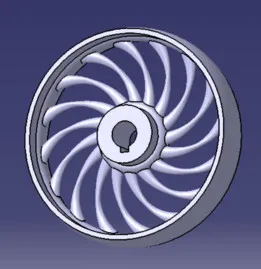
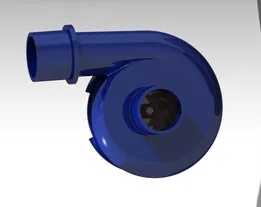
Pulley Wheel - Centrifugal Impeller Turbine Wheel (3D CAD Model)
GrabCAD
This collection gathers 3D models built around impellers, rotors and fan-like shapes, from pump and cooling parts to parametric designs and decorative turbine forms. It is useful when you need a replacement part, a starting point for a custom rotor, or a shape to test on a 3D printer. Most files are STL meshes that you slice and print at the scale you need. Polyzon does not confirm whether models are free, their price, license, official status, affiliation, safety or fitness. Check the current terms at the source.
Il testo di questa raccolta è in inglese; la ricerca funziona in qualsiasi lingua.
 Una raccolta di Polyzon · 48 modelli da 5 siti
Polyzon compone questa raccolta a partire dai risultati di ricerca dei siti collegati. I doppioni e i modelli senza anteprima vengono rimossi, le corrispondenze deboli finiscono in fondo e il resto mantiene l’ordine dei risultati. I modelli appartengono ai rispettivi autori: verifica le condizioni sulla pagina di ciascun modello.
Criteri di selezione a cura della redazione di Polyzon · Testo aggiornato: 12/10/2026


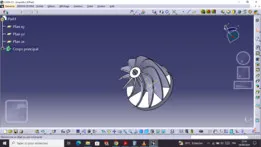

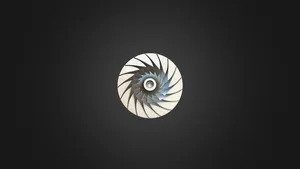
%2Fhttps%3A%2F%2Ffbi.cults3d.com%2Fuploaders%2F14151277%2Fillustration-file%2Ffd731c66-0228-4501-a326-8bf38702604a%2F1.jpg&w=300)
%2Fhttps%3A%2F%2Ffbi.cults3d.com%2Fuploaders%2F15397850%2Fillustration-file%2Fe077231e-9428-4da4-8faa-59846f08ac4b%2FPack_01_KEY.jpg&w=300)
%2Fhttps%3A%2F%2Ffbi.cults3d.com%2Fuploaders%2F14151277%2Fillustration-file%2F1100b4c7-6d07-4d23-ac85-be7e5818f3dd%2F1.jpg&w=300)

%2Fhttps%3A%2F%2Ffbi.cults3d.com%2Fuploaders%2F14151277%2Fillustration-file%2F2295a1ab-a699-494a-913b-97eb4552e1fb%2F12.jpg&w=300)
%2Fhttps%3A%2F%2Ffbi.cults3d.com%2Fuploaders%2F15397850%2Fillustration-file%2Faa5a0765-e85e-49dc-ba11-bcd2efbabd61%2FKit-Architectural.jpg&w=300)

%2Fhttps%3A%2F%2Ffbi.cults3d.com%2Fuploaders%2F17461727%2Fillustration-file%2F321f268a-9bff-4062-b80f-eadf6974cc53%2FSquirtle.gif&w=300)

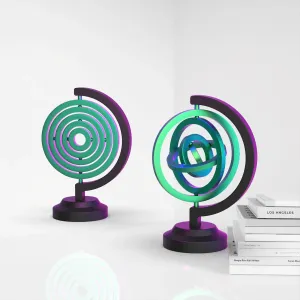

%2Fhttps%3A%2F%2Ffbi.cults3d.com%2Fuploaders%2F15273061%2Fillustration-file%2F2606ee27-54af-414b-8f6f-ddbb8d43b667%2F2.png&w=300)
%2Fhttps%3A%2F%2Ffbi.cults3d.com%2Fuploaders%2F15273061%2Fillustration-file%2F37917cea-e7db-47dd-9edc-59c8938c6c99%2F2.png&w=300)


%2Fhttps%3A%2F%2Ffbi.cults3d.com%2Fuploaders%2F13403322%2Fillustration-file%2F0aa87e81-2909-464a-9b72-118607e9ac7f%2F1.jpg&w=300)

%2Fhttps%3A%2F%2Ffbi.cults3d.com%2Fuploaders%2F13403322%2Fillustration-file%2F0c4b44cc-8308-44b4-93e8-6371a502b3cb%2F68_BirthOFJRK.png&w=300)
%2Fhttps%3A%2F%2Ffbi.cults3d.com%2Fuploaders%2F15397850%2Fillustration-file%2F9d99171b-e77d-483b-b913-ffb188cf696a%2FFrame_Corner_01_KEY.jpg&w=300)

%2Fhttps%3A%2F%2Ffbi.cults3d.com%2Fuploaders%2F13611111%2Fillustration-file%2F52112ac8-1b70-4c95-8db2-49ec5537df46%2Frp_nathan_animated_003_walking_A.jpg&w=300)
%2Fhttps%3A%2F%2Ffbi.cults3d.com%2Fuploaders%2F14151277%2Fillustration-file%2F7e33a1c6-b12f-4cfd-a573-614a8a483210%2F2.jpg&w=300)
%2Fhttps%3A%2F%2Ffbi.cults3d.com%2Fuploaders%2F14151277%2Fillustration-file%2F1550a1d5-649e-4ec8-bd46-97859c4e9bd9%2F7.jpg&w=300)
%2Fhttps%3A%2F%2Ffbi.cults3d.com%2Fuploaders%2F14151277%2Fillustration-file%2F36737e76-9a6d-4381-a66e-00873c98e9e3%2F18.jpg&w=300)
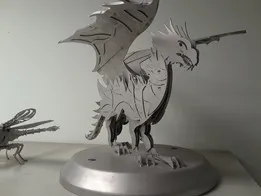
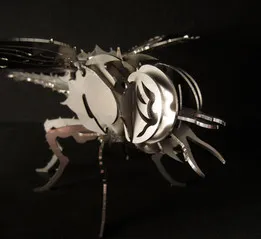
%2Fhttps%3A%2F%2Ffbi.cults3d.com%2Fuploaders%2F14151277%2Fillustration-file%2F5eaf1594-d1d9-41d5-9c48-447773d1b415%2F%25CE%25A7%25CF%2589%25CF%2581%25CE%25AF%25CF%2582%2520%25CF%2584%25CE%25AF%25CF%2584%25CE%25BB%25CE%25BFE.jpg&w=300)
%2Fhttps%3A%2F%2Ffbi.cults3d.com%2Fuploaders%2F14151277%2Fillustration-file%2F8269da80-21a9-4d69-812e-070190926de2%2F7.jpg&w=300)
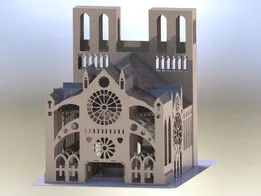
%2Fhttps%3A%2F%2Ffbi.cults3d.com%2Fuploaders%2F14151277%2Fillustration-file%2F95b39d5c-7495-4631-b3c6-a43a32a9086c%2F10.jpg&w=300)
%2Fhttps%3A%2F%2Ffbi.cults3d.com%2Fuploaders%2F14151277%2Fillustration-file%2F9554c210-bd96-4281-b201-402bf25b6adb%2F7.jpg&w=300)
%2Fhttps%3A%2F%2Ffbi.cults3d.com%2Fuploaders%2F15397850%2Fillustration-file%2F27af20af-fa5c-4a74-b4b1-0bad95db55b3%2FMaria_Christ_KEY.jpg&w=300)
%2Fhttps%3A%2F%2Ffbi.cults3d.com%2Fuploaders%2F15397850%2Fillustration-file%2Fda6ade39-36c4-488a-b1be-ee01bfd27877%2FFrame_relief_KEY.jpg&w=300)
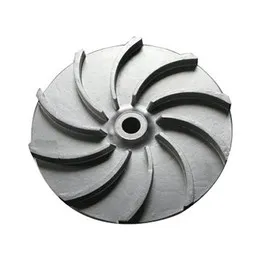
The models fall into a few groups. Pump and cooling impellers are shaped around a hub and a set of vanes, often as replacement parts for a specific housing. Parametric fan, propeller and impeller designs let you adjust blade count, diameter or thickness before export. Turbine and jet-style shapes are more visual, and some appear as pendants or keychains rather than working parts.
When choosing a file, look at the dimensions the author lists: hub bore, overall diameter, vane count and height. Check whether the model needs supports, how it should be oriented on the build plate, and which material and settings the author mentions. Photos of real prints are the quickest way to judge how thin vanes and overhangs come out.
To widen the search, try synonyms such as rotor, fan blade, propeller, turbine, waterwheel or pump part, and related terms like spool holder, gearbox housing or cooling. Adding the device type or the shaft diameter narrows results quickly. If nothing matches, a parametric model is often easier to adapt than editing a fixed mesh.
%2Fhttps%3A%2F%2Ffbi.cults3d.com%2Fuploaders%2F13532771%2Fillustration-file%2F323e4f40-a3de-423f-8b8c-e16d9cb5e7e4%2F01%25201-1.jpg&w=300)


Il catalogo completo dei temi, dalla casa alla lavorazione CNC, con ricerca su tutti i siti collegati.