
無料 
Artillery Sidewinder X1 X-Axis covers
Thingiverse
Covers in 3D printing split into a few clear groups: dust and slot panels for printer frames, toolhead and cable covers, shells for over-ear headphones, and small caps for connectors. The collection is useful when you want to close an opening, hide a cable run or replace a worn outer part rather than print something decorative. Most entries are small STL parts, so they are quick to test on a 3D printer before you commit to a full set. Polyzon does not confirm whether models are free, their price, license, official status, affiliation, safety or fitness. Check the current terms at the source.
このコレクションの本文は英語で書かれています。検索自体はどの言語でも使えます。
 Polyzonのコレクション · モデル48件 4サイトから収集
このコレクションは、Polyzonが対応サイトの検索結果をもとに作成しています。重複やプレビューのないモデルは除外し、関連性の低いものは後ろに回し、それ以外は検索結果の順に並べています。モデルの権利は各作者にあります。利用条件は各モデルのページでご確認ください。
選定基準:Polyzon編集部 · 本文の更新日:2026年10月14日

%2Fhttps%3A%2F%2Ffbi.cults3d.com%2Fuploaders%2F21816805%2Fillustration-file%2Fa16833d2-7e0e-457e-b7c1-f4124022b300%2Fim1.jpg&w=300)


%2Fhttps%3A%2F%2Ffbi.cults3d.com%2Fuploaders%2F20335359%2Fillustration-file%2F9cafdf95-9b98-46aa-af98-9684e8c33ee7%2FAirsoft-MLOK-cover-plates.png&w=300)


%2Fhttps%3A%2F%2Ffbi.cults3d.com%2Fuploaders%2F37501055%2Fillustration-file%2F1e2ccc84-1af1-4507-b64b-393be4cc25a6%2FPRS.png&w=300)



%2Fhttps%3A%2F%2Ffbi.cults3d.com%2Fuploaders%2F15437333%2Fillustration-file%2F6c1886d2-f089-404d-95c7-5b5951ba7214%2F%25CE%25B5%25CE%25B9%25CE%25BA%25CF%258C%25CE%25BD%25CE%25B1_Viber_2021-11-08_16-03-32-850.jpg&w=300)

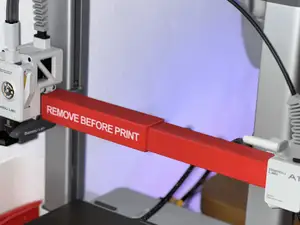

%2Fhttps%3A%2F%2Ffbi.cults3d.com%2Fuploaders%2F30157860%2Fillustration-file%2Fc0040989-03ad-4502-bca6-28d2e5f7e5c7%2FScreenshot_2025-06-26-07-43-12-949_com.instagram.android.png&w=300)



%2Fhttps%3A%2F%2Ffbi.cults3d.com%2Fuploaders%2F15437333%2Fillustration-file%2Fd24ddd2f-a65a-4e22-a539-219b1c75d433%2F%25CE%25B5%25CE%25B9%25CE%25BA%25CF%258C%25CE%25BD%25CE%25B1_Viber_2021-11-08_15-25-47-474.jpg&w=300)

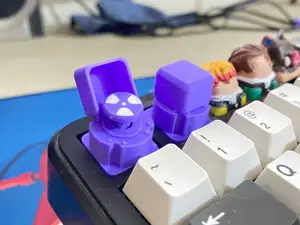

%2Fhttps%3A%2F%2Ffbi.cults3d.com%2Fuploaders%2F14139845%2Fillustration-file%2F58762dde-0fc0-4a04-8d6d-d60623e52c3c%2FCapturaIOI.PNG&w=300)

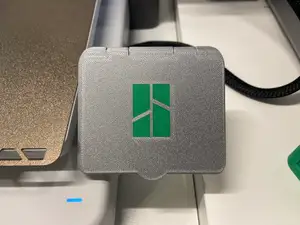

%2Fhttps%3A%2F%2Ffbi.cults3d.com%2Fuploaders%2F32992284%2Fillustration-file%2Fdc17fcf4-0ce7-407d-92fd-cceeec0287e1%2F1.png&w=300)
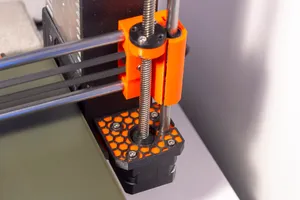

%2Fhttps%3A%2F%2Ffbi.cults3d.com%2Fuploaders%2F29115168%2Fillustration-file%2F4ac047d1-d5e0-40bd-b413-6a26f4576432%2F1.png&w=300)


%2Fhttps%3A%2F%2Ffbi.cults3d.com%2Fuploaders%2F34243448%2Fillustration-file%2F8b68609b-5d36-4c17-bc57-8d70f54b1dbb%2FLEAPERKIM-VETERAN-LYNX-rim-hole-plug.jpg&w=300)


%2Fhttps%3A%2F%2Ffbi.cults3d.com%2Fuploaders%2F15437333%2Fillustration-file%2F8d850d67-8b8a-46c0-927e-aa186194d682%2FSeat-Leon-K1.jpg&w=300)


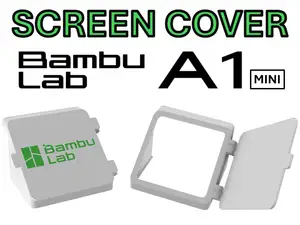
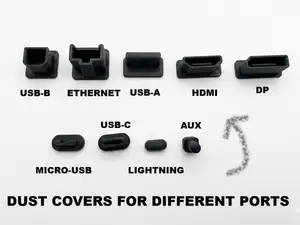
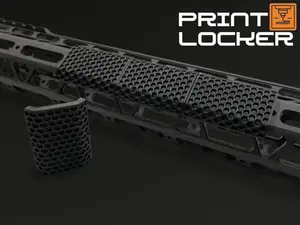
Printer-related covers are the largest group. Some are flat slot inserts that close the V-slot channels on a frame, others are dust panels for an axis or a whole machine, and toolhead covers sit over a fan and hotend assembly. Headphone covers are a different kind of part: they are shaped shells that clip or screw onto a headband or ear cup, so their fit depends on the exact model. Connector caps and rail plates are smaller still, often printed in place or as two halves that snap together.
When choosing a cover, start with the dimensions of the thing it hides. Check the wall thickness, the clearance around moving parts, and how the piece is held on — friction, a snap lip, screws or tape. Look at whether the author's photos show the part installed, and read the notes on material and settings, since a thin panel and a load-bearing bracket behave differently in PLA, PETG or ABS. For anything near a hotend or a heated enclosure, the listed material matters more than the shape.
If a search returns little, try the words the authors actually use: dust cover, slot cover, end cap, plug, blanking plate, raceway cover, shell or skin. Adding the machine name, the axis, or the object being covered narrows the list quickly, and swapping a brand name for a generic term often surfaces more results. Related topics worth browsing include cable management, printer enclosures, replacement panels and protective caps for outdoor connectors.
暮らし・日用品からCNCまで、すべてのテーマをそろえたカタログ。対応サイトを横断して検索できます。
%2Fhttps%3A%2F%2Ffbi.cults3d.com%2Fuploaders%2F21816805%2Fillustration-file%2F371778d9-23f1-44bf-a105-4d5904284fc7%2Fim6.jpg&w=640)


