無料 ![Dragon Pencil Cup [Cura 5.4 Tree Support]](https://cache.polyzon.org/api/img?url=https%3A%2F%2Fresize.thingiverse.com%2F%3Furl%3Dhttps%3A%2F%2Fcdn.thingiverse.com%2Fassets%2F04%2F95%2Fa1%2F51%2Fa4%2F90338456-01b0-4837-bacc-4e2791d33899.png%26w%3D1024%26h%3D1024%26fit%3Dcontain%26cbg%3Dwhite%26n%3D-1&w=640)
Dragon Pencil Cup [Cura 5.4 Tree Support]
Thingiverse
This collection gathers Cura-related 3D printing resources: slicer profiles, calibration prints, project files, and setup notes. It helps you compare how different models and profiles are prepared before you slice an STL. Use it to find starting points and test objects for your own 3D printer. Polyzon does not confirm whether models are free, their price, license, official status, affiliation, safety or fitness. Check the current terms at the source.
このコレクションの本文は英語で書かれています。検索自体はどの言語でも使えます。
 Polyzonのコレクション · モデル47件 3サイトから収集
このコレクションは、Polyzonが対応サイトの検索結果をもとに作成しています。重複やプレビューのないモデルは除外し、関連性の低いものは後ろに回し、それ以外は検索結果の順に並べています。モデルの権利は各作者にあります。利用条件は各モデルのページでご確認ください。
選定基準:Polyzon編集部 · 本文の更新日:2026年10月11日




%2Fhttps%3A%2F%2Ffbi.cults3d.com%2Fuploaders%2F15639626%2Fillustration-file%2F1a46e78e-0218-40ce-8ea3-98c2c37abd5d%2FCapture.JPG&w=300)
![CuraCrocClip [Cura 5.3 Interlocking Stucture]](https://cache.polyzon.org/api/img?url=https%3A%2F%2Fresize.thingiverse.com%2F%3Furl%3Dhttps%3A%2F%2Fcdn.thingiverse.com%2Fassets%2Fb3%2F53%2Fbb%2Fac%2Fd9%2F63a02edd-178c-458a-94b4-e6ecc46896bd.png%26w%3D1024%26h%3D1024%26fit%3Dcontain%26cbg%3Dwhite%26n%3D-1&w=300)


![SD Card Holder Dinosaur [Cura 5.7 Universal Cura Project]](https://cache.polyzon.org/api/img?url=https%3A%2F%2Fresize.thingiverse.com%2F%3Furl%3Dhttps%3A%2F%2Fcdn.thingiverse.com%2Fassets%2F19%2F08%2F60%2Fc7%2F82%2F0f3631ae-bcfe-40b2-9953-b48dff99f1ac.png%26w%3D1024%26h%3D1024%26fit%3Dcontain%26cbg%3Dwhite%26n%3D-1&w=300)












![Trick Or Treat Cauldron [Cura 5.5]](https://cache.polyzon.org/api/img?url=https%3A%2F%2Fresize.thingiverse.com%2F%3Furl%3Dhttps%3A%2F%2Fcdn.thingiverse.com%2Fassets%2F4d%2F3e%2Fdb%2Fcc%2F71%2Fb7eff2a8-5aa0-4122-930f-5c8080e2eb47.png%26w%3D1024%26h%3D1024%26fit%3Dcontain%26cbg%3Dwhite%26n%3D-1&w=300)
![Happy Post-it Toast [Cura 5.8 Improved ZSeam]](https://cache.polyzon.org/api/img?url=https%3A%2F%2Fresize.thingiverse.com%2F%3Furl%3Dhttps%3A%2F%2Fcdn.thingiverse.com%2Fassets%2F27%2F8f%2F98%2Fc6%2F5c%2F3da22ba5-8f32-4ab9-a5d1-4135612ea232.png%26w%3D1024%26h%3D1024%26fit%3Dcontain%26cbg%3Dwhite%26n%3D-1&w=300)
![Cura Cookie Cutter [Cura 5.4 Smart Brim]](https://cache.polyzon.org/api/img?url=https%3A%2F%2Fresize.thingiverse.com%2F%3Furl%3Dhttps%3A%2F%2Fcdn.thingiverse.com%2Fassets%2F5f%2F2d%2F41%2F7b%2F39%2Fbdd188b4-56b2-4f05-9c14-b1e31000acbc.png%26w%3D1024%26h%3D1024%26fit%3Dcontain%26cbg%3Dwhite%26n%3D-1&w=300)
![3D Printer Feet Sneakers [Cura 5.9 Scarf ZSeam]](https://cache.polyzon.org/api/img?url=https%3A%2F%2Fresize.thingiverse.com%2F%3Furl%3Dhttps%3A%2F%2Fcdn.thingiverse.com%2Fassets%2F12%2Fe5%2F21%2F8f%2F43%2FNew_Project_2.png%26w%3D1024%26h%3D1024%26fit%3Dcontain%26cbg%3Dwhite%26n%3D-1&w=300)
![Painting Easel [Cura 5.11 Paint-on]](https://cache.polyzon.org/api/img?url=https%3A%2F%2Fresize.thingiverse.com%2F%3Furl%3Dhttps%3A%2F%2Fcdn.thingiverse.com%2Fassets%2Fdf%2F3c%2Fc2%2F33%2Fcb%2FPaintingeasle_1.png%26w%3D1024%26h%3D1024%26fit%3Dcontain%26cbg%3Dwhite%26n%3D-1&w=300)
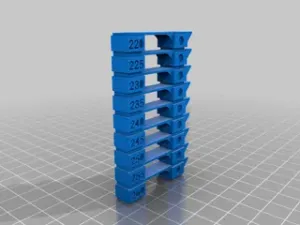
The models here fall into a few practical groups. Printer-specific profiles show settings for particular machines, while calibration objects such as temperature towers and infill swatches help you judge extrusion and surface quality. Project files often include supports, multi-part assemblies, or interlocking shapes that demonstrate how a model was arranged in Cura.
When choosing a file, look at the author's notes for nozzle size, layer height, material, and whether supports are required. Check the number of parts and how they connect, especially for interlocking or assembled designs. Photos of real prints and the included profile settings can tell you more than a title alone.
To refine your search, try terms such as slicer profile, Cura project, calibration test, tree supports, and filament change. Related searches include printer setup, build plate adhesion, infill pattern, and temperature tower. Combining a printer name with Cura profile often narrows results to a specific setup.
暮らし・日用品からCNCまで、すべてのテーマをそろえたカタログ。対応サイトを横断して検索できます。
%2Fhttps%3A%2F%2Ffbi.cults3d.com%2Fuploaders%2F15639626%2Fillustration-file%2F382b6384-6d8a-4a9e-8cf1-5c0a5fefa5c7%2FCapture.PNG&w=640)