
無料 
Model Stairs for Train Layout
Thingiverse
This collection gathers STL and cutting layouts used to build mockups, models and functional panels. It covers laser-cut decor, model railway scenery, keyboard and keycap plates, game inserts and organizer trays. Use it when you need a starting geometry that you can scale or adapt for your own 3D printer or cutter. Polyzon does not confirm whether models are free, their price, license, official status, affiliation, safety or fitness. Check the current terms at the source.
このコレクションの本文は英語で書かれています。検索自体はどの言語でも使えます。
 Polyzonのコレクション · モデル48件 4サイトから収集
このコレクションは、Polyzonが対応サイトの検索結果をもとに作成しています。重複やプレビューのないモデルは除外し、関連性の低いものは後ろに回し、それ以外は検索結果の順に並べています。モデルの権利は各作者にあります。利用条件は各モデルのページでご確認ください。
選定基準:Polyzon編集部 · 本文の更新日:2026年10月14日

%2Fhttps%3A%2F%2Ffbi.cults3d.com%2Fuploaders%2F40487000%2Fillustration-file%2Fe625a2b1-cbce-4b42-b4bd-db9971ede856%2FWhisk_0d52e8ce21d8ad6a68146e1c12591ee7dr.png&w=300)


%2Fhttps%3A%2F%2Ffbi.cults3d.com%2Fuploaders%2F40487000%2Fillustration-file%2Fef470553-48e3-4a4b-afa4-786cbc5c20d6%2F612188306_2357754914723807_1007897204460817669_n.jpg&w=300)


%2Fhttps%3A%2F%2Ffbi.cults3d.com%2Fuploaders%2F40487000%2Fillustration-file%2Fe74b2902-6d0a-436f-818f-aadef46cd791%2FWhisk_123a1e72c0415488a3a452ce51318ddfeg.png&w=300)


%2Fhttps%3A%2F%2Ffbi.cults3d.com%2Fuploaders%2F40487000%2Fillustration-file%2F253f400a-7b5e-4199-957c-e5e5659e9414%2FWhisk_268bd1c10f13029879b4aec1d87c603eeg.png&w=300)


%2Fhttps%3A%2F%2Ffbi.cults3d.com%2Fuploaders%2F40487000%2Fillustration-file%2F5187992c-45e4-41cf-b113-0cbf9049c1d7%2FWhisk_3a88ad8e48fb17a80ea4998a71576332eg.png&w=300)


%2Fhttps%3A%2F%2Ffbi.cults3d.com%2Fuploaders%2F40487000%2Fillustration-file%2F111d50b1-d847-4b81-8bc6-dd79dd99bda3%2FSierdtsie-podviesnoie-2.jpg&w=300)


%2Fhttps%3A%2F%2Ffbi.cults3d.com%2Fuploaders%2F40487000%2Fillustration-file%2F3511c01e-f275-4c69-a848-09ac1648e5ef%2Ffotoramka-pro-suprugha-2-1.jpg&w=300)


%2Fhttps%3A%2F%2Ffbi.cults3d.com%2Fuploaders%2F40487000%2Fillustration-file%2F2e48821a-7761-41e6-9eab-6b1f6014ac6c%2Fsierdtsie-s-rukami-2.jpg&w=300)


%2Fhttps%3A%2F%2Ffbi.cults3d.com%2Fuploaders%2F40487000%2Fillustration-file%2Fe305df84-5717-437a-9c0e-807e434f44bb%2FWhisk_baf99cba734397fb1cf495d19a8a33c2eg.png&w=300)


%2Fhttps%3A%2F%2Ffbi.cults3d.com%2Fuploaders%2F40487000%2Fillustration-file%2F768d21bf-643e-474e-a992-8f5ff42331ac%2FWhisk_cb826190c99934ba2b04a6068623bc47eg.png&w=300)


%2Fhttps%3A%2F%2Ffbi.cults3d.com%2Fuploaders%2F40487000%2Fillustration-file%2Fed4330fb-217a-418e-8338-931472fabd9c%2FWhisk_71e0e8fd9a4060ea6cf426257c1b3e61eg.png&w=300)

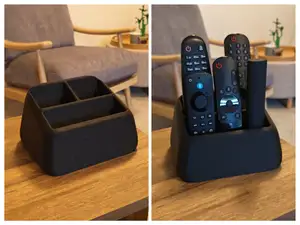
Layout files serve quite different jobs. Some are decorative panels and shelves meant for laser cutting, others are scenery and structures for model railway layouts, and a further group fixes the position of keys, buttons or game pieces inside a case or board. The differences show up in how the parts join: flat sheet parts rely on slots and tabs, while printed cases use screws, clips or a lid.
When you open a model page, check the dimensions and scale first, then the number of separate parts and how they go together. Look at whether the author mentions supports, layer height, infill or a particular filament, and compare those notes with photos of real prints. For laser-cut layouts the sheet thickness matters as much as the outline, because slots sized for one sheet will not fit another.
If the results feel too broad, narrow them with words that describe the function rather than the object: insert, tray, jig, template, panel, base plate, scenery. Related searches such as model railway, diorama, keycap set, arcade panel or shelf system often lead to the same kind of files. You can also search by the tool the layout was drawn for, for example OpenSCAD or laser cutting.
暮らし・日用品からCNCまで、すべてのテーマをそろえたカタログ。対応サイトを横断して検索できます。
%2Fhttps%3A%2F%2Ffbi.cults3d.com%2Fuploaders%2F40487000%2Fillustration-file%2F132d6b95-c629-41ef-9b8f-edc5ba9d5f84%2FWhisk_b9c8260c4c7a9d59c674afc35d269154dr.png&w=640)