無料 
Small Spool Wire Box
Thingiverse
This collection gathers STL files for small boxes meant to keep wires and cables in order. It covers cable organizers, compact enclosures, junction boxes and mini part trays. Use it when you need a practical 3D printing project for tidying a desk, drawer or electronics bench. Polyzon does not confirm whether models are free, their price, license, official status, affiliation, safety or fitness. Check the current terms at the source.
このコレクションの本文は英語で書かれています。検索自体はどの言語でも使えます。
 Polyzonのコレクション · モデル48件 5サイトから収集
このコレクションは、Polyzonが対応サイトの検索結果をもとに作成しています。重複やプレビューのないモデルは除外し、関連性の低いものは後ろに回し、それ以外は検索結果の順に並べています。モデルの権利は各作者にあります。利用条件は各モデルのページでご確認ください。
選定基準:Polyzon編集部 · 本文の更新日:2026年10月13日


%2Fhttps%3A%2F%2Ffbi.cults3d.com%2Fuploaders%2F14314849%2Fillustration-file%2F1dcb709d-e894-4244-9128-c2f6b2563b53%2FContainer_SmallBox_C3D_C6_2.jpg&w=300)

%2Fhttps%3A%2F%2Ffbi.cults3d.com%2Fuploaders%2F13482595%2Fillustration-file%2Fbcf23d8e-8775-4b2a-aef4-3ab69d7acfc1%2FBoite%2520a%2520vis1.jpg&w=300)

%2Fhttps%3A%2F%2Ffbi.cults3d.com%2Fuploaders%2F14190836%2Fillustration-file%2Ff8edb0c3-0c02-41a2-99f6-927a9355e78c%2Fgiftbox02-01.jpg&w=300)


%2Fhttps%3A%2F%2Ffbi.cults3d.com%2Fuploaders%2F17182273%2Fillustration-file%2F2dff210e-de4b-45a7-9516-7c07fb298226%2Fbox_with_slid_top.jpg&w=300)


%2Fhttps%3A%2F%2Ffbi.cults3d.com%2Fuploaders%2F14421003%2Fillustration-file%2F287f179c-608a-47b1-bd67-fd47d261990b%2FGIF1.gif&w=300)


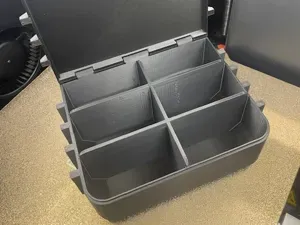
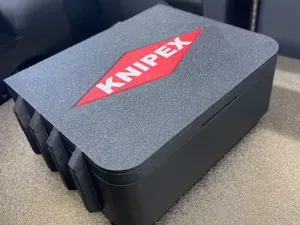

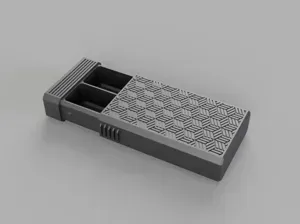
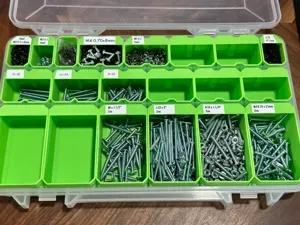
%2Fhttps%3A%2F%2Ffbi.cults3d.com%2Fuploaders%2F15782439%2Fillustration-file%2Fae8ea7ae-f9b3-42b7-93bc-8d959ee3790d%2Fcaja-1.jpg&w=300)



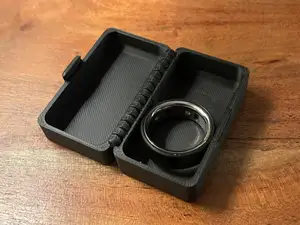



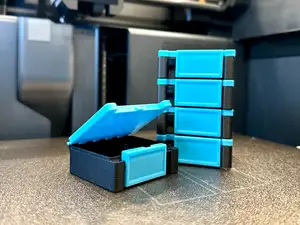


Cable organizer boxes usually have slots, dividers or separate compartments, while junction boxes focus on housing connectors or switch blocks. Electronic enclosures tend to be more rigid and may include mounting points or openings for ports. Mini storage boxes are simpler and often used for loose small parts rather than fixed wiring.
Before printing, check the outer dimensions and internal clearance against the wires or connectors you plan to store. Look at the number of parts, whether the author shows assembly steps, and whether supports are required. The material and settings listed on the model page can affect how thin walls and snap features behave.
If the first results are too broad, try terms such as cable organizer, wire tray, junction box, electronic enclosure or component organizer. Related searches include modular storage systems, keystone module boxes, connector housings and small parts bins. You can also narrow by size, closure type, or the kind of connector the box is meant to hold.
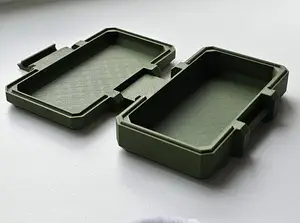
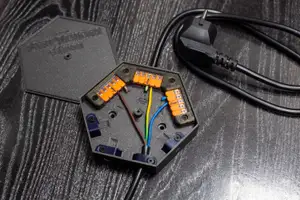


暮らし・日用品からCNCまで、すべてのテーマをそろえたカタログ。対応サイトを横断して検索できます。