%2Fhttps%3A%2F%2Ffbi.cults3d.com%2Fuploaders%2F13717150%2Fillustration-file%2Fc63ed257-edba-4adc-a72d-6cd17b18adbb%2F3c65d2a6b2de5abc8e6fa8668bac60c7_display_large.jpg&w=640)

無料 
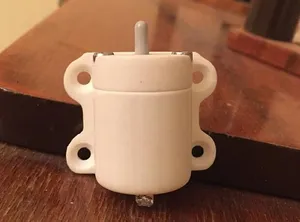
Корпус для кнопки 28мм
3DToday
This collection gathers 3D models that hold, cover or replace buttons: panel-mount switch enclosures, shells for remote and key buttons, emergency stop housings and clicker parts. It is useful when a button needs a body around it, whether you are repairing a device or building a control panel. Most files are made for desktop 3D printing, so the wall thickness and openings matter as much as the shape. Polyzon does not confirm whether models are free, their price, license, official status, affiliation, safety or fitness. Check the current terms at the source.
このコレクションの本文は英語で書かれています。検索自体はどの言語でも使えます。
 Polyzonのコレクション · モデル48件 5サイトから収集
このコレクションは、Polyzonが対応サイトの検索結果をもとに作成しています。重複やプレビューのないモデルは除外し、関連性の低いものは後ろに回し、それ以外は検索結果の順に並べています。モデルの権利は各作者にあります。利用条件は各モデルのページでご確認ください。
選定基準:Polyzon編集部 · 本文の更新日:2026年10月12日
%2Fhttps%3A%2F%2Ffbi.cults3d.com%2Fuploaders%2F13717150%2Fillustration-file%2Fc63ed257-edba-4adc-a72d-6cd17b18adbb%2F3c65d2a6b2de5abc8e6fa8668bac60c7_display_large.jpg&w=300)


%2Fhttps%3A%2F%2Ffbi.cults3d.com%2Fuploaders%2F14046833%2Fillustration-file%2F3cab876d-8501-4932-9227-719f7b884c8e%2F2019-08-17_18.21.06.jpg&w=300)

%2Fhttps%3A%2F%2Ffbi.cults3d.com%2Fuploaders%2F15461789%2Fillustration-file%2F2dc34752-aa67-47a3-bb02-e76e332a65f0%2FCooler_Maser_Elite_Button.jpeg&w=300)
%2Fhttps%3A%2F%2Ffbi.cults3d.com%2Fuploaders%2F14762833%2Fillustration-file%2Fd30bd090-fb0b-4621-9fb4-52bf574dac7c%2Fphoto_2018-04-17_10-07-11.jpg&w=300)


%2Fhttps%3A%2F%2Ffbi.cults3d.com%2Fuploaders%2F13313813%2Fillustration-file%2F2e823ccb-def7-4c6f-aeb0-d25ac081f22f%2Fphoto_2020-09-11_14-06-14.jpg&w=300)

%2Fhttps%3A%2F%2Ffbi.cults3d.com%2Fuploaders%2F13363097%2Fillustration-file%2F20ec216e-3f91-4811-91b4-1d28978255c5%2FCapture%2520d%25E2%2580%2599e%25CC%2581cran%25202017-12-13%2520a%25CC%2580%252011.53.23.png&w=300)
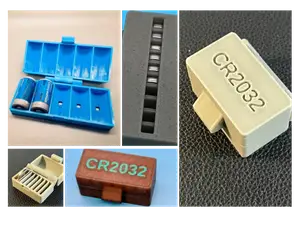
%2Fhttps%3A%2F%2Ffbi.cults3d.com%2Fuploaders%2F15061642%2Fillustration-file%2Fa579f954-214f-4feb-a157-ee387f0ff1a8%2F1_front_top_view.jpg&w=300)
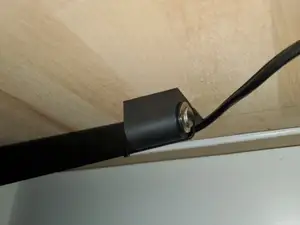

%2Fhttps%3A%2F%2Ffbi.cults3d.com%2Fuploaders%2F16080393%2Fillustration-file%2F6b7e0f12-9b52-49aa-a09e-97f87b1f6d58%2F20210515_141731.jpg&w=300)

%2Fhttps%3A%2F%2Ffbi.cults3d.com%2Fuploaders%2F15159489%2Fillustration-file%2F88f645d7-5b22-4848-8213-85fb8bad462c%2Fimage.png&w=300)
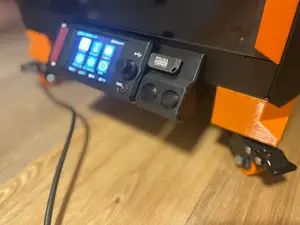
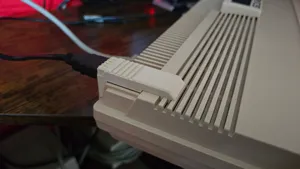
%2Fhttps%3A%2F%2Ffbi.cults3d.com%2Fuploaders%2F14064095%2Fillustration-file%2F5e70fed3-7ad9-4736-8be4-56f050ff7594%2F1.jpeg&w=300)


%2Fhttps%3A%2F%2Ffbi.cults3d.com%2Fuploaders%2F35634564%2Fillustration-file%2Fa10e0eb8-b5f4-47c5-ae81-2fa0f8d1debf%2FEkran-goruntusu-2026-10-15-012315.png&w=300)
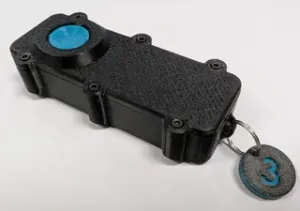
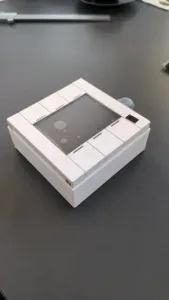

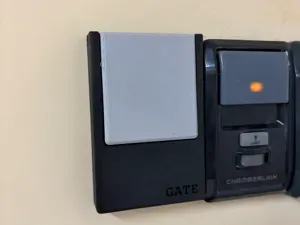

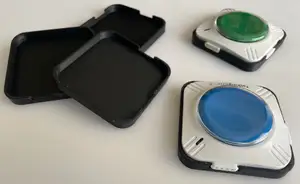

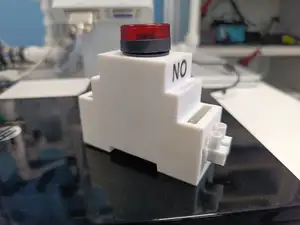
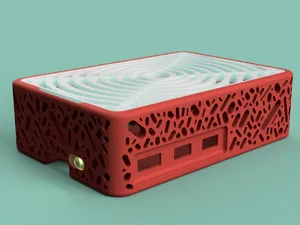
The models differ mainly in what they are built around. Panel-mount housings are sized to a switch body diameter and often include a flange, a threaded collar or a snap detail, while replacement shells copy the outline of a remote, key fob or appliance button. Emergency stop and control enclosures are usually larger, with room for wiring and a deeper body, and multi-button panels combine several openings in one plate. Clicker and fidget parts sit at the other end: small, simple bodies where the button is the whole point.
Before printing, read the author's model page rather than judging from the preview image. Check the stated inner and outer dimensions, the panel thickness the housing expects, the number of separate parts, and whether screws, inserts or glue are part of the assembly. Look at how the button is retained — press fit, thread, clip or cover — and whether the file needs supports for overhangs. The material and settings the author lists, plus photos of real prints, tell you more about the result than a render does.
If the first search gives little, widen the wording. Try enclosure, case, bezel, cover, panel mount, switch housing or shell instead of housing alone, and add the switch size or the device type. Related topics are worth a look too: control panels, button boxes, knob and dial housings, arcade-style buttons, and fidget clickers. Searching by the part you are replacing, such as a remote or key shell, often turns up models that a generic query misses.


暮らし・日用品からCNCまで、すべてのテーマをそろえたカタログ。対応サイトを横断して検索できます。