
無料 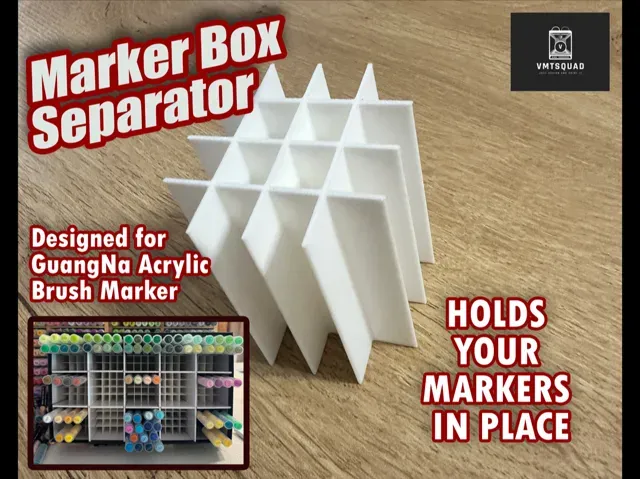
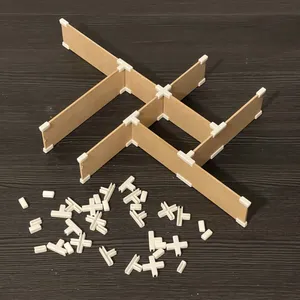
GuangNa Acrylic Marker separator
MakerWorld
This collection brings together 3D models whose job is to divide, hold apart or label something: inserts for binders, compartments for pens and markers, markers for rails and panels, trays for game boxes and small workshop aids. The files are made for 3D printing, so the shape can be adapted to the box or panel you already have. It helps when a drawer, case or shelf needs order rather than another container. Polyzon does not confirm whether models are free, their price, license, official status, affiliation, safety or fitness. Check the current terms at the source.
このコレクションの本文は英語で書かれています。検索自体はどの言語でも使えます。
 Polyzonのコレクション · モデル48件 5サイトから収集
このコレクションは、Polyzonが対応サイトの検索結果をもとに作成しています。重複やプレビューのないモデルは除外し、関連性の低いものは後ろに回し、それ以外は検索結果の順に並べています。モデルの権利は各作者にあります。利用条件は各モデルのページでご確認ください。
選定基準:Polyzon編集部 · 本文の更新日:2026年10月11日
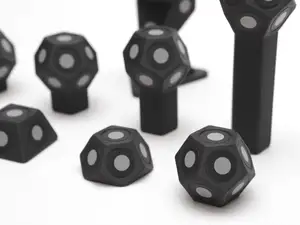

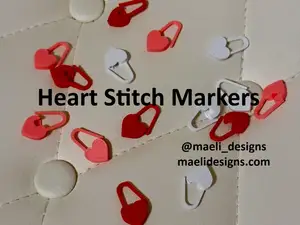
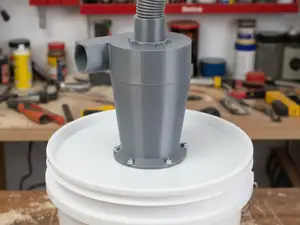
%2Fhttps%3A%2F%2Ffbi.cults3d.com%2Fuploaders%2F15271795%2Fillustration-file%2F3af132d6-16e0-48a1-9902-e0851513a784%2FWound%2520Marker%2520v16.png&w=300)
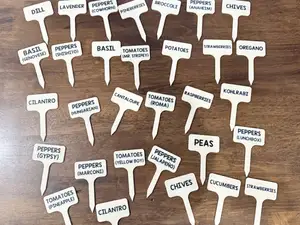

%2Fhttps%3A%2F%2Ffbi.cults3d.com%2Fuploaders%2F14416628%2Fillustration-file%2F2bf77723-3bad-45ae-bc09-73f169e1b01c%2FCSC0-010.jpg&w=300)
%2Fhttps%3A%2F%2Ffbi.cults3d.com%2Fuploaders%2F15271795%2Fillustration-file%2F75bcad1f-a6b2-4050-9e3f-c51a2c4c9f23%2FWound%2520Marker%2520v23.png&w=300)


%2Fhttps%3A%2F%2Ffbi.cults3d.com%2Fuploaders%2F15271795%2Fillustration-file%2F6217a168-791c-4849-b7e3-3dbfd0e28107%2FWound%2520Marker%2520v4.png&w=300)
%2Fhttps%3A%2F%2Ffbi.cults3d.com%2Fuploaders%2F14010279%2Fillustration-file%2Fcc722483-fc61-4b03-806d-99282a4355d6%2FCardDivider__2__display_large.jpg&w=300)


%2Fhttps%3A%2F%2Ffbi.cults3d.com%2Fuploaders%2F16144303%2Fillustration-file%2Febee7129-21a2-4689-8917-a38cc0a4b313%2FBOLA%2520(2).PNG&w=300)
%2Fhttps%3A%2F%2Ffbi.cults3d.com%2Fuploaders%2F14033715%2Fillustration-file%2Fc26e834f-1550-4e98-ba05-a66e01663fb2%2F01.jpg&w=300)

%2Fhttps%3A%2F%2Ffbi.cults3d.com%2Fuploaders%2F17092527%2Fillustration-file%2Fdb971c9b-e826-4658-9d36-dd6724def63e%2FStitch_marker_gatito.png&w=300)


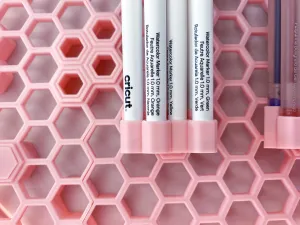

%2Fhttps%3A%2F%2Ffbi.cults3d.com%2Fuploaders%2F14292977%2Fillustration-file%2F39f74c7f-2fad-4583-a16f-b4968c6a3122%2F97408430_2385759425056813_1520040783489531904_n.jpg&w=300)
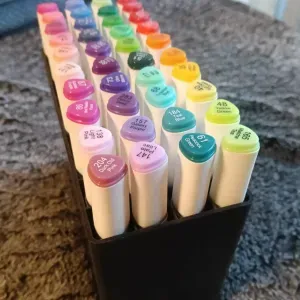

%2Fhttps%3A%2F%2Ffbi.cults3d.com%2Fuploaders%2F16144303%2Fillustration-file%2Fd62b62e8-7884-43d3-9b7a-11b3bd949ea1%2FPOSIONES%2520DEL%2520AMOR.PNG&w=300)
%2Fhttps%3A%2F%2Ffbi.cults3d.com%2Fuploaders%2F16144303%2Fillustration-file%2Fb2006b22-9076-4faf-b288-0a5f0ef75e97%2FSANTAS.PNG&w=300)
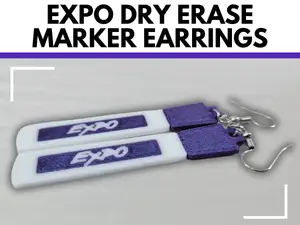


%2Fhttps%3A%2F%2Ffbi.cults3d.com%2Fuploaders%2F16144303%2Fillustration-file%2Fb9882f88-98eb-4c1d-9771-ae4b6864d06b%2F124324355_1182537252143838_1725360079922478515_n.jpg&w=300)
%2Fhttps%3A%2F%2Ffbi.cults3d.com%2Fuploaders%2F16144303%2Fillustration-file%2Fd3147b2f-dc2d-495d-be80-7cbdc8794634%2Fdiamantes.jpg&w=300)
The models fall into a few groups that behave differently. Binder and folder dividers are flat plates, often with a tab or a label window, and their main variable is the outer size and the thickness of the sheet they sit next to. Pen and marker trays use walls and slots to keep items upright, so the spacing between compartments matters more than the outline. Rail and gauge markers are small parts that clip or slide onto a profile, while game box inserts and garden or workshop markers are usually simple plates with text or a stake.
Before printing, read what the author lists on the model page: overall dimensions and scale, how many separate parts there are and how they join, whether supports are needed, and which material and settings were used. Photos of real prints show how thin walls, tabs and text come out in practice, which is hard to judge from a render. If a divider has to fit an existing box, measure the inner width and height first and compare them with the stated size, leaving a little clearance for the print.
To narrow the results, try the words people use for the same object: divider, separator, insert, organizer, tray, label holder, compartment, spacer. Adding the context helps as well — binder, drawer, desk, din rail, board game, seed row, toolbox — because the same geometry is often filed under a different name. Related searches such as desk organizer, drawer insert, label plate or sorting tray usually surface models that the main term misses.




暮らし・日用品からCNCまで、すべてのテーマをそろえたカタログ。対応サイトを横断して検索できます。