
Бесплатно 
Parametric Gridfinity Bins w/ Quick Swap Labels - Swapfinity
Printables


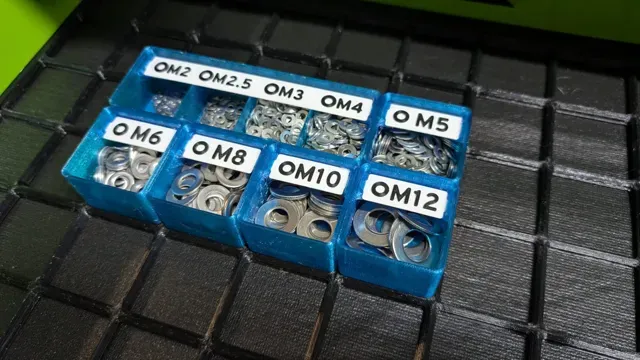
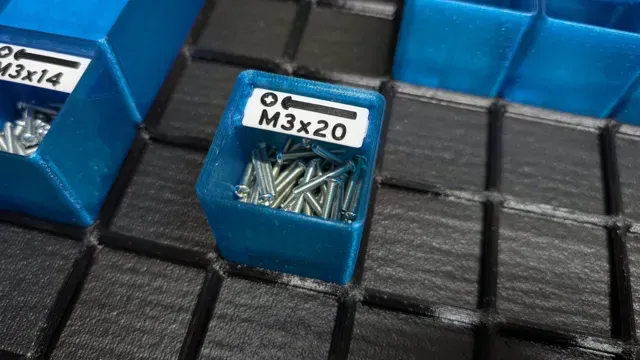
Announcements
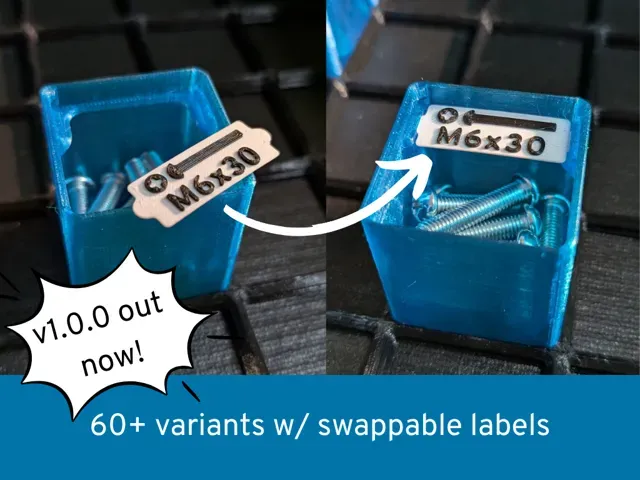
Version 1.0.0 is out now! 🎉 It is the result of testing and continuously improving the design over the last few months. No breaking changes, labels stay the same.
New features/improvements:
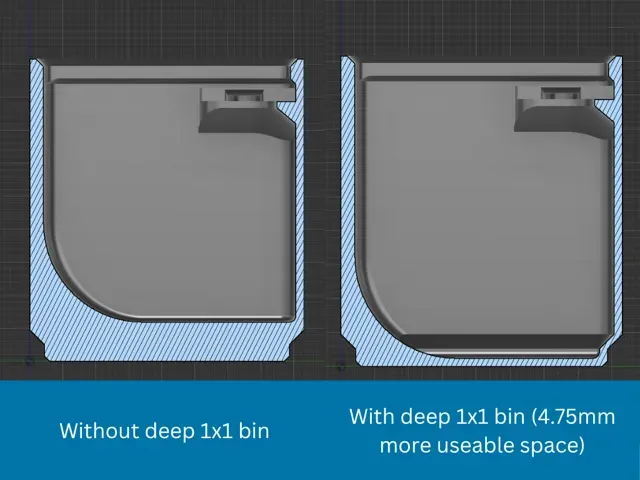
- New: Lots of new variants with and without compartments - New: 1x1 bins automatically use the available space in the bottom of the bin (see comparison images). 4.75mm more space for parts for the same bin size. Can be turned on/off with a parameter. - Improvement: improved stacking lip: bins fit better into the stacking lip on top and cannot hit the label shelf any more. Larger bins have bigger ‘stoppers’ so bins do not slide as easily over the border. - Improvement: Labels are easier to remove through better spacing to the stacking lip - Improvement: Improved inner bin geometry leads to much smoother surfaces and print movement. - Improvement : Better support for smaller bins z < 3.
Please be aware that the print profile was not provided by me and does not contain the newest version of the bins!
Check out my other compatible swapfinitiy bins (click on the images :) )!
Swapfinity
Gridfinity compatible bins with quick swappable labels. 🚀
I really like the concept of gridfinity, but the default label holders were too big and too inflexible for me. I wanted a non-intrusive label holder, so i created Swapfinity. I prefer not to remix STLs, so I recreated the gridfinity bins in Fusion 360 as a parametric model.
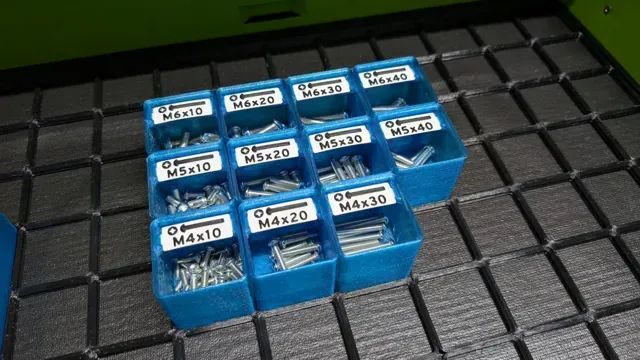
Create bins of different sizes easily and use awesome 3d-printed labels in your gridfinity system.
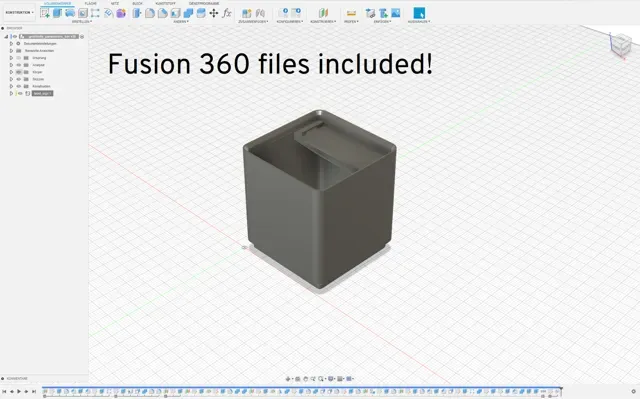
As the fusion source files are included, you can also create your own variants by using the online parametric model maker which is very easy.
If you need a specific bin or label with different sizes, text etc. let me know!
I am also open to improvements or suggestions.
Features:
- Quick swap labels with a non-blocking holder - Print labels with text, icons etc. or use blank versions and write on it with a pen - Parametric Fusion 360 model - change it to fit your needs - Optional dividers that divide the x width of the bin into equal parts can be configured
Changes compared to the original:
I recreated the gridfinity bin in fusion 360 as a parametric model. This makes it easy to create different types of bins and modify them easily afterwards.
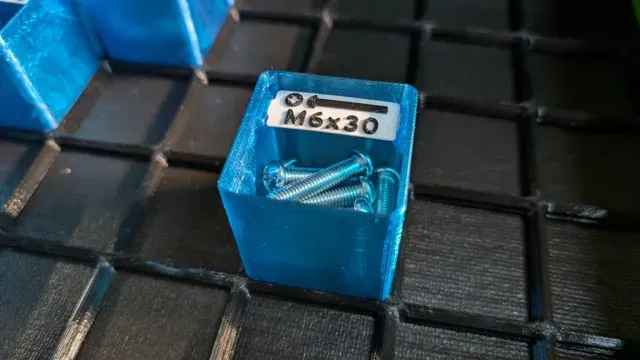
My version of the bins also comes with a different label style. They do not block the access to the parts as much as the original labels and labels can be swapped easily while still being hold securely.
Usage:
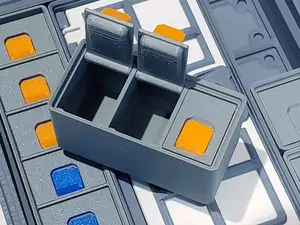
Print the bins and labels. A label can be installed by slightly flexing it and putting the tabs into the pockets in the bin. The label can be uninstalled by putting a finger under it and pulling it upwards.
⚠Be careful and do not flex the label to much.
Printing:
⚠ The models were designed to be printed with a layer height of 0.2mm. I highly recommend to use 0.2mm as layer height.
⚠ Slicers tend to hide the layer seems inside the label holder holes. Make sure to forbid seems inside the the holes to make the label fit well.
Bins:
The bins are easy to print and do not need any supports.
I prefer to use PETG for them, but PLA should work as well.
I have not tested PLA bins yet, but let me know if you try.
Labels:
If you just print blanks, you can use PETG or PLA.
If you print labels with text & icons, i recommend using PLA.
The text came out better with PLA in my tests.
Print them really slow to get the best results.
Even with a single nozzle printer without material change you can print labels by pausing the print at the correct layer and changing the filament .
Remixing:
The fusion files are available to download, so you can remix the bins to your needs. Please share your remixes for others to use.
Configuration Parameters
There are some configuration parameters available in the Fusion 360 files, that are meant to be changed if needed.
The most important ones are marked with a star.
- bin_scoop_size: Creates a scoop with the given radius to make fetching parts easier (disabled when equal to 0) - x_u: width of the bin in u (one size unit) - y_u: depth of the bin in u (one size unit) - z_u: height of the bin in u (one height unit) - compartments_x_amount: The amount of compartments. default: 1 - compartments_x_height_percent: The height of the compartment walls in percent in relation to the height available. default: 100 - deep_1x1u_bin: Whether to generate deep 1x1 bins. default: 1 (true) ⚠ Changing the label holder & label snap parameters makes bins and labels incompatible with each other. Use the same values for all bins/labels. The default values worked well for me, but different printers may lead to other results.
0.2mm layer PLA - 25 Bins 1x1x6 + 89 labels marked/blank Gridfinity with exchangable labels, this is what i always searched for 25 Bins 1x1x6: 10h44 and 442g for a Standard profile, nothing special just rather quick 74 Labels marked M1.4-M4 + 15 blank: 1h56 and 32g label + 3g Text (optimized for AMS)
89 Labels (blank): 1h28 and 30g (add Text and piktogram in Bambu Studio or Orca Slicer)







Названия используются только для указания источника результата. Polyzon не аффилирован с перечисленными площадками.