
Бесплатно 
Minimalist City Map Lithophane Lamps - Tutorial
MakerWorld
Changelog
- 17.02.2025: initial upload of the collection
- 20.02.2025: complete overhaul of all maps, changing the projection to EPSG:3857
- 20.02.2025: addition of Stockholm, Istanbul and Melbourne
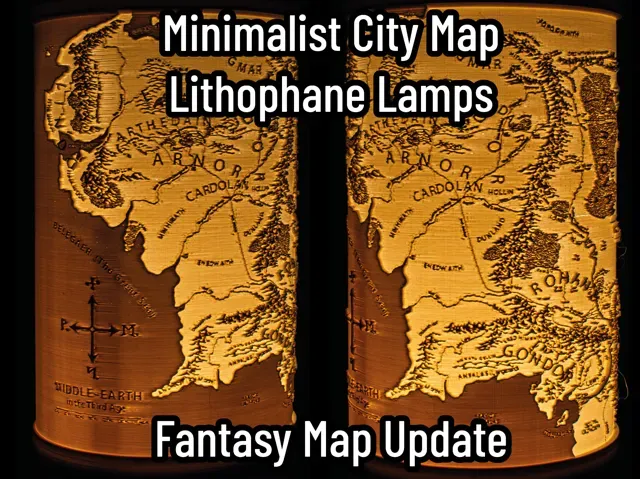
- 21.02.2025: addition of Chicago, Paris, San Francisco, and maps of GTA V and Middle Earth
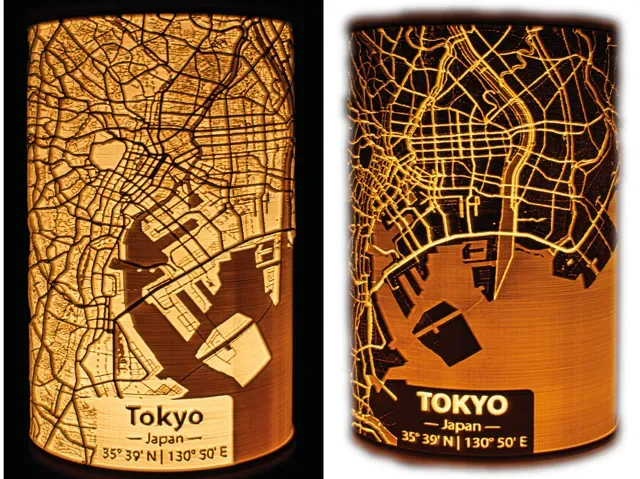
- 22.02.2025: experiments with inverse maps (see last image). Please give me feedback if you'd like to see inverse maps.
- 26.02.2025: addition of Toronto, Hamburg, Prague, Shiraz, Shenzhen and Hong Kong
- 04.03.2025: added a tutorial to create your own map lamp
- 05.03.2025: changed the rotation of the lamp bases to align the wire outlet with the rear of the lamp and added custom text lids
- 11.03.2025: added Erlangen, Austin, Dallas, Houston, Kyiv, Pittsburgh and San Antonio
- 21.03.2025: added Miami, Jacksonville, Orlando, St. Augustine, Rotonda and St. Petersburg (Florida)
- 21.04.2025: added a map of Zelda Hyrule
- 22.06.2025: added the E14 Puck Base, E14 and E27 adapters and maps for Riyadh, Dammam, Abu Dhabi, Dubai, Doha, Kuwait City, Manama, Mecca
- 26.10.2025: added Mariupol, Bakhmut, Bucha, Charkiw, Rome, Florence, Modena, Bologna, Parma, Reggio Emilia, Correggio, Carpi, Scandiano
Boost Me Help me creating more map lamps by boosting my models!
Your city as a Lithophane
While I continuously add new major cities to this collection, I may not have done your city yet. You can comment your city below and if I have enough free time, I may or may not create a Lithophane model for it.
You may also create your own Lithophane! I uploaded a tutorial, detailing my workflow in creating these lamps. You can find it here: https://makerworld.com/de/models/1174521-minimalist-city-map-lithophane-lamps-tutorial
It is published with a Public Domain license. So you can upload your own creation under your own terms and even use it commercially!
If you don't want to create an entirely new model, but only want to add minor changes or a personal touch to an already existing upload here (different label, inverse map, …) feel free to ask for high resolution map renderings . I'll gladly share them!
Introduction
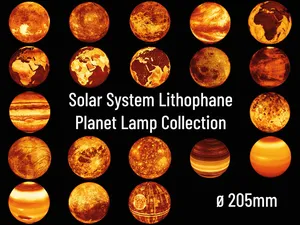
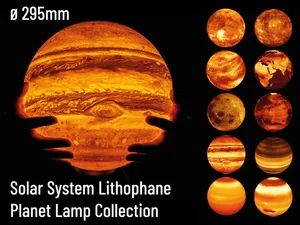
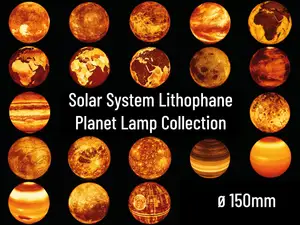
Following the popularity and success of my Solar System Lithophane Planet Lamp Collection - 205mm³ and Solar System Lithophane Planet Lamp Collection - 75mm³ models, I decided to create further Lithophane lamps. This time, I am focussing on maps.
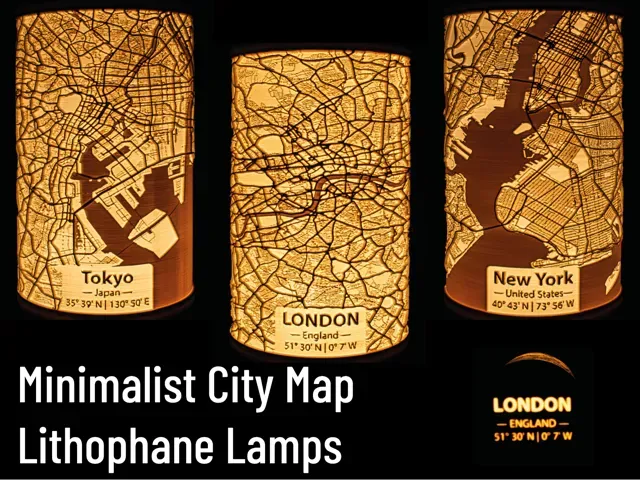
The Minimalist City Map Lithophane Lamps represent urban geography using OpenStreetMap data. Rendered and processed to highlight street networks and spatial structures , they provide a tangible 3D representation of urban features. The lithophane technique encodes geographic data into a relief, making geograpical features, city layouts and infrastructure patterns accessible for education and analysis .
All models (except for Fantasy Maps) included in this upload were created using OpenStreetMap data. The minimalist map renderings are original works, created with QGIS . The lithophane generation itself was done with lithophanemaker . The original creators of the Fantasy Maps I used are mentioned in the Acknowledgements.
If you like my work, please consider supporting me. Your support will help me to make more models available for free. https://ko-fi.com/fritzpeppone . If you like to use my models commercially, please obtain a commercial license on Makerworld.
Membership Become a Member to use my models commercially!
Requirements
All lamps have a size of ~ 105mm x 105mm x 174mm, making them printable on almost all printers, even the Bambu A1 Mini. Each lamp requires ~130g of filament (preferably PLA or PLA+) and around 12h of print time.
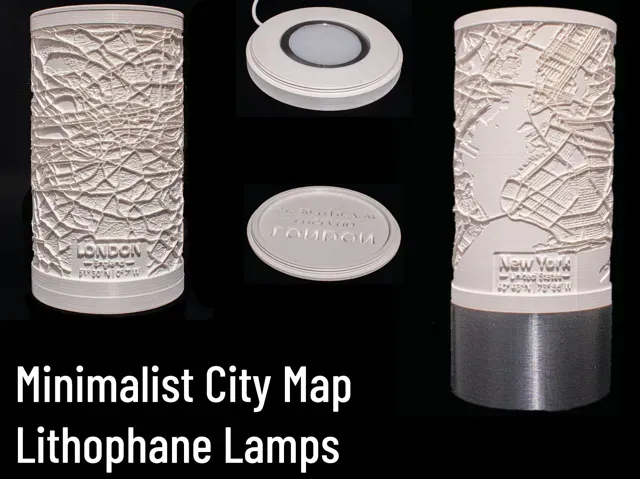
You have to print a city lamp shade of your choice, a lamp base and a lid to cover the top part of the lamp shade. These three parts are connected with a M100x2 metric thread. Different illumination options are listed below
Print Settings
There are only a few settings you should tweak in the slicer to print the lamps.
- Print in PLA or PLA+
- Recommended layer height: 0.16mm
- Use the Arachne Perimeter Generator for more precise printing with better details
- Set wall count to 5-6 to obtain a solid lamp
- Set seam position to Back (hiding it at the rear of the lamp)
- No brim required. If you struggle with adhesion, use Inner Brim to avoid visible defects.
- No Support required! The lamps print perfectly fine without support. Your slicer may complain about overhanging perimeters but trust me, briding works fine!
Be aware, that slicing and printing may take a very long time. The STL files can take several minutes to slice.
For Bambu Studio users: Bambu Studio seems to struggle with the Arachne Perimeter Generator. If you are unable to slice a lamp with Arachne, use the Classic Perimeter Generator.
LED Lamp Kit 001 Base, 0.16mm layer, 2 walls, 20% infill Three different base options with a height of 10mm, 30mm and 60mm. All bases work with the Bambu LED Lamp Kit 001
There is a height modifier already included. The straight part of the base is printed with a layer height of 0.24mm and the thread with a layer height of 0.16mm
New York, 0.16mm layer, 5 walls, 15% infill Basic Lithophane print profile
Map Lamp Lid, 0.16mm layer, 2 walls, 25% infill Blank Lid for the Map Lamps
Massive bottom to ensure there is no light leaking out the lid
Custom Text Map Lamp Lid, 0.16mm layer, 2 walls, 15% infill A Lid with custom text!
To change the text, open the 3MF in Bambu Studio. Switch to Objects . Right click the text you want to change and change type from negative part to part . For some reason, Bambu Studio only permits you to change text of parts, not of negative parts. Change the text to whatever you want to be on the lid. Then, change type back to negative part !
London, 0.16mm layer, 5 walls, 15% infill Basic Lithophane print profile
Middle Earth, 0.16mm layer, 5 walls, 15% infill Basic Lithophane print profile
Stockholm, 0.16mm layer, 5 walls, 15% infill Basic Lithophane print profile
Tokyo, 0.16mm layer, 5 walls, 15% infill Basic Lithophane print profile
Hamburg, 0.16mm layer, 5 walls, 15% infill Basic Lithophane Print Profile
Saint Petersburg (FL), 0.16mm layer, 5 walls, 15% infill Basic Lithophane print profile
Paris, 0.16mm layer, 5 walls, 15% infill Basic Lithophane print profile
Chicago, 0.16mm layer, 5 walls, 15% infill Basic Lithophane print profile
GTA V, 0.16mm layer, 5 walls, 15% infill Basic Lithophane print profile
Rome, 0.16mm layer, 5 walls, 15% infill
Zelda Hyrule, 0.16mm layer, 5 walls, 15% infill Basic Lithophane print profile
Kuwait City, 0.16mm layer, 5 walls, 15% infill Basic Lithophane print profile
Brasilia, 0.16mm layer, 5 walls, 15% infill Basic Lithophane print profile
Riyadh, 0.16mm layer, 5 walls, 15% infill Basic Lithophane Print Profile
San Francisco, 0.16mm layer, 5 walls, 15% infill Basic Lithophane print profile
Orlando, 0.16mm layer, 5 walls, 15% infill Basic Lithophane print profile
Reggio Emilia, 0.16mm layer, 5 walls, 15% infill
Amsterdam, 0.16mm layer, 5 walls, 15% infill Basic Lithophane print profile
Hong Kong, 0.16mm layer, 5 walls, 15% infill Basic Lithophane Print Profile
Kyiv, 0.16mm layer, 5 walls, 15% infill Basic Lithophane Print Profile
Choose between the regular and the inverse version.
Toronto, 0.16mm layer, 5 walls, 15% infill Basic Lithophane Print Profile
Pittsburgh, 0.16mm layer, 5 walls, 15% infill Basic Lithophane Print Profile
Dammam, 0.16mm layer, 5 walls, 15% infill Basic Lithophane print profile
Shenzhen, 0.16mm layer, 5 walls, 15% infill Basic Lithophane Print Profile
Erlangen, 0.16mm layer, 5 walls, 15% infill Basic Lithophane Print Profile
San Antonio, 0.16mm layer, 5 walls, 15% infill Basic Lithophane Print Profile
Austin, 0.16mm layer, 5 walls, 15% infill Basic Lithophane Print Profile
Dallas, 0.16mm layer, 5 walls, 15% infill Basic Lithophane Print Profile
Prague, 0.16mm layer, 5 walls, 15% infill Basic Lithophane Print Profile
Miami, 0.16mm layer, 5 walls, 15% infill Basic Lithophane print profile
Jacksonville, 0.16mm layer, 5 walls, 15% infill Basic Lithophane print profile
Saint Augustine, 0.16mm layer, 5 walls, 15% infill Basic Lithophane print profile



Названия используются только для указания источника результата. Polyzon не аффилирован с перечисленными площадками.
Комментарии