
Бесплатно 
Moku Display Stand - Parametric Desk Shelf/Riser
MakerWorld
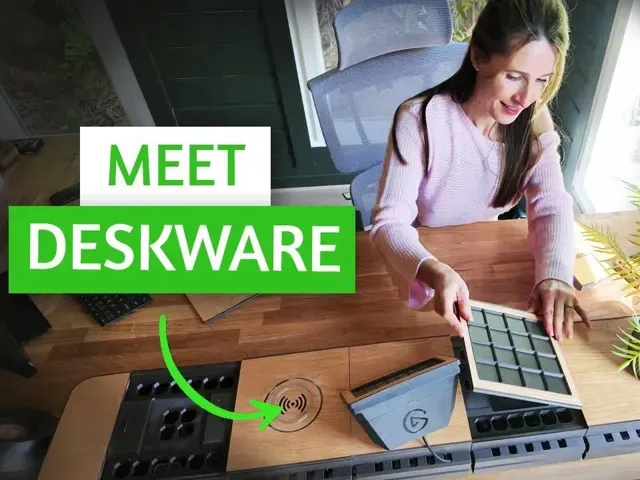
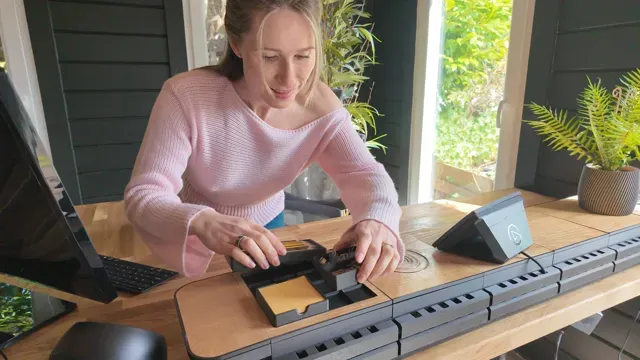
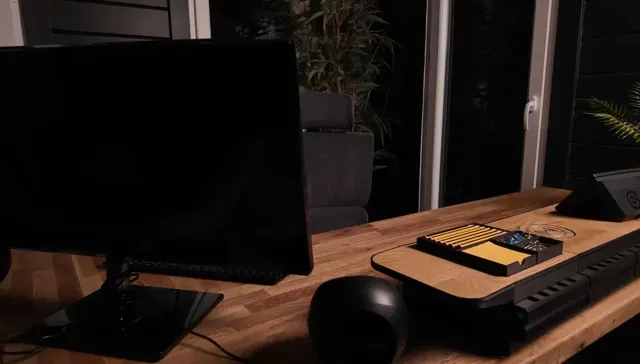
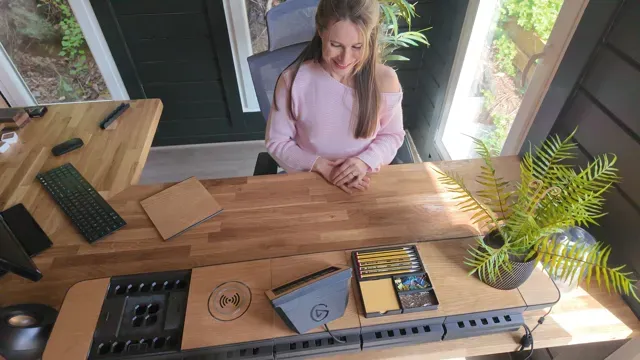
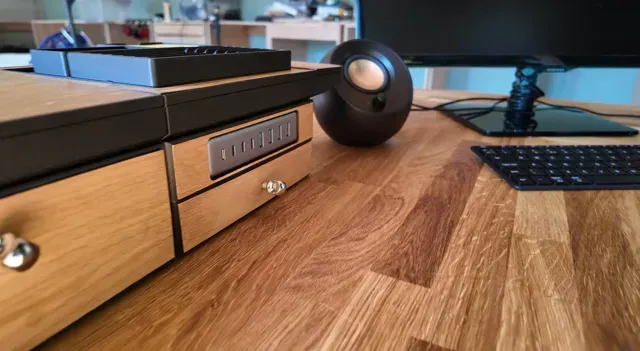
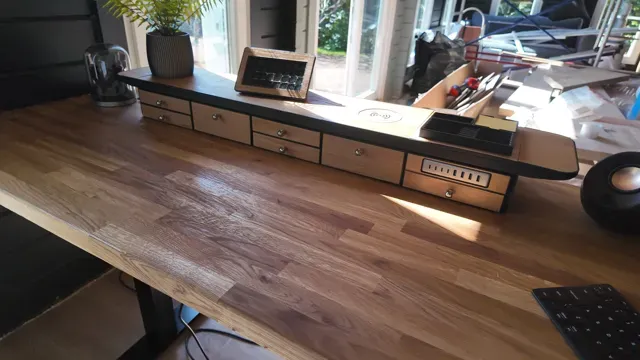
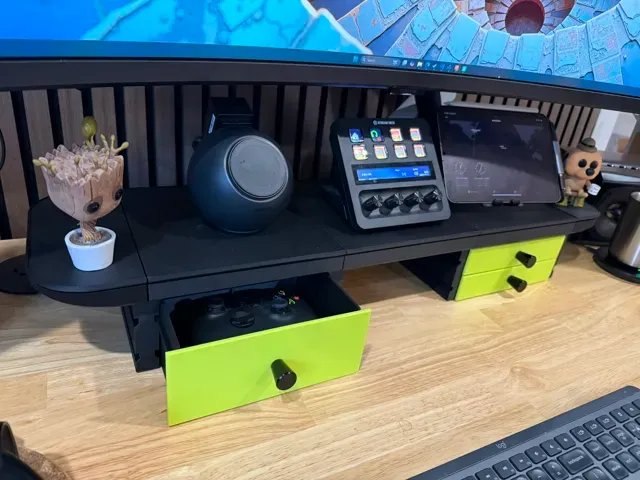
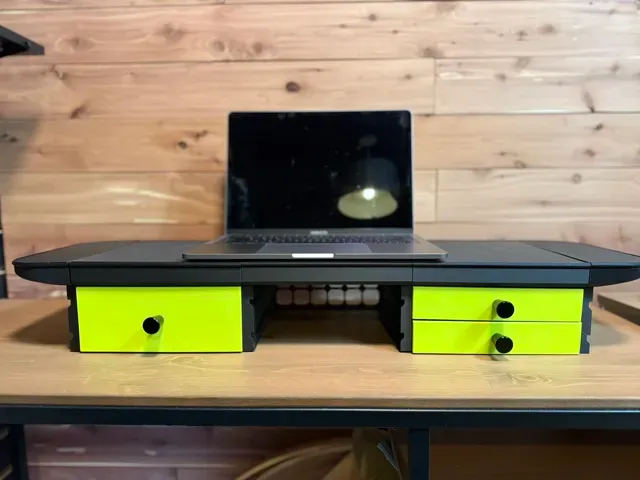
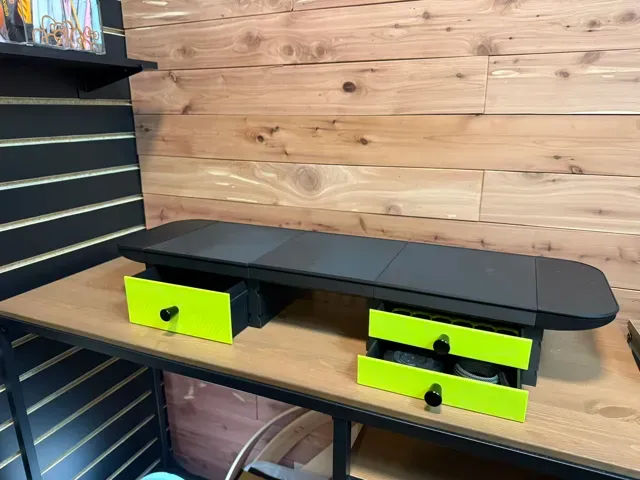
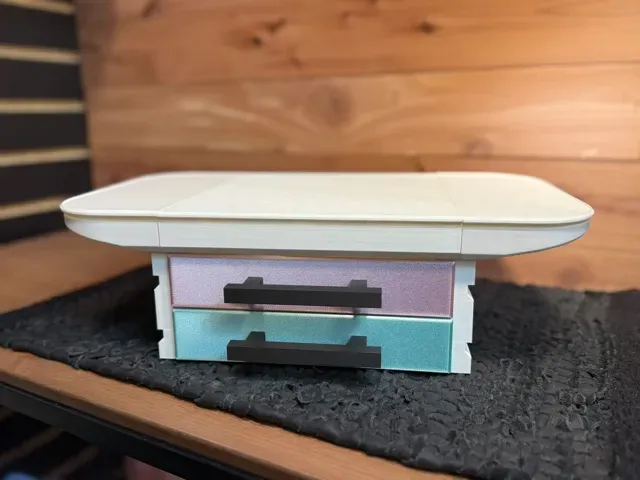

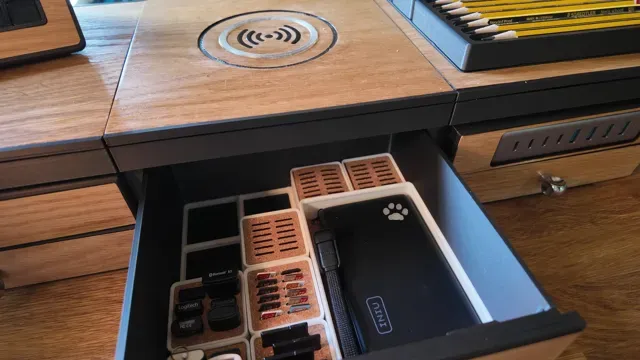
Welcome to Deskware - The Infinitely Customizable Deskware System
From the team that developed Underware 2.0 cable management, possibly the most customized model on MakerWorld at 40,000+ , we sought to push customized models to new limits and create something beautiful, customizable, and functional for the top of your desk.
We introduce Deskware - A modular desk system.
New parts available in beta! - Interested in helping test? New parts such as corner curves and height changes are available in beta. Check them out in my source code available here . Note - the newest features in the source code require using OpenSCAD Desktop developer release and the BOSL2 module. They often aren't released on MakerWorld until well tested.
Boost Me Want to see more like this? Boosts are free to you and help fund all the filament it takes to develop large, customizable models. Your support is greatly appreciated! Modularity
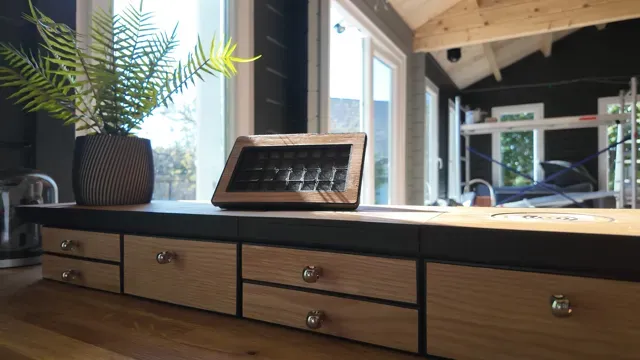
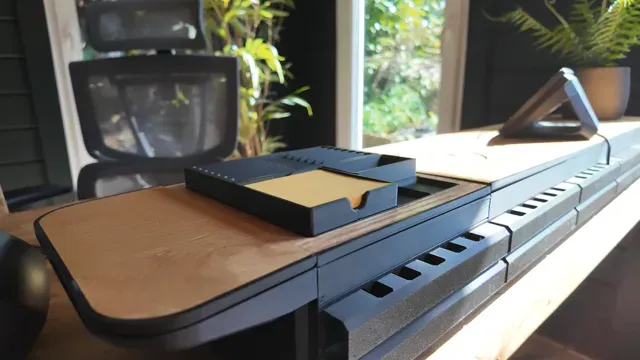
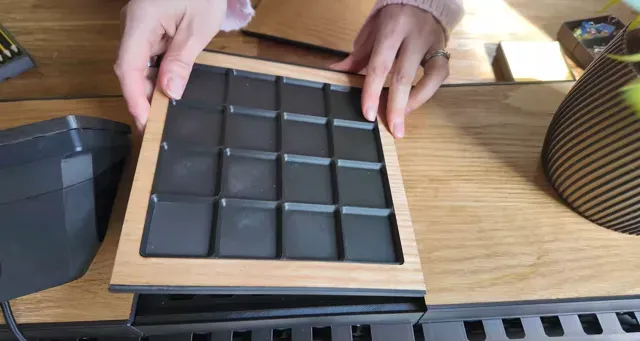
Deskware is both modular and customizable. Change the height, width, and depth to suite your space. Drawers are set to standard dimensions to accept both Gridfinity grids (standard size is 4x4) and openGrid grids (standard size is 6x6). This allows you to drop in bins, snap on parts, add your Underware, and more!
New parts are coming soon! New top plates, drawer fronts, drawer handles, and attachments are all in development.
Standard Scaling
Standard scaling (optional) allows us to test specific measurements, allow for a consistent experience, and upcoming add-ons on the most likely measurements. For example, the back grid maintains a precise 28mm grid across sections.
Deskware scales according to the following:
- Horizontally every 84mm (equaling 2 Gridfinity units or 3 openGrid units) - Depth every 28mm (equaling one openGrid unit) - Height every 40mm (5 Gridfinity height units with room for drawer base and top clearance) Custom Scaling
Want more control? Coming soon is the advanced editor with all the guardrails turned off. Tune your Deskware exactly how you'd like. The code is written for sub-mm control and auto-calculating all parts accordingly!
Custom Size and Style
Print the standard model or custom to your exact style. The Deskware launch has several custom ends and handle mounting options. Soon we'll be adding a handle customizer, top plate customizer, and drawer front customizer so you can craft your exact Deskware!
Multi-Material Design - Auto-Generated SVG/DXF Export!
Everything is 3D-printable, but do you also have a Bambu H2D? Cricut? Laser cutter? CNC? Maybe just handtools and a steady hand? Deskware is designed to be enhanced with multi-materials for that incredibly unique finish!
Released 2025-04-18, the customizer now features an SVG export of the exact shapes and size of your custom designs! No measuring or further designing needed. This customizer has everything covered.
Following the standard size found in the print profile? The DXF for the standard size is available in the model files!
Due to MakerWorld Parametric Model Maker not supporting SVG/DXF exports, SVG exports of custom models require the desktop version of OpenSCAD (free download). To use the customizer on your desktop, install the latest Developer Snapshot of OpenSCAD (regular release will not work). Once installed, download the latest BOSL2 Library , unzip, rename the folder to BOSL2, and place in the OpenSCAD library folder found at File > Show Library Folder.
Be sure to customize with the same parameters. When customized, check the box for ‘Show Top Plate SVG’, Render at Design > Render, and export the SVG with File > Export > Export as SVG
Improvements added regularly!
Unlike traditional CAD models, OpenSCAD code allows us to extend new options, features, and styles without regenerating tons of parts. We learned this with Underware 2.0 - continuing to develop the model is more like software than CAD.
Want an example? Look no further than the changelog of Undeware 2.0.
Features coming over the next weeks and months…
- SVG Exports for lasering perfect-fit drawer fronts (tops are currently available) - Gridfinity and openGrid top plates (customizable) - Wireless charger top plates (customizable) - Handle Customizer - Drawer Front Customizer - Top plate customizer What else do you want to see? Comment below! You can also join the Hands on Katie community for behind the scenes looks, beta access, and chat with the developers.
Community-Driven
Our development and direction is driven by you, the community. Tell us what you want to see next!
Open Source
Our group firmly believes in open source.
Thanks to OpenSCAD, our code is open source and available on GitHub ! Post ideas, requests, or even contribute to the code! We believe in open source.
Underware for openGrid - Cable Management for Deskware / OpenGrid
Underware is a cable management system designed by Hands on Katie that now has 1-piece channels for much faster printing using less filament! The channel snaps directly to the openGrid on Deskware. Check it out here !
openGrid
openGrid is a general use wall and desk mounting framework/ecosystem. openGrid uses an opinionated design, focusing on ease of use and a clear structure for all the base parts. It is open source and maintained by the same team that brought Deskware, Multiconnect, and Underware. It looks good on a wall, supports strong weights, uses less filament than many alternatives, and is easy to use.
----------------------------------------------------------------------------------------------------------------------------------------------------
Assembly Instructions
Step 1 (Optional) - Customize your Deskware on your browser
Otherwise you may print from one of the print profiles
Print profiles of standard sizes are available to fit your printer, but if you want to customize with different styles or parts, click the green “Customize” button at the top of the model to design your own! Once you customize your Deskware, click ‘Download’ to get a .3MF file of all the parts properly plated and configured, ready to print.
When downloading, all parts will be automatically placed on their appropriate plates, in orientation for printing, and with the appropriate print settings added to each plate. To view the parts that will output, click ‘Plates’ at the top of the customizer and select the plate you wish to view.
Deskware Standard Size - 0.2mm layer, 2 walls, 15% infill Standard Size - 4x4 Gridfinity Drawers and 2 40mm drawers high
- Cuboid infill @ 15% - 2 Walls - 0.2 layer height Style - Rounded Square
HOK only HOK only
0.2mm layer, 2 walls, 15% infill
Top plate with 4x4 grid no support required
0.5 top plate width
.4 nozzle
15% infil
Schubladen Front klein mit Rand für Sperrholz Anbei meine Datei für die kleine Schubladen Front.
Gedruckt mit Standard Einstellungen. Am besten mit Stützen drucken.
Die Tiefe ist ausgelegt für 3mm Sperrholzplatten. Im Beispielfoto habe ich Bubinga Sheets genutzt.
Denkt daran das Ihr hierfür die anderen Schubladen mit der Knopfbefestigung drucken müsst.
Knöpfe habe ich mit M4 Gewinde eingebaut.
Es ist das erstemal das ich Druckdatein teile für Tips oder Fehler gerne melden.
Schubladen Front Groß mit Rand Speerholz Anbei meine Datei für die große Schubladen Front.
Gedruckt mit Standard Einstellungen. Am besten mit Stützen drucken.
Die Tiefe ist ausgelegt für 3mm Sperrholzplatten. Im Beispielfoto habe ich Bubinga Sheets genutzt.
Denkt daran das Ihr hierfür die anderen Schubladen mit der Knopfbefestigung drucken müsst.
Knöpfe habe ich mit M4 Gewinde eingebaut.
Es ist das erstemal das ich Druckdatein teile für Tips oder Fehler gerne melden.
CalDigit TS4 2 units high drawer I modified 2 units drawer to fit CalDigit TS4 Check the drawer length before printing it might be longer than original size, make sure it fits your needs.


Названия используются только для указания источника результата. Polyzon не аффилирован с перечисленными площадками.
Комментарии