
Бесплатно 
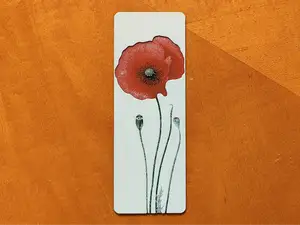
Summer Floral Bookmark - Hueforge
MakerWorld
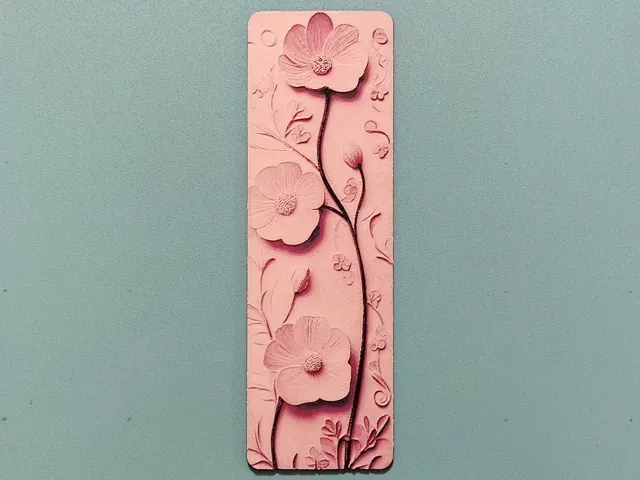
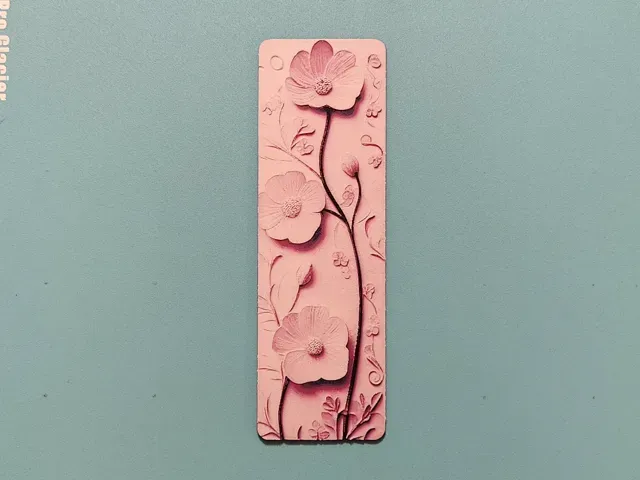
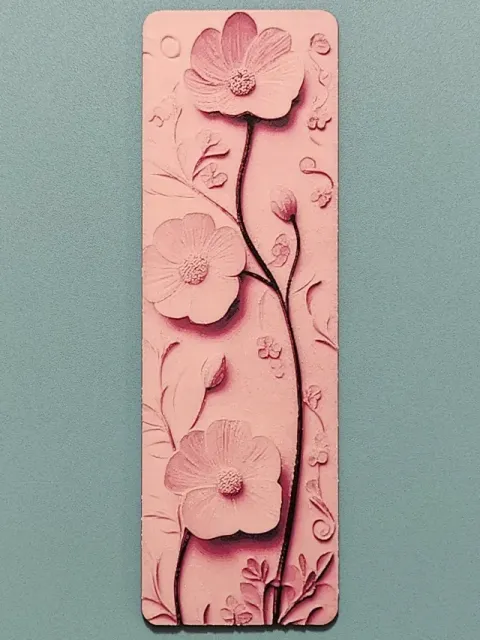
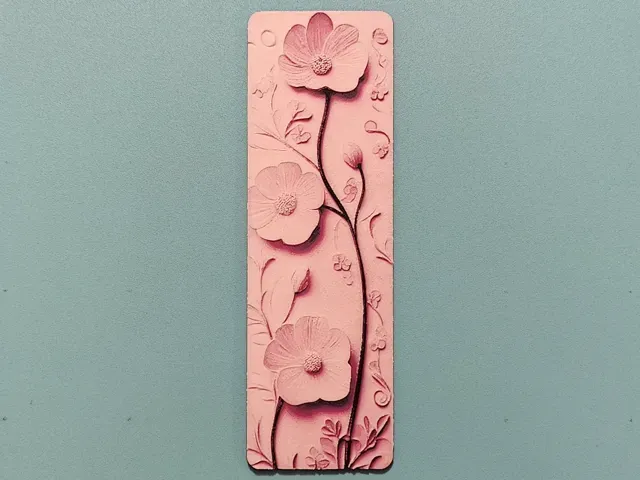
This is printed at 0.04 layer height. Please adjust your extruder setting to enable printing at this layer height. See below.
If you do not have an AMS, just delete the filament changes and replace them with pauses instead. Then you can change filament manually when it pauses at the correct layer.
If you would like to sell my Hueforges a Commercial Licence Subscription is available. Do not sell my prints without it please.
Important:
- You CANNOT adjust the Z axis scaling on a Hueforge. It will not come out as intended. You can change the X and Y values to scale the picture up or down though. - To ensure that the print looks the same as mine you must use the same filaments I did (listed below). If you do not, your results will not be exactly the same as shown. (It may still turn out great…..or it may not). - What you see in the slicer will not accurately show the final result. Do not worry about this. Hueforge uses colour blending, but it does not show in the slicer. - Please ensure your filament flow ratios are properly calibrated to get the best results. - You may see a floating regions error. This can be ignored.
Printing Instructions
Print at 100% infill with a layer height of 0.04mm with a base layer of 0.24mm .
Remember to select the correct plate type for your printer.
I have used a height range modifier in the object settings for quicker printing. The layer swap numbers in the print profile will not match the ones written below. Do not worry about this.
Filaments Used: PLA BambuLab Basic Black Transmission Distance: 0.6 PLA BambuLab Basic Blue Transmission Distance: 2.6 PLA BambuLab Basic Magenta Transmission Distance: 2.9 PLA BambuLab Basic Jade White Transmission Distance: 6
Swap Instructions: Start with Black At layer #28 (1.32mm) swap to Blue At layer #30 (1.4mm) swap to Magenta At layer #36 (1.64mm) swap to Jade White for the rest.
No Hole - 0.04mm layer, 1 walls, 100% infill This is printed at 0.04 layer height. Please adjust your extruder setting to enable printing at this layer height. See below.
If you do not have an AMS, just delete the filament changes and replace them with pauses instead. Then you can change filament manually when it pauses at the correct layer.
If you would like to sell my Hueforges a Commercial Licence Subscription is available. Do not sell my prints without it please.
Important:
- You CANNOT adjust the Z axis scaling on a Hueforge. It will not come out as intended. You can change the X and Y values to scale the picture up or down though. - To ensure that the print looks the same as mine you must use the same filaments I did (listed below). If you do not, your results will not be exactly the same as shown. (It may still turn out great…..or it may not). - What you see in the slicer will not accurately show the final result. Do not worry about this. Hueforge uses colour blending, but it does not show in the slicer. - Please ensure your filament flow ratios are properly calibrated to get the best results. - You may see a floating regions error. This can be ignored.
Printing Instructions
Print at 100% infill with a layer height of 0.04mm with a base layer of 0.24mm .
Remember to select the correct plate type for your printer.
I have used a height range modifier in the object settings for quicker printing. The layer swap numbers in the print profile will not match the ones written below. Do not worry about this.
Filaments Used: PLA BambuLab Basic Black Transmission Distance: 0.6 PLA BambuLab Basic Blue Transmission Distance: 2.6 PLA BambuLab Basic Magenta Transmission Distance: 2.9 PLA BambuLab Basic Jade White Transmission Distance: 6
Swap Instructions: Start with Black At layer #28 (1.32mm) swap to Blue At layer #30 (1.4mm) swap to Magenta At layer #36 (1.64mm) swap to Jade White for the rest.
With Hole - 0.04mm layer, 1 walls, 100% infill This is printed at 0.04 layer height. Please adjust your extruder setting to enable printing at this layer height. See below.
If you do not have an AMS, just delete the filament changes and replace them with pauses instead. Then you can change filament manually when it pauses at the correct layer.
If you would like to sell my Hueforges a Commercial Licence Subscription is available. Do not sell my prints without it please.
Important:
- You CANNOT adjust the Z axis scaling on a Hueforge. It will not come out as intended. You can change the X and Y values to scale the picture up or down though. - To ensure that the print looks the same as mine you must use the same filaments I did (listed below). If you do not, your results will not be exactly the same as shown. (It may still turn out great…..or it may not). - What you see in the slicer will not accurately show the final result. Do not worry about this. Hueforge uses colour blending, but it does not show in the slicer. - Please ensure your filament flow ratios are properly calibrated to get the best results. - You may see a floating regions error. This can be ignored.
Printing Instructions
Print at 100% infill with a layer height of 0.04mm with a base layer of 0.24mm .
Remember to select the correct plate type for your printer.
I have used a height range modifier in the object settings for quicker printing. The layer swap numbers in the print profile will not match the ones written below. Do not worry about this.
Filaments Used: PLA BambuLab Basic Black Transmission Distance: 0.6 PLA BambuLab Basic Blue Transmission Distance: 2.6 PLA BambuLab Basic Magenta Transmission Distance: 2.9 PLA BambuLab Basic Jade White Transmission Distance: 6
Swap Instructions: Start with Black At layer #28 (1.32mm) swap to Blue At layer #30 (1.4mm) swap to Magenta At layer #36 (1.64mm) swap to Jade White for the rest.
Названия используются только для указания источника результата. Polyzon не аффилирован с перечисленными площадками.