
Бесплатно 
Rugged Box (Parametric) Single Hinge Remix
Printables
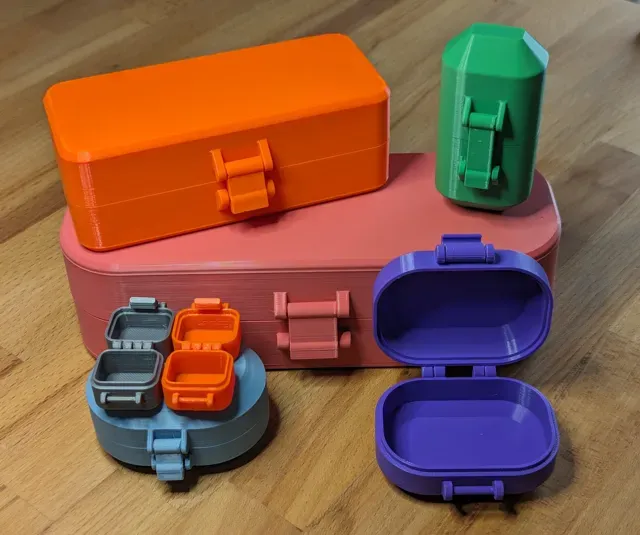
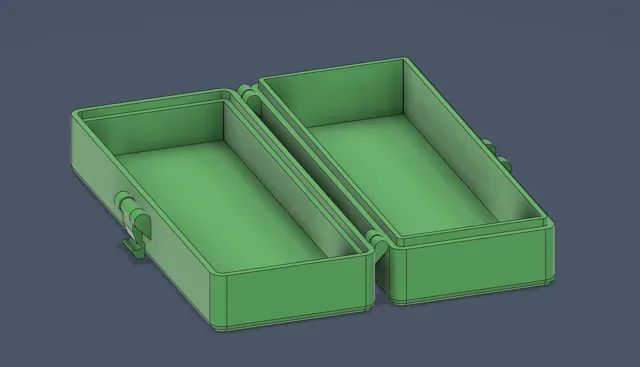
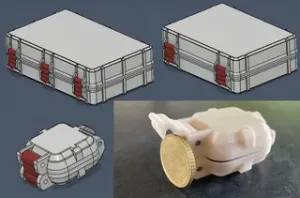
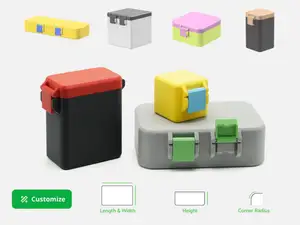
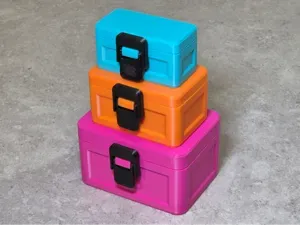
This is a customizable, parametric, securely latching case that prints in place with no assembly required.
I made this just as a personal project as I'm learning Fusion 360. I wanted to challenge myself to design a parametric box that would securely latch and print in place with zero assembly, this is the result.
Note: Before printing you may want to test your printer's tolerance for print in place hinges. To do that, you can use my Print in Place Tolerance Test model. By default, the latching boxes have 0.3mm of tolerance between separate parts. You can adjust the spacing by customizing the parameters in the Fusion file. See the description of the Tolerance parameter in the Available Parameters section for more information.
Colors in example photo:
- Prusament PETG: Prusa Orange - Overture PLA: Green, Space Grey, Orange, Blue Grey, Purple, Jeans Red
Note: These should be printed as a single object consisting of multiple parts. The file should be printed fully open with the latch vertically on the build plate, like so:
Customizing:
I am definitely still a Fusion beginner, so expect some rough spots. I've tried to add some basic parameter limits to reduce errors, but there are a few places that can trip you up:
- The LatchCutoutAngle can be tricky. Depending on your filament type, layer height, and latch size, you might run into some issues with the latch here. Try a few small test prints to dial this in before printing anything large. - The CaseExteriorHeight must be tall enough so that the flat surface is large enough for the latch and hinges. You can adjust latch diameter to compensate for smaller boxes. I would keep latch diameter above 5mm. - The CaseExteriorWidth must be large enough so that the flat surface is wide enough for the latch and hinges. You can adjust latch width and latch frame thickness to compensate for smaller boxes. In general, you should always double check the geometry in fusion and then again after slicing to make sure everything looks sane.
Available Parameters
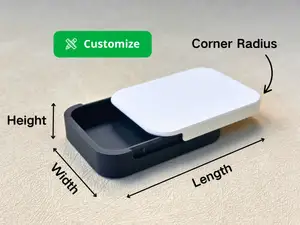
CaseCornerRadius
Controls the radius of the case's corners, set to 0 for the smallest supported radius
CaseEdgeChamfer
Controls the size of the chamfer on the bottom and top of the case. This is enforced to be smaller than the corner radius to preserve geometry.
CaseExteriorHeight
Exterior height of each half the case. Overall height when closed is 2x this number. You may need to adjust your other parameters for very small heights
CaseExteriorLength
The exterior length (Y-axis) of the main case.
CaseExteriorWidth
The exterior width (X-axis) of the main case
CaseOverlap
Controls the "lip" on the bottom half of the case. Make sure your other parameters allow enough clearance for the overlap.
CaseThickness
The wall thickness, 2mm is about the minimum for small cases. You'll want to go higher for larger/sturdier projects.
HingeDiameter
Controls the diameter of the hinge's ball/socket. 5mm is a pretty safe minimum depending on your printer's tuning.
HingeThickness
Controls the thickness of each hinge, enforced to be thick enough to account for HingeDiameter .
LatchCutoutAngle
Controls the tightness of the clasp mechanism. This one can be tricky based on your material and print settings. Lower numbers will be tighter and higher will be looser. Adjust as necessary.
LatchDiameter
Controls the diameter of the latch's ball/socket. About 6mm is usually okay, down to 5mm is possible but will be weaker. Large diameters will be stronger but more bulky.
LatchFrameOverhang
Controls the overhang of the latch mechanism. 45deg is a safe overhang for most printers. Can go shallower to allow shorter case heights if your printer is well-tuned or if you don't mind using supports.
LatchFrameThickness
Controls the thickness of each side of the latch frame.
LatchWidth
Controls the width of the latch itself, account for LatchFrameThickness and tolerance to determine total width of the overall latching mechanism.
Tolerance
Controls spacing between various separate objects. 0.3mm works well on my printer, but this should be adjusted based on your printer's tuning.
80x40 Print in Place - 0.2mm layer, 2 walls, 15% infill
150x60 Print in Place - 0.2mm layer, 2 walls, 15% infill




Названия используются только для указания источника результата. Polyzon не аффилирован с перечисленными площадками.