
Бесплатно 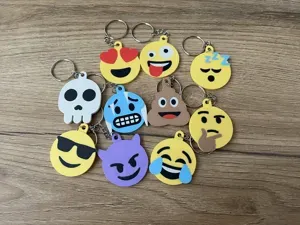
FREE TO SELL! – Emoji Keychains – 10 Popular Faces
MakerWorld
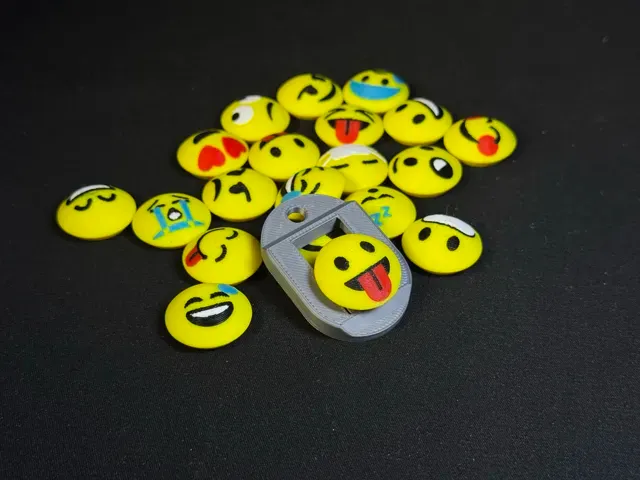
Boost Me 🚀 A boost costs you nothing. They're free, you get new ones every day, and they're what decides whether anyone else ever sees this. If the click made you smile, that's the whole thank-you I'm after. 😀 A fidget you actually keep on your keys
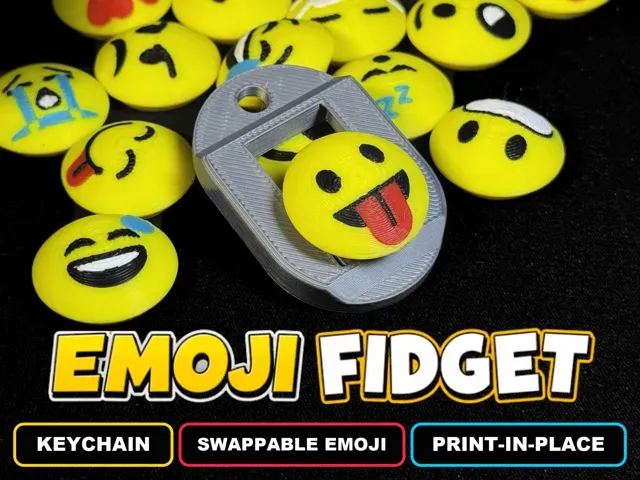
A print-in-place clicking keychain with a slider that snaps between detents — and 21 buttons you can swap with a short twist: 20 emoji, plus a blank one for your initial.
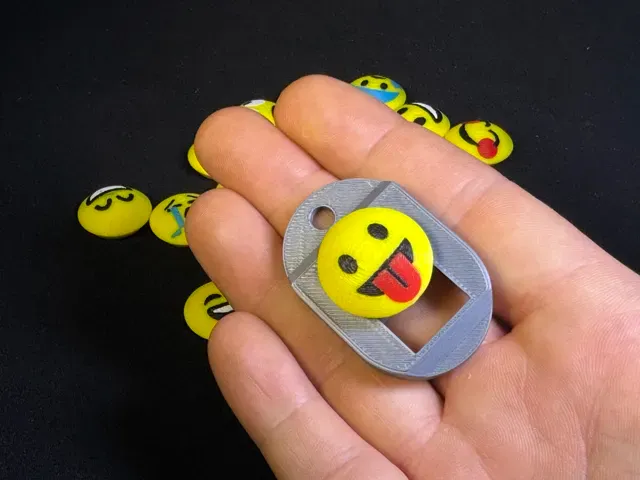
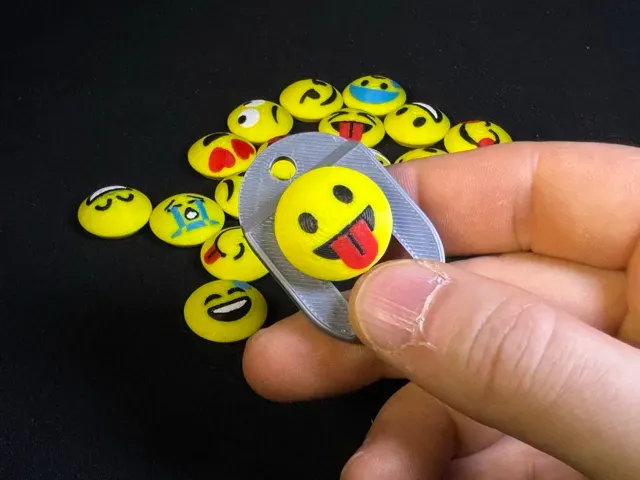
This is a small dog-tag frame with a slider that runs inside it. Push the button with your thumb and it snaps from one detent to the next with a real mechanical click — no magnets, no springs, no metal, no glue. Everything is printed in one go, already assembled, and it can't fall apart in your pocket.
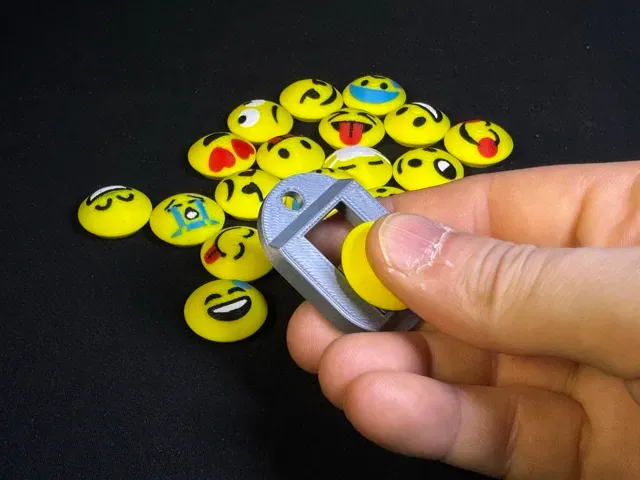
The yellow cap on top is an emoji button , and it comes off: twist it counter-clockwise and lift . It's a short twist — about 28 degrees, less than you expect, and it stops on its own. Push a different one in, twist it back clockwise, and the same keychain has a new face. 20 faces are included, so one frame covers a whole bowl of buttons.
Drop it straight in, then twist clockwise until it stops. It's on.
To change face, twist it back and lift. No glue, no clips, nothing to wear out.
👆 How it works
- 👍 Slide it. The slider is held by two printed flexures that ride over a detent. That's the click, and it's the whole fidget. - 🔄 Swap it. Bayonet mount: twist counter-clockwise until it stops, lift off, drop the next one in, twist clockwise. About 28 degrees each way — don't force it round further, there's nothing further to go. It holds by itself — nothing to glue, nothing to break in. - 🔑 Carry it. There's a keyring hole through the frame. It's a keychain first, a fidget second. 📦 What you get
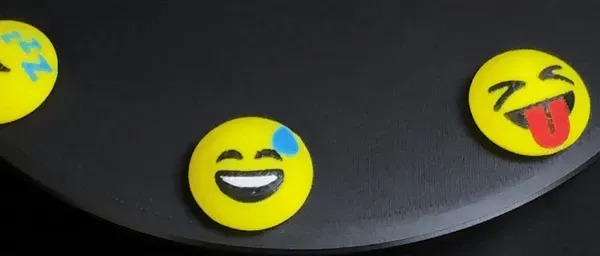
- 1 frame (the grey dog-tag body), print-in-place and captive. - 20 emoji buttons , each split into separate colour parts so a multi-colour printer builds the full face. - 1 blank button , same shape, no face — for putting your own initial on. - 4 ready plates in the 3MF, laid out for a Bambu A1 with a 0.4 mm nozzle. The blank button sits on its own plate, so you can print just that one. Faces included: grinning, beaming, tears of joy, sweat smile, devil, blushing, yum, heart eyes, sunglasses, blowing a kiss, tongue out, squinting tongue, angry, grimacing, loudly crying, cold sweat, astonished, sleeping, face mask, eye roll.
🔤 Make one with your initial
custom.stl is the same button with a bare dome. Drop it on a plate in Bambu Studio, pick the Text tool, click the top of the dome and type a letter: the tool wraps the text onto the curved surface and you can emboss it or cut it in. Give it its own filament and the letter comes out in a second colour.
One letter is enough — the dome is 22 mm across and a monogram gets muddy at 0.4 mm. Emboss about 0.6 mm (three layers) so the letter survives being carried on keys, and keep it away from the rim: the bayonet decides which way the button ends up facing, and near the edge the curve steals the strokes.
It prints exactly like the emoji ones: no supports, same plate, same time.
🖨️ Printing it
Printer Bambu Lab A1 (any FDM will do)
Nozzle 0.4 mm
Layer height 0.20 mm
Material PLA
Supports None. Every overhang is under the 43.6 deg the profile can bridge at 0.20 mm
Infill Profile default is fine
Brim Not needed
Post-processing None. No sanding, no assembly, no hardware
⚡ Free the slider first. Straight off the plate the slider is tight — give it one firm push and it breaks free of the print-in-place clearance. After that it runs.
⚠️ Do not scale it. The moving clearances are 0.35 mm in XY and 0.40 mm in Z, which is two layers, chosen on purpose. Scale the model and you either fuse the slider to the frame or lose the click.
⚠️ If your first layer is squished , the flexures start life thicker than designed and the click goes stiff. A correctly calibrated first layer is worth more here than any setting change.
🎨 Colour
Each emoji button is supplied as a stack of separate colour bodies — yellow base, brown features, white, red, blue, and so on, following the standard emoji palette. With an AMS (or any multi-material setup) you print the face as it is shown. With a single extruder you can still print the button, but it comes out as a plain dome: the features are flush with the surface, not raised, so they only exist as colour.
If you have a single-colour printer and still want the faces, filament changes at the right layers work fine — the colour bodies are stacked, not scattered.
🔧 Why it's built the way it is
This went through a lot of failed versions before it worked, and most of the decisions came from printed test pieces rather than from CAD.
- The flexure is dimensioned to a measured fatigue limit. Printed PLA cantilevers were cycled 1,000 times at three strain levels. At 0.8% strain there was no permanent set measurable with callipers; at 1.6% it was 0.10 to 0.15 mm. No cracks at any level — PLA at these strains doesn't snap, it creeps. So the working point is 0.8% strain, and the click is sized around that rather than around how loud it feels on day one. - The bayonet replaced a screw thread. The cap was meant to screw on. It jammed halfway, every time. A twist-lock bayonet with a conical seat does the same job with no fine thread to print and no cross-threading. - The body is 30 mm wide because 20 mm wasn't. The first version was correctly small and genuinely annoying to hold. Wider won. - Every overhang was measured, not guessed. The 43.6 deg limit above is what this profile actually bridges at 0.20 mm, taken from printed test coupons — which is why there are no supports anywhere. 📐 Dimensions
- Frame: 46 x 30 x 6.5 mm - Overall with the button fitted: 46 x 30 x 13.6 mm - Emoji button: 22.2 mm diameter, 9.2 mm tall - Keyring hole: through the frame 📄 Credits and licence
The emoji artwork is based on Twemoji , by Twitter and the Twemoji contributors, used under CC-BY 4.0 . The 3D geometry, the mechanism and the conversion of the artwork to printable multi-colour bodies are mine.
If you print it, post a Make — I read all of them, and the faces people ask for are how the next batch gets chosen.
Full set — 20 faces + blank (4 plates) Everything, in four plates. Print the frame once, then as many buttons as you want.
- 1 — Emoji 1. 15 faces. (yellow, red, black, white) - 2 — Emoji 1. 5 faces. (yellow, black, cyan, white) - 3 — Body. The dog-tag body, print-in-place. One is all you need. - 4 — Custom. One bare button. Add a letter with the Text tool in Bambu Studio before slicing this plate. 0.20 mm layer, PLA, no supports, no brim. The emoji plates are multi-colour: on a single extruder the buttons still print, they just come out plain.
Straight off the plate the slider is tight. One firm push frees it, then it runs.
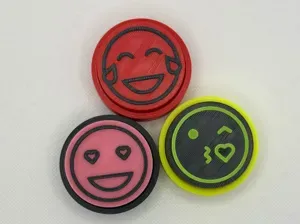
![Name Keychain — 59 Designs [NO AMS]](https://cache.polyzon.org/api/img?url=https%3A%2F%2Fmakerworld.bblmw.com%2Fmakerworld%2Fmodel%2FUS21b0ca094defb%2Fdesign%2Fd1d972c2b6f2f0d5.jpeg&w=300)


Названия используются только для указания источника результата. Polyzon не аффилирован с перечисленными площадками.