
Бесплатно 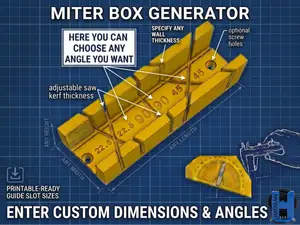
Ultimate Parametric Miter Box Generator
MakerWorld
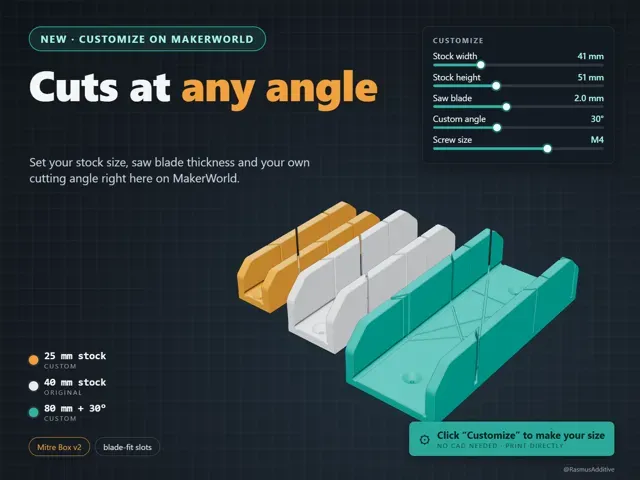
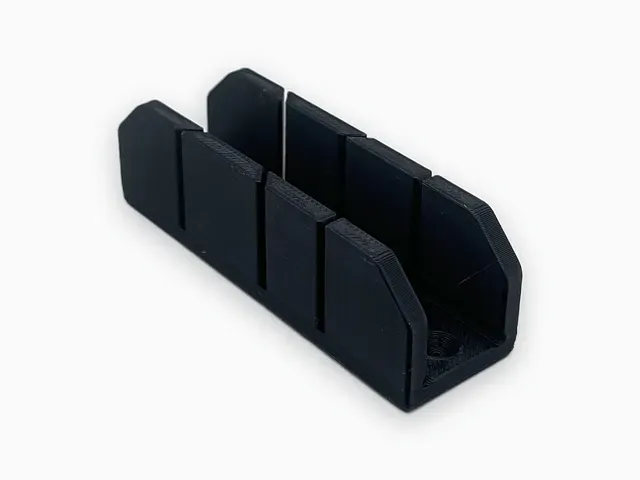
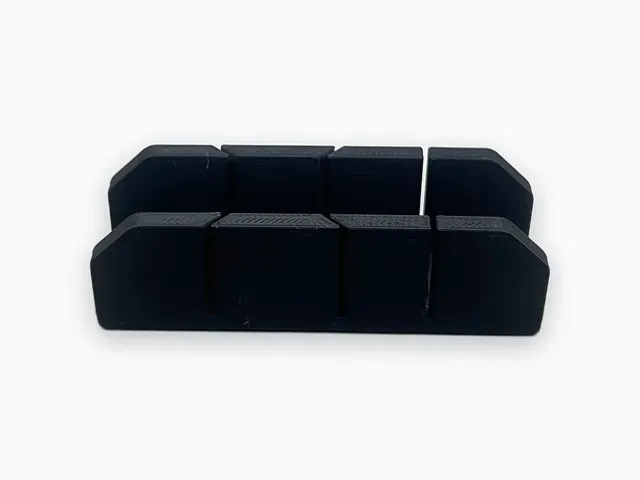
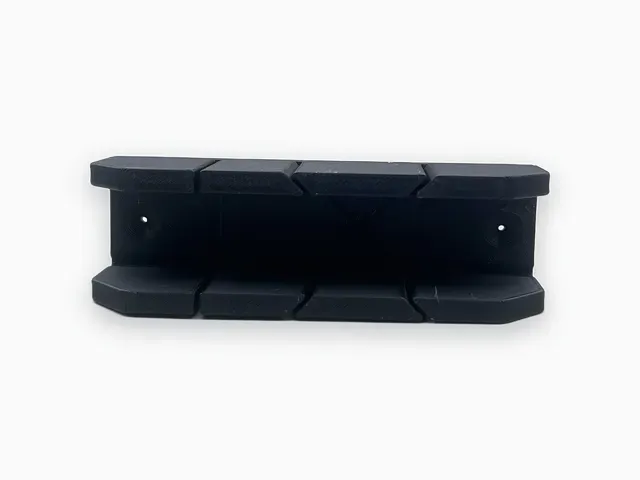
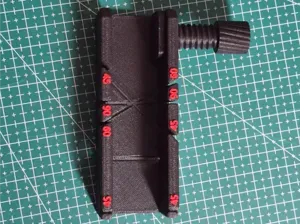
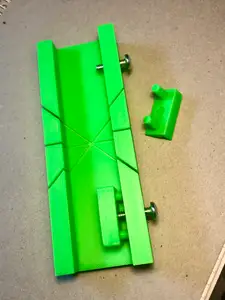
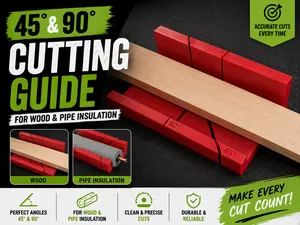
A mitre (miter) cutting box that you size to your own stock and saw. It cuts 90 and 45 degree slots, plus a custom angle if you want one.
This is the customizable successor of my Improved Mitre Cutting Box (https://makerworld.com/en/models/529439). That model is STL only, with fixed 40 mm and 80 mm versions. This one has the same design, rebuilt so you can set the size yourself with the MakerWorld customizer. The default settings give the classic 40 mm box.
What you can change
- Stock width and height, so the box fits what you actually cut (trim, dowel, square stock, picture frame moulding). - Saw blade thickness. Every slot is cut exactly as wide as your blade, so the saw does not bind. In the original box the 45 degree slots were narrower than the blade, and this fixes that. - Wall thickness, for a lighter or sturdier box. - Which standard slots to cut: 90 and 45 both ways, 90 only, 45 both ways, or none. - One custom angle, cut both ways. - Countersunk screw holes in M3, M4 or M5, or no holes. How to customize
Click the green Customize button on this page. The guide below explains each setting, with defaults and ranges. Stock width sets the box length for you: 41 gives the 40 mm box at 200 mm long, 81 gives the 80 mm box at 250 mm long.
Printing
- Print it lying on the bed with the channel opening upward. No supports. - The included P1S profile uses 5 walls, 0.2 mm layers and 15 % infill. I chose extra walls because a commenter on the original listing reported that the 40 mm box broke and needed more infill. If you use a large or heavy saw, keep the walls at 5 or more, or raise the infill. - Default size (200 mm long, 61 x 61 mm outside): about 4 h 58 min and 187 g of Generic PLA on a P1S. - The default box is too long for an A1 mini at 100 %. A1 mini users can pick a smaller stock width in the customizer. Length = 148.75 + 1.25 x stock width, so a stock width of 20 mm gives a 173.75 mm box, which fits the 180 x 180 mm bed lying straight. Placing the box diagonally on the plate can fit a little more. - Print time and weight change with every setting, and the numbers above are for the default size only. Safety
Clamp the box or screw it to the bench before you cut. Keep your fingers clear of the saw path.
Version history
- v1.0 (2026-10-01): first customizable version. Adds stock width and height, saw blade thickness, wall thickness, slot selection, custom angle, screw size and length override. If this was useful, a like or a Boost (for free) helps others find it. Questions and requests for other sizes are welcome in the comments.
Customizer guide
Click the green Customize button on this page. Change the values, then print directly from the generated 3MF or download it. The tabs match the list below. Everything else adjusts automatically.
1. Size
- Max stock width (mm) : widest piece of stock that fits in the channel. Default 41, range 10 to 120. This also sets the box length: length = 148.75 + 1.25 x stock width. 41 gives the classic 40 mm box at 200 mm long, 81 gives the 80 mm box at 250 mm long. - Max stock height (mm) : tallest piece of stock the walls should support. Default 51, range 10 to 120. This sets the wall height and the sloped wall ends. - Sturdiness: wall thickness (mm) : thickness of the walls. The floor uses the same value, and the outer chamfers scale with it. Default 10, range 4 to 20. Thicker walls use more filament and make a bigger box. 2. Saw
- Saw blade thickness (mm) : measure your blade and enter it here. Every slot is cut exactly this wide. Default 2.0, range 0.5 to 4. If the saw binds in the slot, increase the value by 0.1 mm. If the blade wobbles, decrease it. - Standard slots : choose "90 and 45 both ways" (default), "90 only", "45 both ways" or "none". - Custom angle : adds one extra slot pair at this angle, cut both ways. Default 0 (off), range 0 to 80. 90 would be a square cut. Values from 1 to 9 are treated as 10, and very shallow angles are limited so the slots fit in the box. 3. Mounting
- Screw size : countersunk screw holes for fixing the box to a bench. Options: none, M3, M4 (default), M5. There is one hole near each end of the floor. Screws are not included. 4. Advanced
- Box length override (mm) : leave at 0 for the automatic length that suits the stock width. Default 0, range 0 to 400 in steps of 5. The box is made longer automatically if thick walls would make the slots collide.
Default 41 mm stock - 0.2mm layer, 5 walls, 15% infill Default customizer settings: stock width 41 mm, stock height 51 mm, wall thickness 10 mm, saw blade 2.0 mm, 90 and 45 degree slots both ways, M4 screw holes. Box is 200 mm long.
- P1S, Generic PLA, 0.2 mm layer, 5 walls, 15 % infill, no supports - About 4 h 58 min and 187 g - Print lying on the bed with the channel opening upward Does not fit an A1 mini at 100 %: use the Customize button and choose a smaller stock width (20 mm gives a 174 mm box that fits).



Названия используются только для указания источника результата. Polyzon не аффилирован с перечисленными площадками.