
Бесплатно 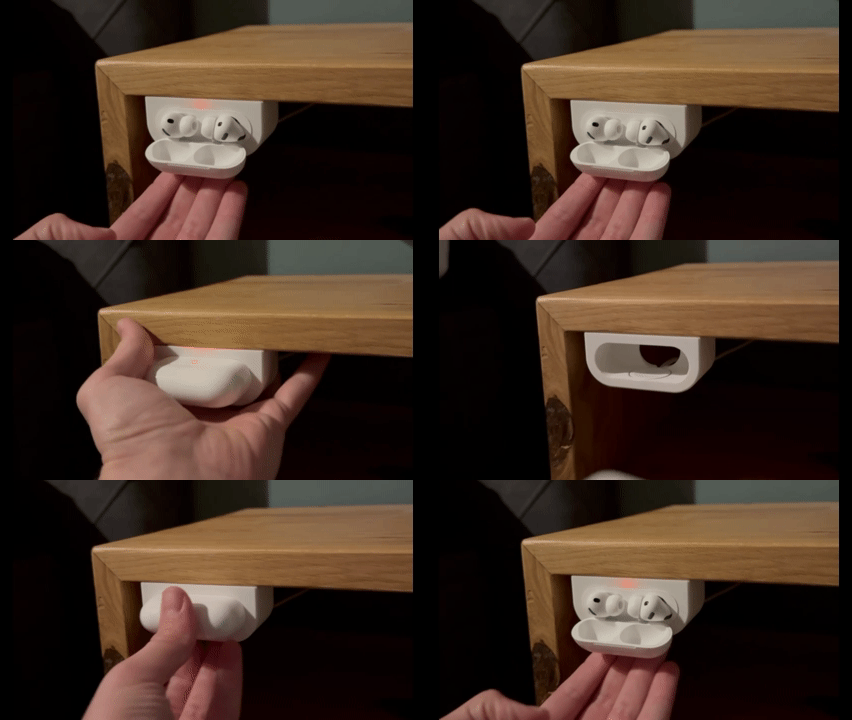
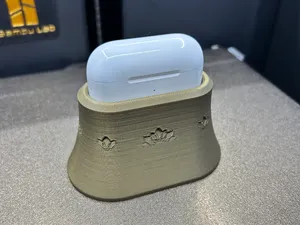
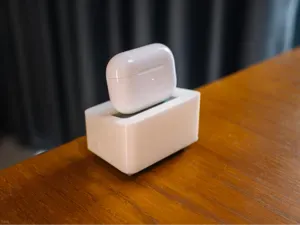
AirPods charging dock
MakerWorld
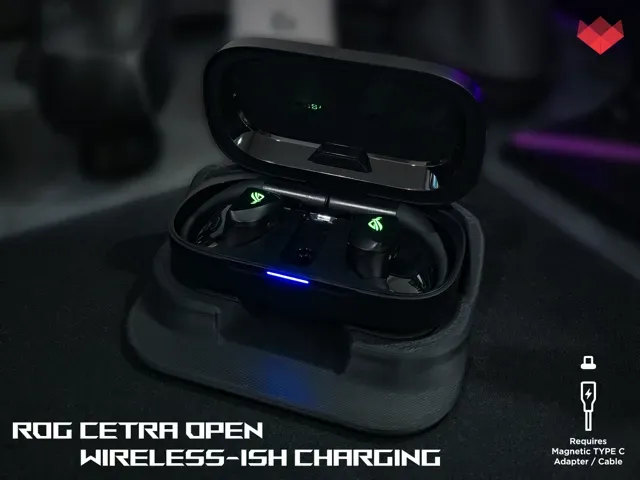
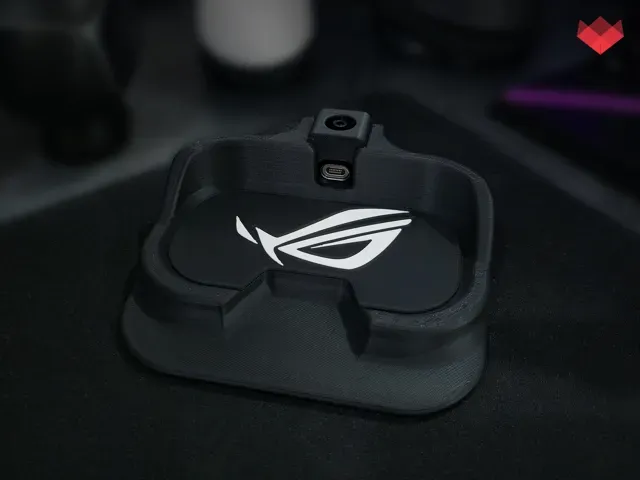
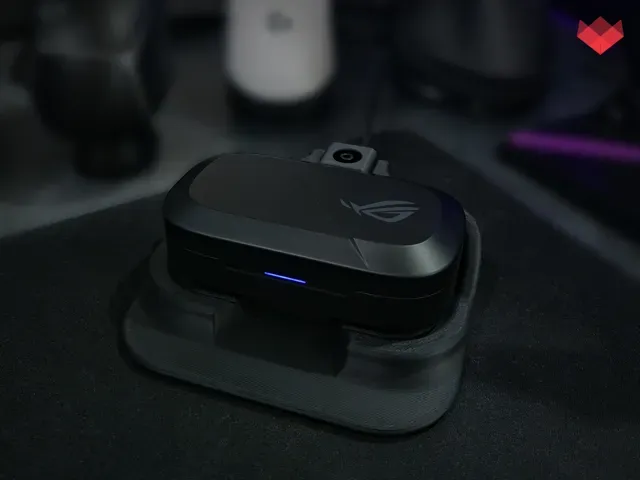
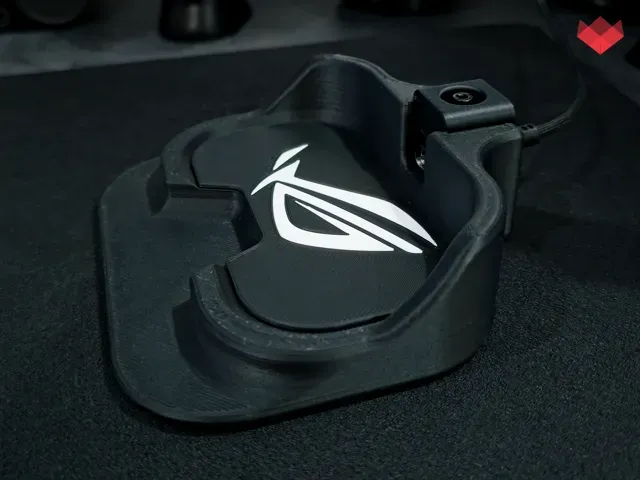
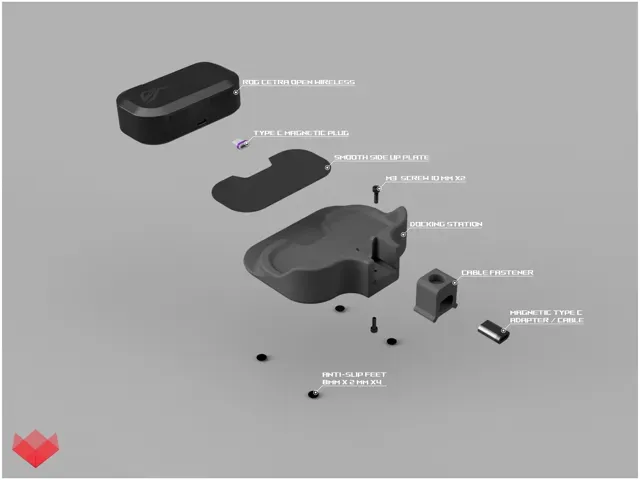
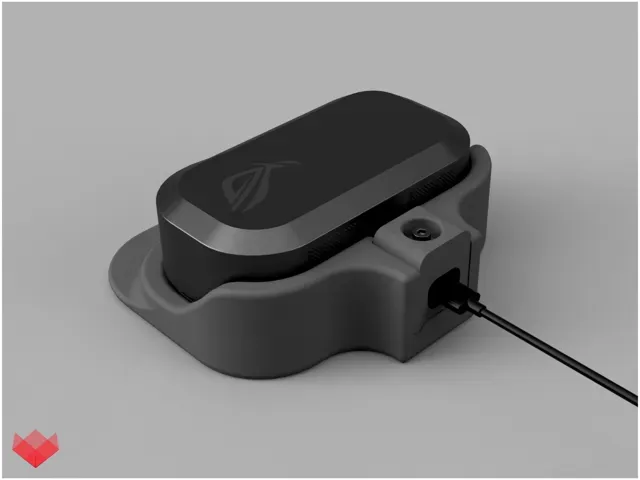
The ROG Cetra Open Wireless case does not support wireless charging, so I wanted to create something that gives it a similar everyday experience.
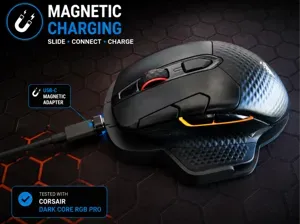
This dock uses a magnetic USB-C charging adapter, allowing you to simply place the Cetra Open case into the dock to charge it, then tilt and lift it out when you need it.
Not technically wireless charging… More like Wireless-ish charging XD
How it works
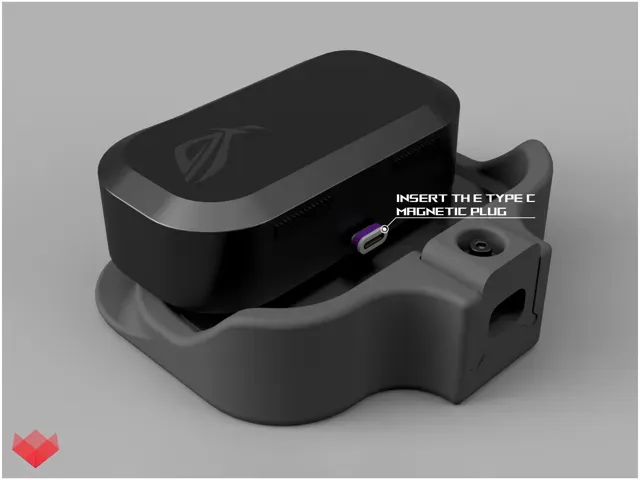
A small magnetic USB-C plug remains installed in the charging port of the Cetra Open case.
The matching magnetic charging cable is held securely at the back of the dock. When the case is placed into position, the two magnetic connectors meet automatically and charging begins.
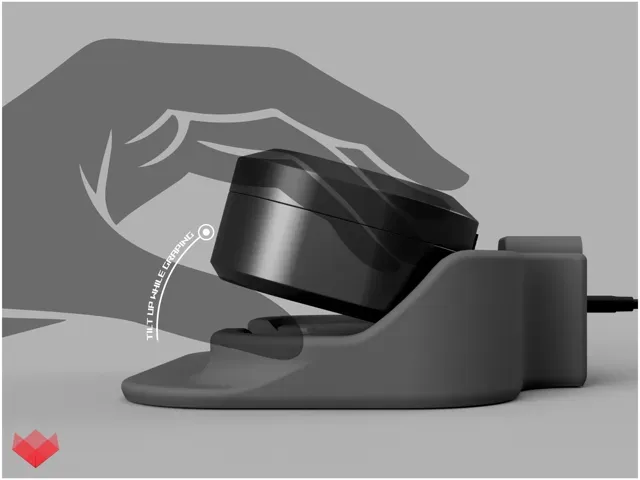
The dock includes an opening underneath the front of the case so you can easily grip it with one hand and tilt it upward . This separates the magnetic connector before you lift the case completely out.
There is also a front lip that gives your fingers something to brace against while removing the case.
Adjustable magnetic cable mount
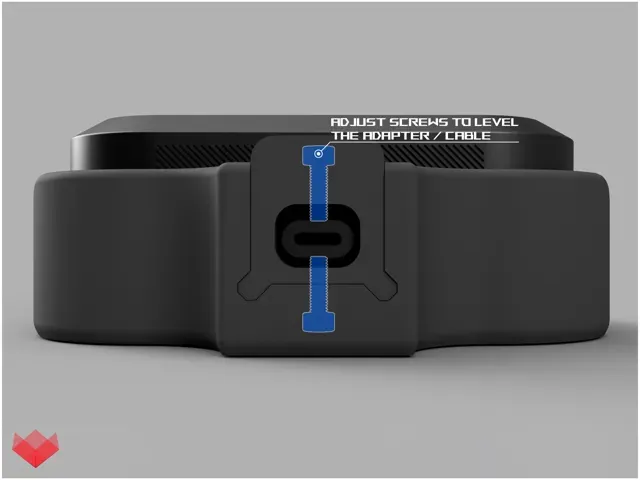
I designed the rear cable mount to be adjustable rather than made for one exact magnetic cable .
Two opposing M3 × 10 mm screws allow you to adjust and level the magnetic cable connector so it lines up correctly with the USB-C adapter installed in the Cetra Open case.
This means the dock may work with magnetic USB-C adapters from different manufacturers, provided their connector dimensions are reasonably similar.
The magnetic adapter I personally use and tested the dock with is:
AUFU 16-Pin USB-C Magnetic Adapter / Cable
It is available from both Amazon and AliExpress .
Because magnetic adapter dimensions can vary between manufacturers, I cannot guarantee perfect compatibility with every magnetic cable on the market. The adjustable mounting system is there to give you as much flexibility as possible.
Smooth contact surface
The section directly underneath the Cetra Open case is printed as a separate 1 mm plate .
This was intentional.
The surface that touches the charging case is printed face-down against the build plate , giving it a much smoother finish than a normal top printed surface. This helps reduce the chance of scratching the bottom of the earbuds case.
After printing, the plate should be attached to the main dock using thin double-sided tape , which is my recommended method. You may also use a small amount of super glue , but double-sided tape is preferred because it is cleaner, easier to position, and easier to replace later if needed.
If you have an AMS , you can print the plate with the contrasting ROG logo shown in the photos.
If you do not have an AMS, simply print the single-color version. The logo is cosmetic and does not affect the functionality of the dock.
Hardware
The dock uses 2 × M3 × 10 mm screws to secure and adjust the magnetic cable holder.
I am providing two print options:
- Heat-set insert version: designed for M3 brass threaded inserts. - No-insert version: uses tighter, approximately 2.8 mm holes , allowing the M3 screws to thread directly into the printed plastic. You can also add 4 × 8 mm × 2 mm anti-slip rubber feet underneath the dock. They are optional, but recommended to stop the dock from sliding while inserting or removing the case.
Assembly
Insert the magnetic USB-C plug into the charging port of your ROG Cetra Open case.
Attach the separate top plate to the dock using thin double-sided tape . A small amount of super glue can also be used, but double-sided tape is recommended.
Place the magnetic cable through the rear cable fastener and install the fastener onto the dock.
Use the two M3 screws from opposite directions to carefully adjust the position and height of the magnetic connector until it aligns naturally with the connector installed in the Cetra case.
Do not force the connection. The magnets should pull themselves together once everything is correctly aligned.
Once adjusted, plug the charging cable into power and place the Cetra Open case into the dock.
Removing the case
Instead of pulling the case straight upward against the magnetic connector, place your fingers beneath the front opening and tilt the case upward first .
The magnetic connection will release, allowing the case to be removed smoothly with one hand.
This is also why the front section of the dock extends outward slightly: it gives you a comfortable point to brace your fingers against while lifting the case.
Compatibility
Designed specifically for:
Charging Station - No Brass Inserts Needed - 0.2 mm layer height - Printed without support - Infill: 15% - Material: PLA - 2x M3 10MM Screws Required
Charging Station - Brass Inserts Edition - 0.2 mm layer height - Printed without support - Infill: 15% - Material: PLA - 2x M3 Brass Inserts Required - 2x M3 10MM Screws Required
ROG Logo Platform ONLY | AMS | 0.20mm Layer - Separate ROG logo platform only - Requires AMS / multi-color printing - 0.20 mm layer height - 2 walls - 15% infill - PLA recommended - No supports required - Print orientation is important: the visible contact surface is printed face-down on the build plate for the smoothest possible finish - Attach the finished platform to the dock using thin double-sided tape (recommended) or a small amount of super glue - The platform is approximately 1 mm thick - Designed to provide a smooth contact surface beneath the ROG Cetra Open Wireless charging case

Названия используются только для указания источника результата. Polyzon не аффилирован с перечисленными площадками.