
Бесплатно 
ISO 7010 Warning Symbol Collection - Warning Signs
Printables
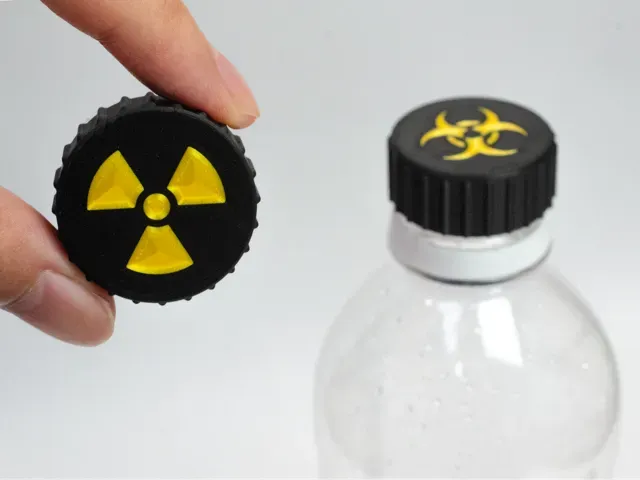
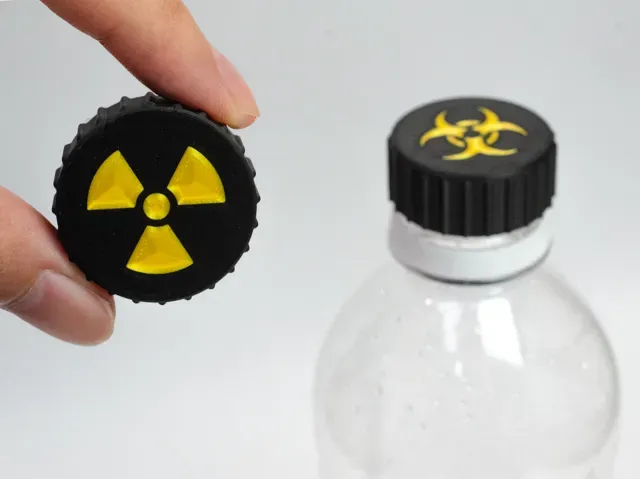
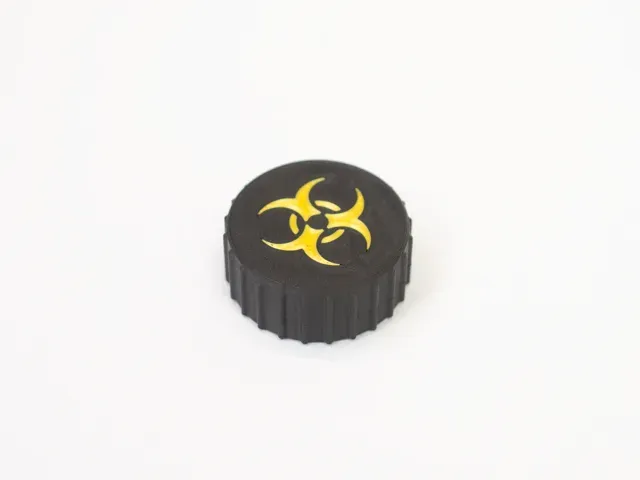
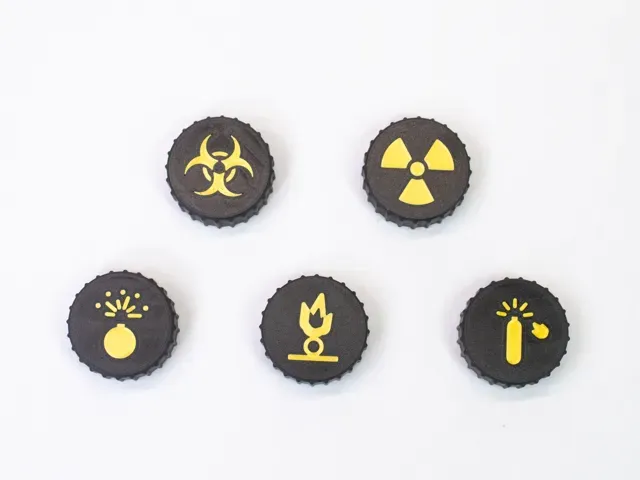
Hazard Cap - Warning Symbol Lid for PET Bottles
Let's be honest. Sooner or later, for reasons entirely beyond your control, you will have to put something hazardous into the PET bottle you happen to have at hand. The glowing green stuff from the lab. The energy drink that is clearly not from this planet. The sauce your friend made. We all know that day is coming.
For that day, there is the Hazard Cap .
It screws onto a standard PET drink bottle in place of the original cap, and the top carries a hazard symbol big enough to read across the room. Nobody has to ask what is in the bottle. Everybody understands that they should not touch it. Mission accomplished.
Features
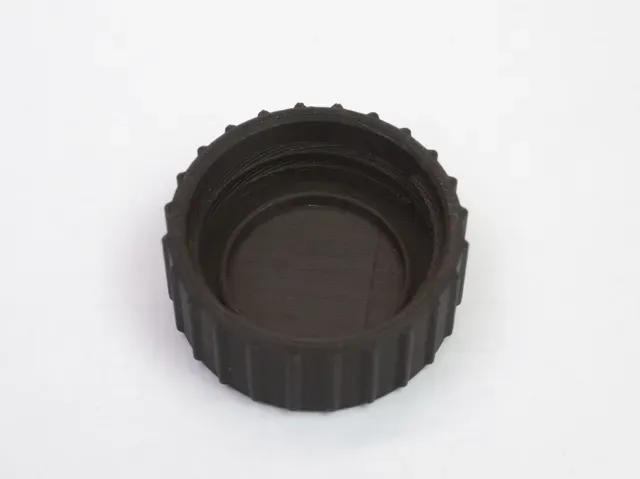
- Screw-on cap designed for the PCO 1881 neck (single-start thread, 2.7 mm pitch); check the fit with the included test ring first - Five symbols to choose from, one plate each: Biohazard (drawn to the published construction), the Radiation trefoil (based on ISO 361), and three pictograms based on the ISO 7010 warning signs: oxidizing substance , pressurized cylinder and explosive material . Rate your bottle however you see fit. - The symbol is 0.6 mm (3 layers) deep: a recessed mark on the single-color version, a flush two-color inlay on the AMS version - 24 vertical grip ribs, so it can be tightened with gloved hands (the gloves are optional, but they do complete the look) - Sealing ring on the inside that presses lightly into the bottle neck - Prints top-face-down with no supports and no brim; the whole cap is 33 x 33 x 14 mm Included files
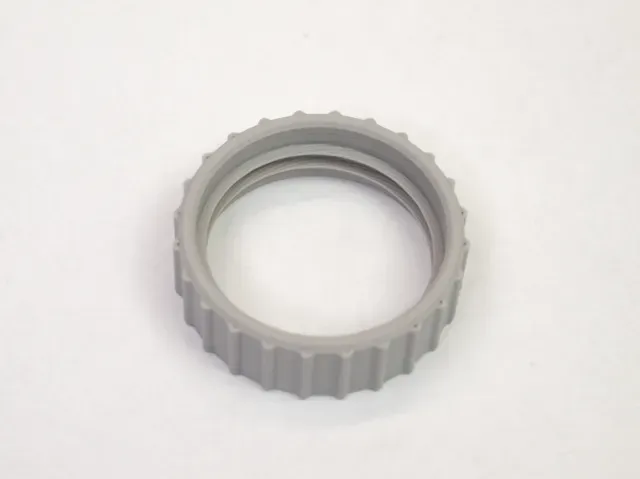
- NO_AMS: one Bambu Studio project, single color, one plate per symbol (the symbol is recessed into the top) - AMS: the same five plates, with the symbol as a second part on filament 2 (flush inlay) - coupon: a test ring, the threaded part of the cap without the top, to check the fit on your bottle before printing a real cap How to use
- Print the test ring first and screw it onto your bottle. If it binds or wobbles, grab another bottle, or print a cap anyway, it's a joke product. - Pick the plate with the symbol you want and print it. For two colors, load the symbol color in slot 2. - Replace the bottle's original cap with the Hazard Cap. Set the bottle down somewhere visible. Enjoy the respect. It is, of course, a novelty: it does not make a PET bottle suitable for anything the symbol suggests. Please do not actually keep hazardous materials in drink bottles.
Print notes
Print as laid out: top face on the bed, no supports, no brim. PLA works too. 0.2 mm layers, 2 walls, 15% infill. The bundled profile is for a 0.4 mm nozzle and the symbols print fine with it, but a 0.2 mm nozzle is recommended if you want the symbol crisp: the strokes are only 1.2 to 1.6 mm wide and the gaps between them 0.8 mm, so the finer nozzle keeps the corners sharp.
Boost Me If you like this model, please consider giving it a Boost! Thank you!
Two-color inlay (AMS) - 5 symbols, 0.2mm, no supports Settings
Setting Value
Nozzle 0.4 mm (profile); 0.2 mm recommended for symbol detail
Layer height 0.20 mm
Walls 2
Infill 15%
Supports Not required
Brim None
Filaments 2 (cap: slot 1, symbol: slot 2)
How to print
The same five plates as the single-color profile, one cap per plate, top face down. The symbol is a second part on filament 2: a flush inlay, three layers (0.6 mm) deep, so the top stays smooth.
Load the cap color in slot 1 and the symbol color in slot 2. Black and yellow is the classic warning look. You need a printer that can print two filaments (AMS, or a dual-nozzle printer). Because the cap prints top face down, only the first three layers use the second color. The profile is set up for a 0.4 mm nozzle. switch to a 0.2 mm nozzle for crisper symbol edges.
Print the thread test ring (separate profile) first to check the fit on your bottle.
Single color (NO AMS) - 5 symbols, 0.2mm, no supports Settings
Setting Value
Nozzle 0.4 mm (profile); 0.2 mm recommended for symbol detail
Layer height 0.20 mm
Walls 2
Infill 15%
Supports Not required
Brim None
Filaments 1
How to print
One plate per symbol, one cap per plate, top face down as laid out. The plate name is the symbol, so print only the plate you want.
The symbol is recessed 0.6 mm into the top and is printed directly on the bed, so a textured plate or a dark filament makes it easier to read.
No supports, no brim. The profile is set up for a 0.4 mm nozzle; switch to a 0.2 mm nozzle for crisper symbol edges.
Print the thread test ring (separate profile) first to check the fit on your bottle.
Thread test ring - print this first to check the fit Settings
Setting Value
Nozzle 0.4 mm
Layer height 0.20 mm
Walls 2
Infill 15%
Supports Not required
Brim None
Filaments 1
How to print
A test ring: the cap's thread and inner sealing ring without the top, so it uses only a little filament. Screw it onto your bottle before printing a cap.
If it turns on smoothly and stops snugly, the cap will fit the same way. If it binds or wobbles, try another bottle (necks vary a little between brands), or print the cap anyway, it's a joke product.

Названия используются только для указания источника результата. Polyzon не аффилирован с перечисленными площадками.