
Бесплатно 
Parametric Button Generator (14 Shapes)
MakerWorld


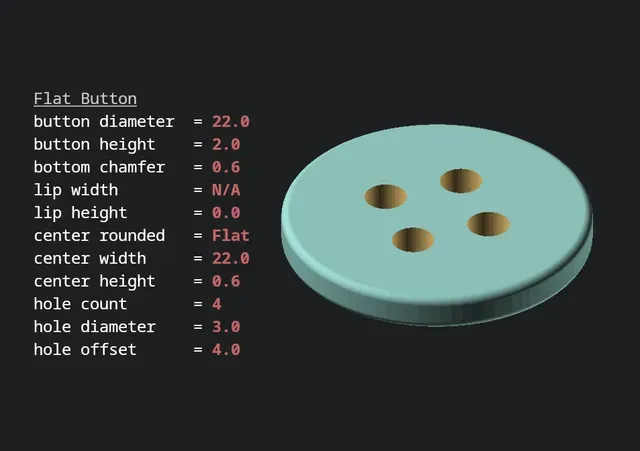
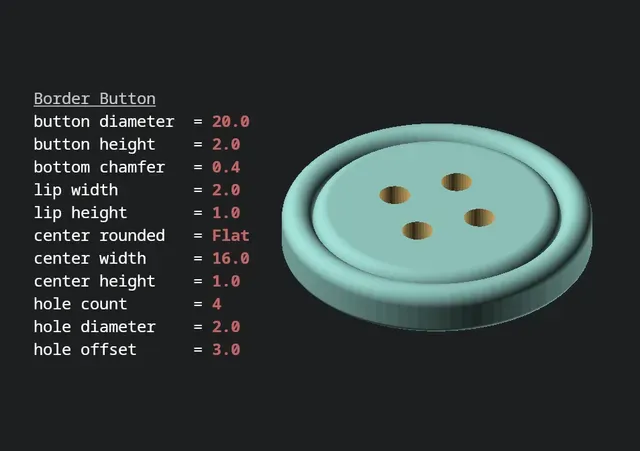
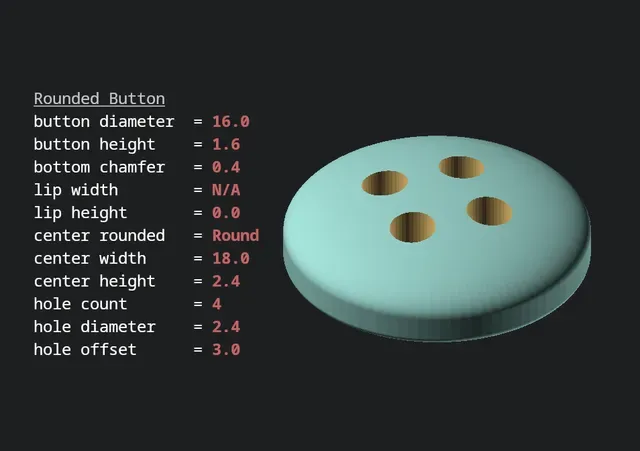
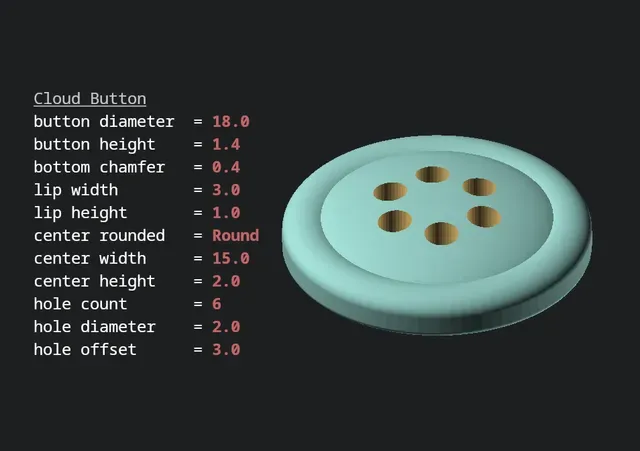

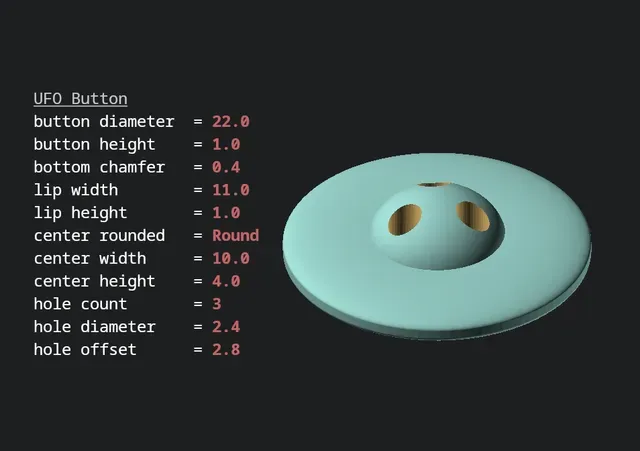
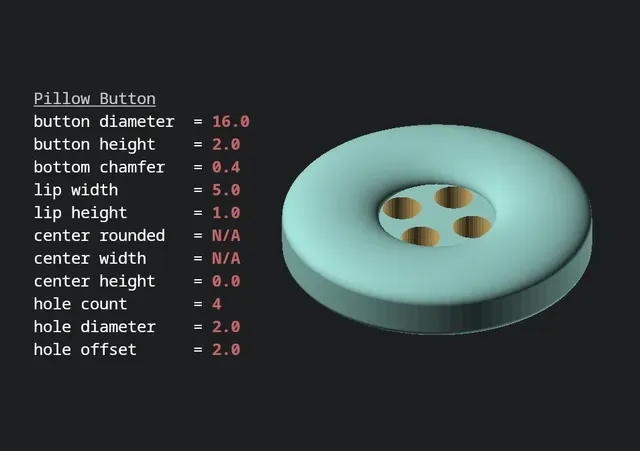
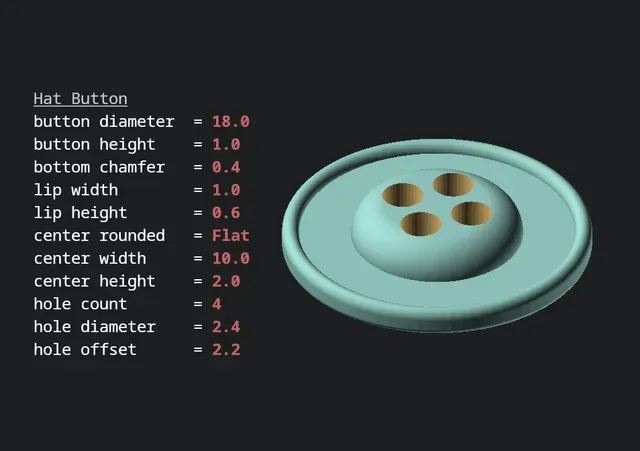
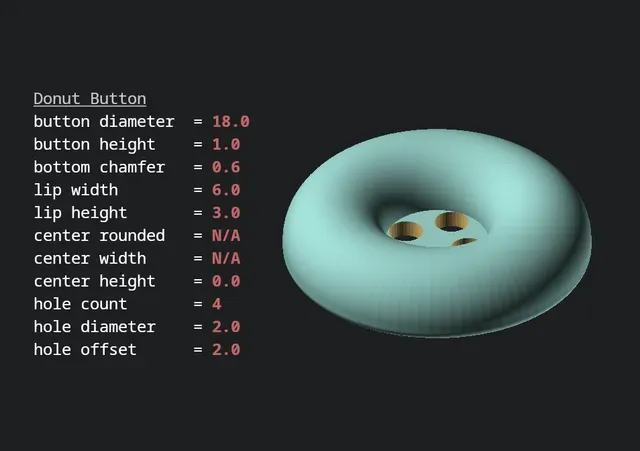
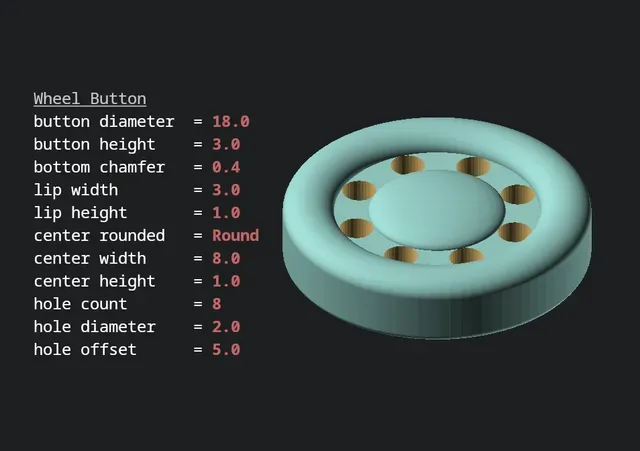
This script generates customized 3D-printed buttons using OpenSCAD's built-in customizer. OpenSCAD is totally free, and its customizer makes generating buttons simple and intuitive. You can quickly and easily change the size, shape, and even the number of thread holes!
I have included some “recipes” in the photos above. Also attached are several example STL files, but I'd encourage you to make your own!
Requirements
- Download and install OpenSCAD - Download the button_generator.scad script from the “Files” tab Instructions
- Open OpenSCAD and load up the button_generator.scad file. - Open OpenSCAD's customizer: “Window > Customizer” (a new panel will appear on the right). - Expand the “Parameters” section and start changing some values (see below for an explanation of each attribute). The preview render will update after changing a parameter (if it doesn't, press F5 ). - Once your button looks correct, generate a high-quality render by pressing F6 . - Export your STL file ( F7 ) and start printing! Parameters
Name Description
button diameter The size of the button
button height The height of the base of button (excluding the lip and center)
bottom chamfer The size of the button's rounded bottom edge
lip width The width of the ring along the top outer edge of the button
lip height The height of the ring along the top outer edge
center rounded Should the raised center of the button be fully rounded or have a flat top
center width The diameter of the raised center
center height The height of the button's raised center
hole count The number of thread holes in the button
hole diameter The size of each hole
hole offset How far should the thread holes be from the center of the button
Tips
- In OpenSCAD's preview: blue tint = low-quality render, green tint = high-quality render - The preview's low-quality render may show weird artifacts (missing faces, overlapping sides, etc.), but those issues won't be present on the high-quality render. - When generating a high-quality render, it can take a minute or two, so be patient. - The lip and center can be removed by setting the height to zero. - The bottom chamfer helps the button slide through the fabric's button hole and can help compensate for elephant's foot. - You can also set the values manually in the source code using the editor on the left of OpenSCAD (see lines 5 through 26). - Don't make the thread holes too small or else they won't print well. - Changing multiple values can be annoying while “Automatic Preview” is enabled. I prefer to uncheck it, and just tap F5 when I want to see an update. - If you generate a particularly awesome button, share the settings!

Названия используются только для указания источника результата. Polyzon не аффилирован с перечисленными площадками.