
Бесплатно 
Qidi Q1 Pro connect and configure any motion sensor & Universal quick-release mount for BTT SFS V2.0
Printables
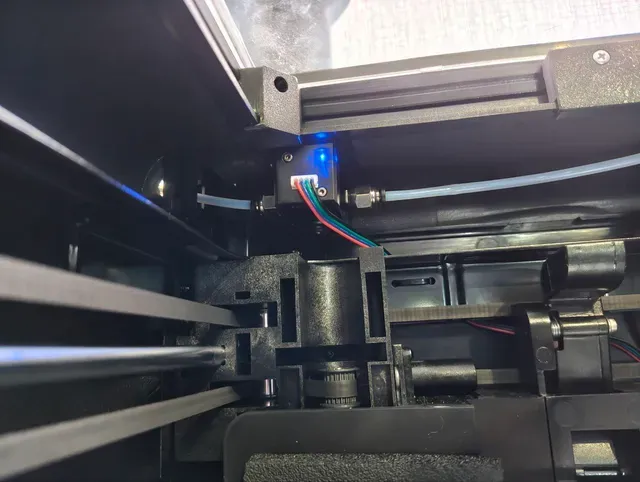
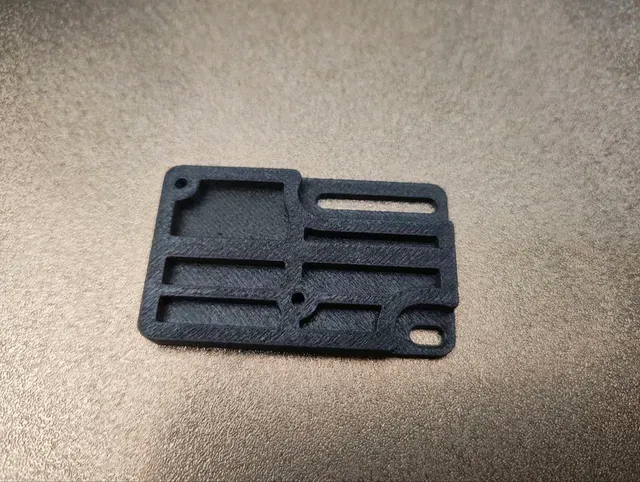
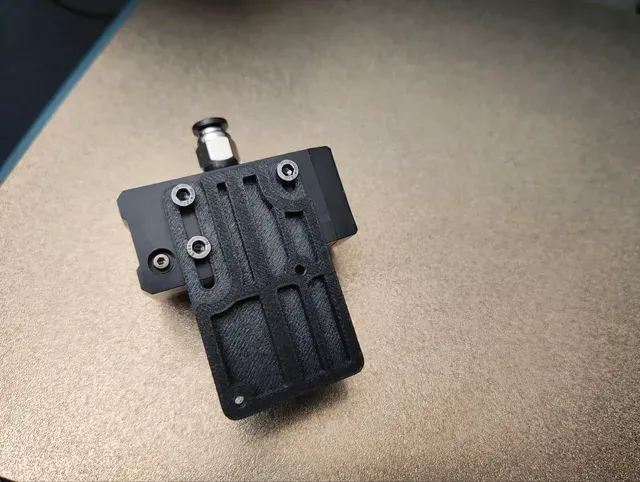


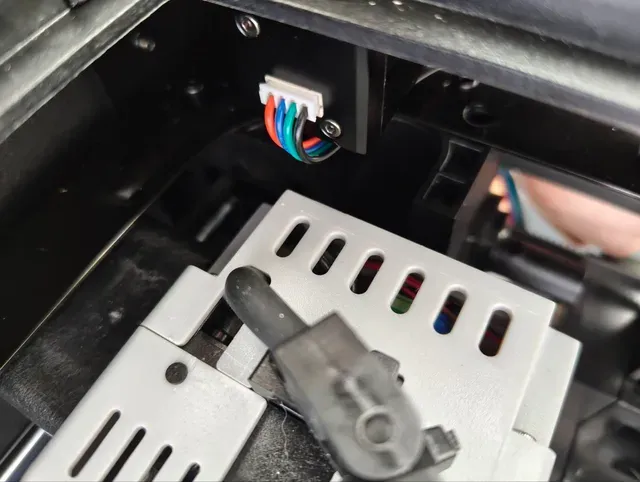
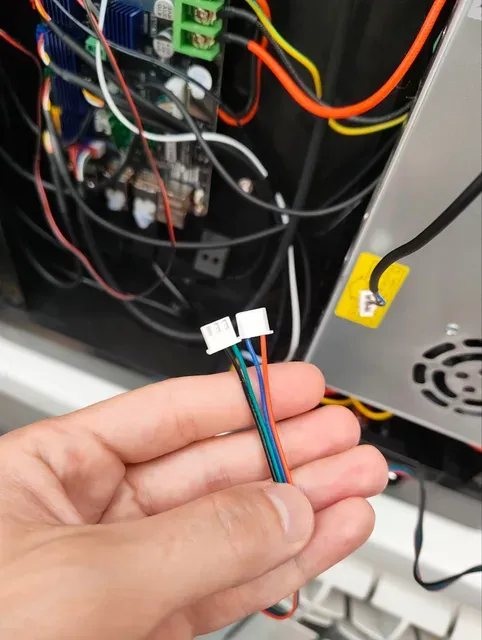


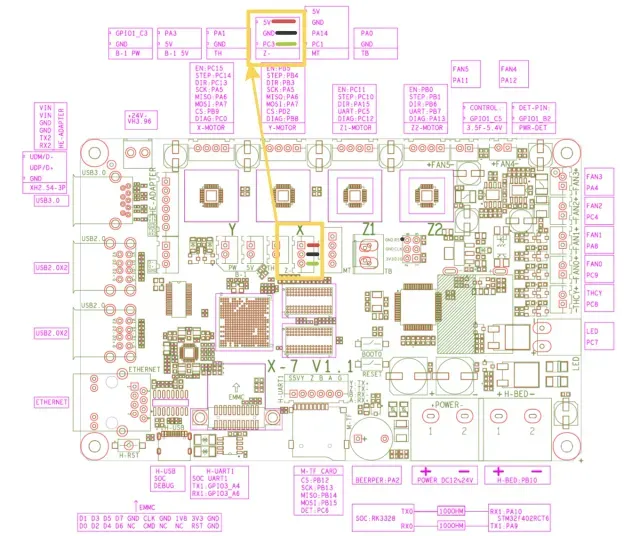
Big thanks to schreider for the fantastic inspiration and detailed guide on connecting and configuring a motion sensor for the QIDI Q1 Pro ( https://www.printables.com/model/1147564-qidi-q1-pro-connect-and-configure-any-motion-senso )! Their work was instrumental in solving a major headache for me.
Print settings: Filament: I used ABS-GF, for best rigidity, simple ABS probably would work just fine. But you need material capable to handle temps higher then temps in chamber. Your regular settings would work fine: 0.2 layer hight, 0.4nozzle
As someone who frequently prints with composite materials , I often encounter clogged nozzles . Unfortunately, the stock QIDI Q1 Pro isn't capable of detecting these clogs and simply continues printing, leaving me with a ruined model and a printer confidently reporting a successful print in the morning.
After some searching, I discovered the excellent BigTreeTech SFS V2 sensor , which offers a reliable solution to this problem and is more affordable than QIDI's original filament tangle sensor. My further research led me to schreider's brilliant solution.
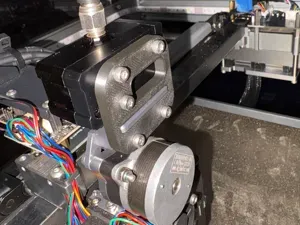
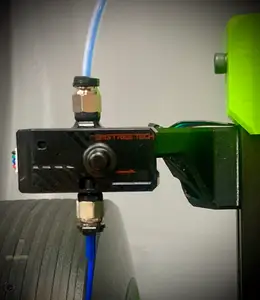
My only reservation was the need to mount the sensor on the printer's side or rear panel. Space is limited for me, and it still required removing the stock sensor. So, I designed a custom mount that attaches directly in place of the original QIDI filament tangle sensor .
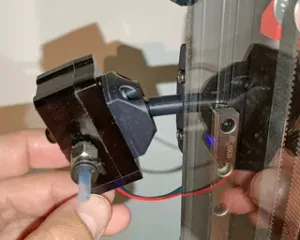
The only minor consideration with my design is that you'll need to insert the PTFE tube into the sensor's input beforehand. However, I always print directly from a dry box, so this actually makes my workflow even more convenient.
For wiring and software configuration , I've adopted schreider's detailed instructions (available at https://www.printables.com/model/1147564-qidi-q1-pro-connect-and-configure-any-motion-senso ). I've also duplicated their essential steps here in case the original guide ever becomes unavailable.
1) Prepare the SFS connector according to the photo attached to this project, you can remove the pins from the original complete SFS connectors using a thin screwdriver, needle, thin knife, etc. then re-insert them in the required sequence. We will not use the runout sensor because it is useless (just like the original tangle sensor) and will require an additional pin on the mainboard, so only one connector 3pin for the motion filament sensor will be needed.
Don't forget to turn off the power supply!
2) Remove the back cover of the printer and connect SFS to the board as shown in the photo attached to the project. Lay the cable as the old tangle sensor was stretched.
3) Remove the original Tangle Sensor unscrewing the two screws in the far left corner from the top of the case , then screw SFS V2 to the mount. Insert PTFE tube in original sensor hole, and into the SFS sensor, from other side insert PTFE tube from the extruder. Screw mount with attached PTFE tubs in place of the original mount. Connect sensor wires.
4) Replace this in the printer.cfg:
[filament_switch_sensor fila] pause_on_runout: True runout_gcode: M118 Filament tangle detected event_delay: 3.0 pause_delay: 0.5 switch_pin: U_1:PC3
With this:
[filament_motion_sensor fila] switch_pin: U_1:PC3 detection_length: 5.76 extruder: extruder pause_on_runout: False runout_gcode: M118 Filament encoder runout PAUSE insert_gcode: M117 Filament encoder inserted
5) Add new macros to enable and disable the encoder sensor in the end gcode_macro.cfg:
[gcode_macro SFS_ENABLE] gcode: M117 ENABLING the SFS G92 E0 SET_FILAMENT_SENSOR SENSOR=fila ENABLE=1
[gcode_macro SFS_DISABLE] gcode: M117 DISABLING the SFS G92 E0 SET_FILAMENT_SENSOR SENSOR=fila ENABLE=0
6) Find the section in gcode_macro.cfg [gcode_macro CANCEL_PRINT] and paste it at the beginning of SFS_DISABLE like this:
[gcode_macro CANCEL_PRINT] rename_existing: BASE_CANCEL_PRINT gcode: SFS_DISABLE {% if (printer.gcode_move.position.z) < 150 %} ; check that zhop doesn't exceed z max G1 Z150 F480 {% endif %} …
7) Insert SFS_DISABLE at the beginning of the start and end gcode in slicer: Disable BTT SFS v2.0 filament encoder before print starts to stop false positives in purge layer before print. Enable just before print starts in gcode
8) Insert SFS_ENABLE at the end of the start gcode in slicer:






Названия используются только для указания источника результата. Polyzon не аффилирован с перечисленными площадками.