
Бесплатно 
FNT Prusa MK4/CoreOne Desktop_Open Simple buildplate holder
Printables

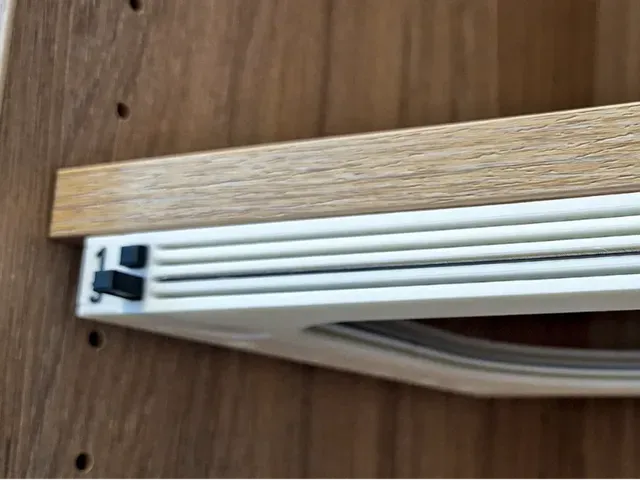


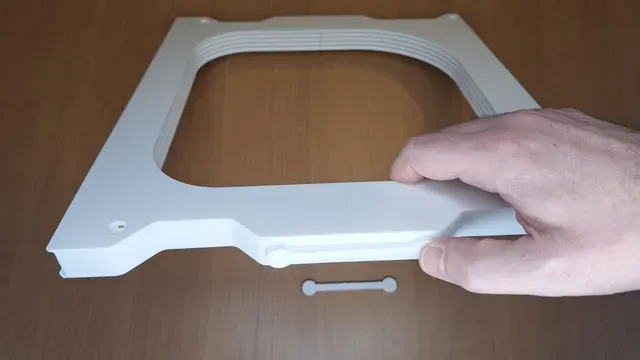
FNT Prusa MK4/CoreOne Shelf_Open Simple buildplate holder
(FNT Prusa MK2.5s/MK3/MK4/CoreOne Simple Plates holder with button)
FNT Prusa MK4/CoreOne Simple buildplate holder
A new addition has joined the popular family of FNT Build Plate Holders with Button — a streamlined model named FNT Simple . It was created in response to user requests for a faster-to-print, easier-to-assemble version of the original design.
This build plate holder keeps all the benefits of the previous FNT versions — easy assembly, reliable operation, and a smooth, maintenance-free mechanism . It can be attached to a shelf using 3mm screws or double-sided tape. The holder also works great when rotated vertically.
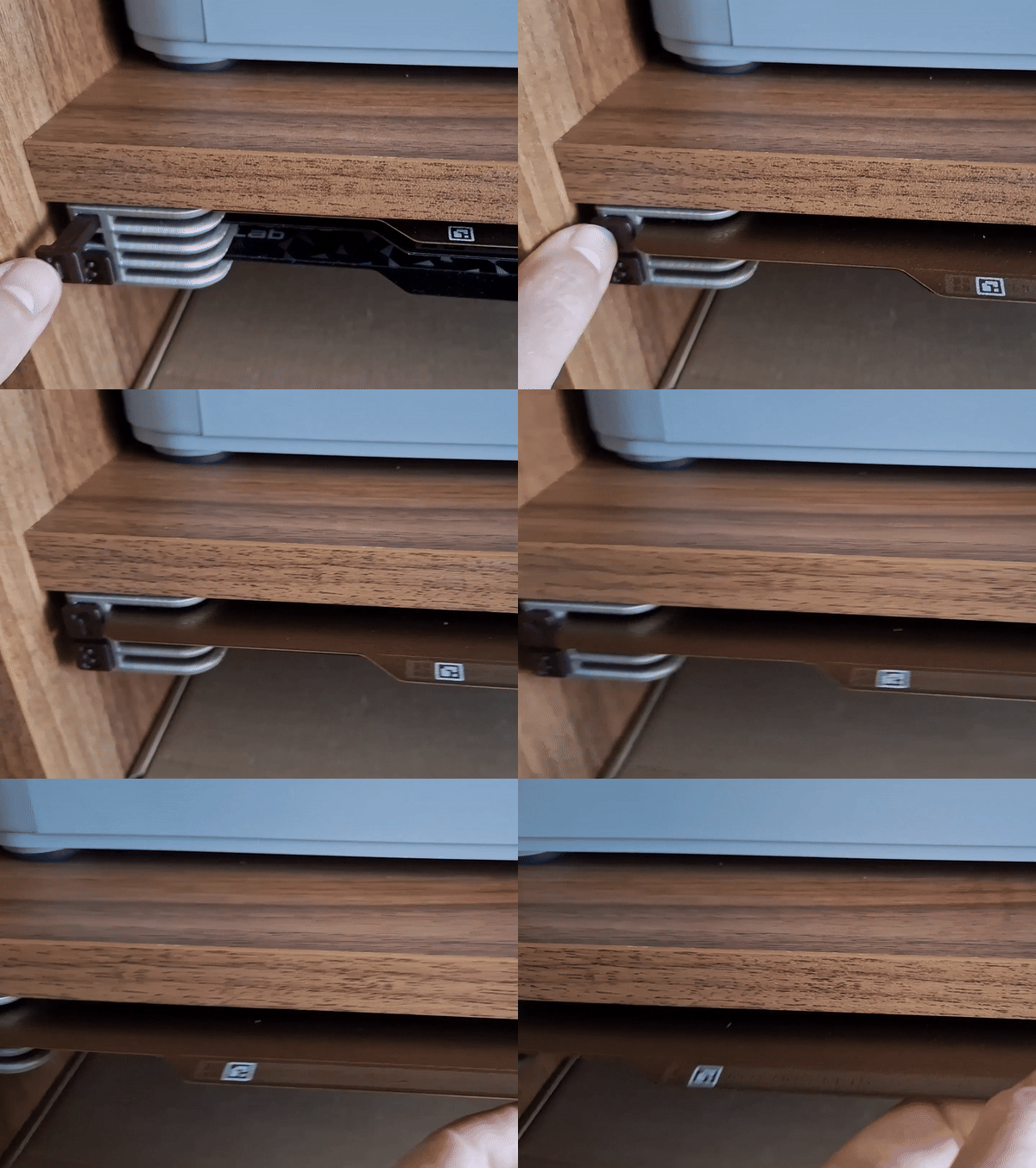
The ejection system works very lightly: when you insert the build plate, the button rises effortlessly into position. By pressing the button, the build plate is pushed out by approximately 2 cm , making it easy to grab without touching the surface and leaving unwanted fingerprints.
The body consists of only two printed parts , connected using alignment pins and a locking piece. The assembly is very simple , and the locking connection is extremely strong —in fact, even stronger than using screws in similar designs. No screws or additional hardware are required, making the assembly process quick, clean, and accessible for every user. Despite its simplified construction, the model retains the well-known FNT strength, reliability, and smooth plate handling.
This article is about the version Shelf_Open , but the FNT Simple is available in four versions. Please choose which version suits you best. For easier orientation, I have made a separate page for each model . The links are clickable. I will gradually add the print profiles.
I have created print profiles for MK3/MK4/CoreOne printers. For best results, use the specified print profile.
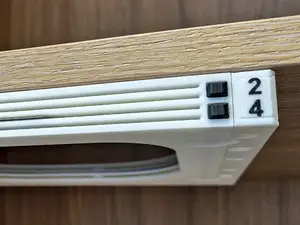
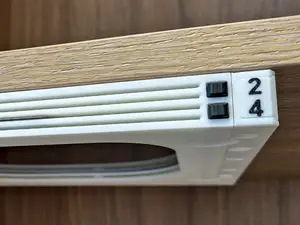
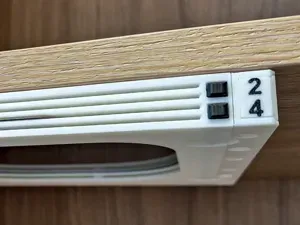
- FNT Prusa MK4/CoreOne Simple4 Shelf Open (WHITE) - This version is specifically designed for installation under a shelf supported by pins . The cutouts in the FNT holder allow the pins to be neatly hidden, creating a clean and integrated look. Of course, the holder can also be mounted under a desk if preferred. This is the simplest and fastest-to-print model in the entire Simple4 series.
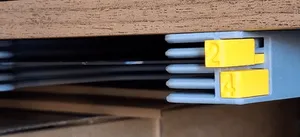
- FNT Prusa MK4/CoreOne Simple4 Desktop Open (YELLOW) - This version features flat, aligned side walls , unlike the Shelf variant which includes cutouts for shelf pins. The difference is purely visual — the functionality remains exactly the same .
- FNT Prusa MK4/CoreOne Simple4 Desktop Covered (GREEN) - This version is identical to the Desktop Open model, but includes a top cover to protect the build plates from dust. Front and back cover is not mechanically connected betweern body parts. You can use glue it tape to secure it.
- FNT Prusa MK4/CoreOne Simple4 Desktop HardTop (RED) - Compared to the Covered version, the top panel in the HardTop model is 4 mm thicker , providing increased strength and rigidity. This makes it suitable not only as a dust cover but also as a load-bearing platform , allowing it to function as a small stand. Unlike the Covered version, the HardTop cover components are interconnected , giving the entire structure greater stability and durability.
Shelf Open (WHITE) vs. Desktop Open (YELLOW) comparsion
Desktop Covered (GREEN) vs. Desktop HardTop (RED) comparsion:
Here is shown on another FNT model how simply the buildplate ejection works:
Printing Instructions
To achieve the best possible results, please follow these guidelines:
- If you plan to create your own print profile, please respect the orientation of the parts as you see them in the ready-made print profiles.
- Use the included print profile – It has been thoroughly tuned and tested for optimal performance.
- Model / profile printed on A1 Mini, X1C, P1S, Centauri Carbon to test tolerances
- To make sure there was no problem with tolerances and everything would work, I used B PLA Basic, but also the cheapest PLA I managed to buy (8.9 €/kg), but also old PLA with varying filament thickness. Of course everything works great. :-)
- Printer requirements – This model has a longer print time , so to avoid any potential issues, I recommend printing it in an environment without drafts or sudden temperature changes . I personally had no problems during printing , but it’s still worth keeping this in mind for best results.
- Build plate preparation – Make sure the plate is clean and degreased with IPA before printing. If there's any risk of the model lifting, apply a bit of 3DLac in the corners of the build plate. I’ve had no issues with textured build plates when following these steps.
- Filament quality matters – Don't use low-quality filament to prevent warping or non-functional button mechanisms caused by poor layer adhesion.
- Print settings :
- Layer height: 0.2 mm
- Supports : Yes
- Brim : Yes
- Speed/layer height : Do not modify – follow the provided profile for best fit and function
- Model can be print also on old Prusa printers like Mk2.5, Mk3,...
- On printers with a moving bed like MK family, reduce the speed and acceleration when printing the main parts. I printed on A1 with a max speed and travelling setting of 100mm/s and acceleration 3000mm/s2 (also for travellong) and it was OK.
Assembly:
- Print Holder body (Front, Back), buttons, arms, pins, locks of selected version
- Slide both pins into the front body part firmly
- Connect back body to pins, also firmly
- Lock parts together with lock parts
- Insert button to the holder. Slide in / out several times to clean slot and button bar from printing imperfections
- Align the button and arm teeth according to the picture. Push the arm into the holder firmly. First attach the upper arms (1 and 2), then the lower arms (3 and 4).
- Test whether the button and arm move easily




Названия используются только для указания источника результата. Polyzon не аффилирован с перечисленными площадками.