
Бесплатно 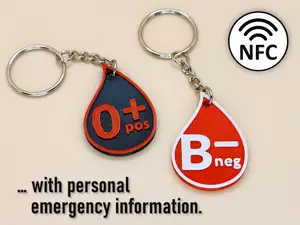
Blood Type Keychain with NFC Tag (v2)
Printables


Blood Type Keychain with NFC Tag
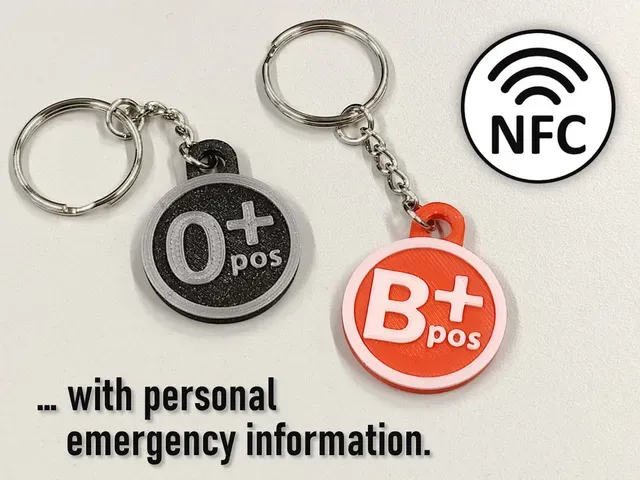
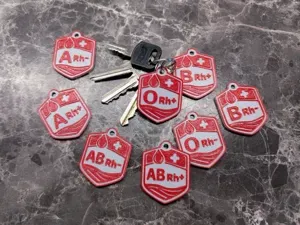
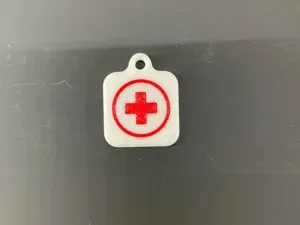
This is a remix of the keychain by Max Siebenschläfer . I didn't use any of his files, but I still want to mark this as a remix. I think his idea is great. Compared to the keychains by Max, these keychains are smaller. The design is similar, but not the same. The keychains have an outer diameter of 30 mm and a height of 3.6 mm.
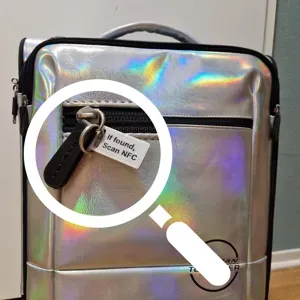
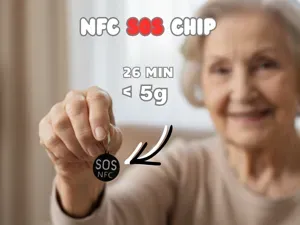
The blood type of a person is printed on the keychain. A small NFC tag is inserted into the keychain during printing. Any information about the person can then be stored on the NFC tag. For example, I have saved the following information on my NFC tag:
- Name - Telephone number of emergency contact - Blood group - Allergies - Medications being taken - Organ donor (yes/no) In other words, the NFC tag stores important information for emergencies that is not on your identity card. I recommend not storing your address on the NFC tag! If the keychain with your keys and tag is found or stolen, they will know directly where you live. Not so good.
The information can be read by any NFC-enabled smartphone or tablet (or other NFC reader).
Materials
The following materials are needed for the keychain:
- Keyring with open bending ring ( Amazon Link ) - NFC tag sticker ( Amazon Link 1 , Amazon Link 2 , Amazon Link 3 ) Generally, NFC tags with a maximum diameter of 25 mm fit in the keychain. Slightly larger NFC tags can also be cut to size, but please do not damage the wire of the NFC tag. I also cut the tag a little:
Writing Information on NFC Tags
There are several apps for writing the NFC tag. I use the app NFC Tools from wakdev on my Android smartphone. This app is also available for Apple devices.
- Android: https://play.google.com/store/apps/details?id=com.wakdev.wdnfc - iOS: https://apps.apple.com/de/app/nfc-tools/id1252962749 The following short video shows how to write the emergency information on the NFC tag. It doesn't matter whether you write the NFC tag before or after inserting it into the keychain. The video shows the latter:
It is also possible to use the app to set up password protection against unwanted writing or deletion.
Printing
The NFC tag is inserted during printing. For this, a print pause must be added via the slicer software in the GCODE. The following YouTube video from Prusa 3D shows, among other things, how this is done using PrusaSlicer :
I also use PrusaSlicer. For the keychain, add a pause at a layer height of 2.20 mm (at a print resolution of 0.20 mm). Important: The print pause is done before printing the set layer, so the last printed layer is at 2.00 mm.
In addition, a filament change must take place during printing. The following are the layer heights for the different filament colours:
- 0.00 - 2.80 mm: housing (e.g. in red) - 2.80 - 3.60 mm: lettering with the blood group (e.g. in white) The print pause and filament change are already set in the GCODE and 3MF files.
My Print Settings
- Printer: Prusa MINI (0.4 mm nozzle) - Rafts: No - Supports: No - Resolution: 0.2 mm - Infill: 30 % - Filament brand: Prusament - Filament color: Prusa Galaxy Black, Galaxy Silver, … - Filament material: PLA



Названия используются только для указания источника результата. Polyzon не аффилирован с перечисленными площадками.