
Бесплатно 
Mini 3D Spacemouse — additional base ballast
Printables
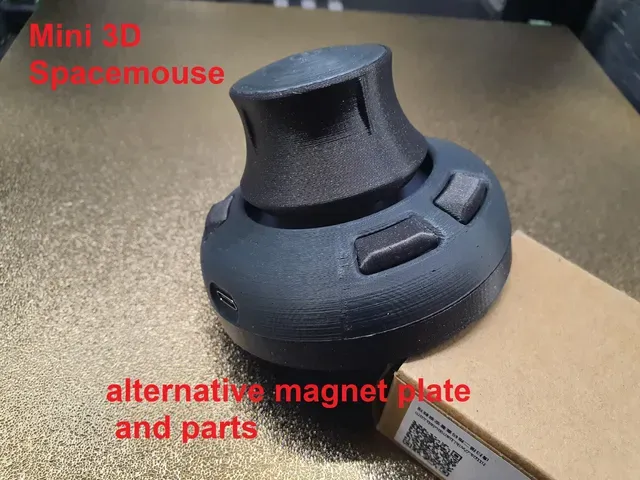
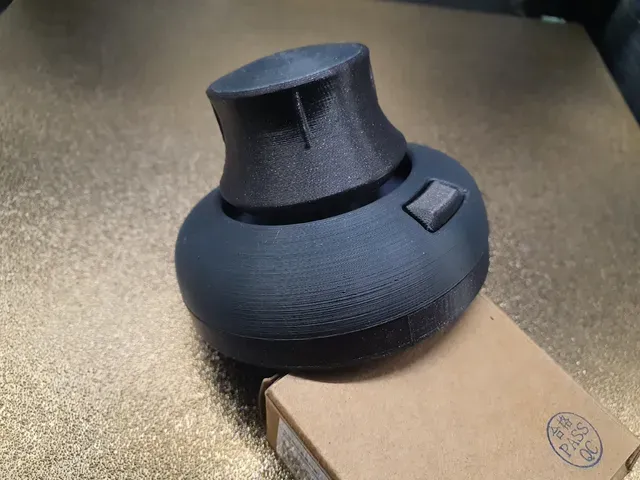
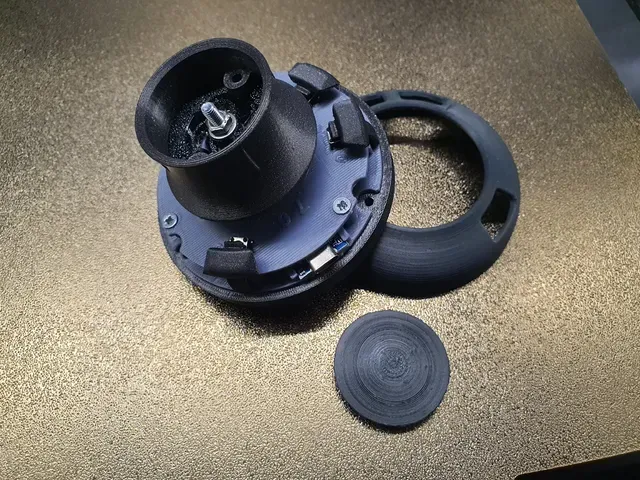
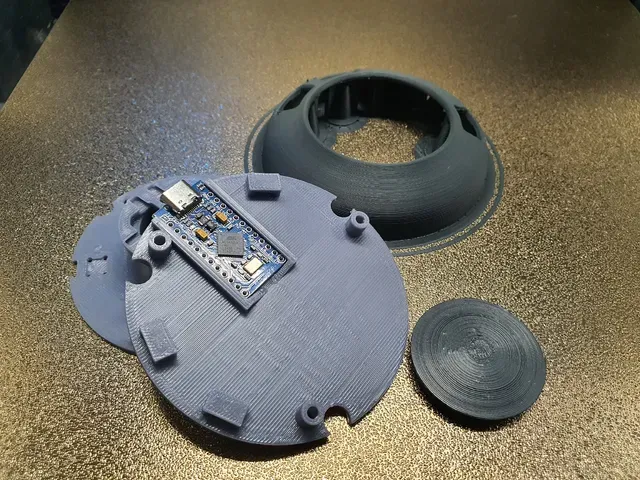
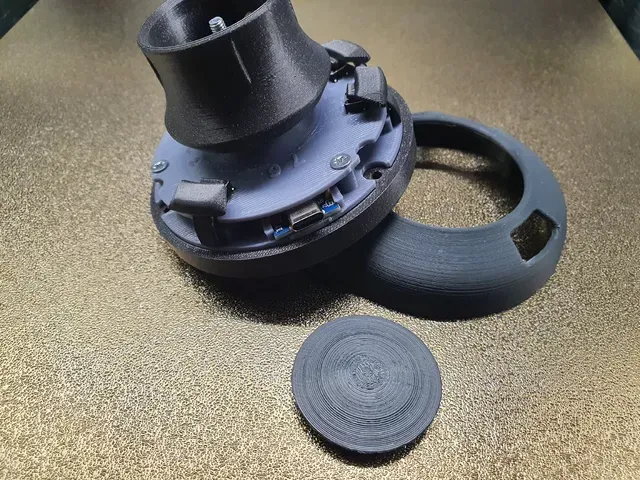
This is a collection of several Mini SpaceMouse parts that I remixed for my version of the mouse.
To build your own mouse, you can find the complete original project (including the parts I didn’t modify but are required for assembly) at the following link:
https://www.printables.com/model/1690800-mini-3d-spacemouse-w-hall-effect-sensors
I added alternative parts:
1. The original Button with built-in supports for printing on the side, Side printing increases the button's durability, and it also fits the original parts.
2. More protruding Button with built-in supports for printing on the side, Side printing increases the button's durability, and it also fits the original parts.
3. My version of the Knob with built-in supports The knob is designed for my version of the magnetic plate, and it also fits the original parts.
4. My version of the Arduino plate with space for wires that protrude from the board Fits the original parts.
5. My version of the Chimney with numerically labeled sensors and buttons for easier assembly/soldering, the Chimney is designed to fit my magnetic board. The Chimney is designed to fit my magnetic plate - it doesn't fit the original magnetic plates.
6. Magnetic plate for 5x3mm magnets It fits the original Chimney, but I recommend installing it with my version of the Chimney. My magnetic plate has a slot that aligns with the tab on my version of the Chimney—thanks to this improvement, the magnetic plate will be properly positioned relative to the Hall sensors and won’t shift when tightening the M4 nut. Only the Knob from my modification fits this board In this version, you need to attach the 5x3mm magnets with glue!
My magnetic plate features an improved spring: - It is thinner (0.5 mm), so less force is required to turn the knob. - The spring is properly contoured, allowing it to maintain the stiffness of the original 0.7 mm spring.
7. Oryginal magnetic plate for fullsize magnets The original magnetic plate for full-size magnets is the original plate with springs and a slot from my 5x3 magnet plate. It is only compatible with my version of the Knob. Print it just like an original magnetic plate - add magnets during printing.
8. Oryginal magnetic plate for undersize magnets The original magnetic plate for undersize magnets is the original plate with springs and a slot from my 5x3 magnet plate. It is only compatible with my version of the Knob. Print it just like an original magnetic plate - add magnets during printing.
Assembly:
https://www.printables.com/model/1690800-mini-3d-spacemouse-w-hall-effect-sensors
Soldering:
The wiring diagram for the project is available at the following link:
https://www.printables.com/model/940040-cad-mouse-spacemouse-using-hall-effect-sensors
A video showing how to assemble it is included in the original Mini Space Mouse project. Link:
https://www.printables.com/model/1690800-mini-3d-spacemouse-w-hall-effect-sensors
Calibration:
https://www.printables.com/model/1690800-mini-3d-spacemouse-w-hall-effect-sensors
Tips and tricks that came to mind while assembling my SPACEMOUSE:
- For best results, print the HAT and CASE parts with a layer thickness of 0.1 mm; print the remaining parts with a layer thickness of 0.2 mm
- Soldering: solder the wires to the sensors, place the sensors in their sockets, then trim the wires and solder them to the Arduino board. I did it in the wrong order and had trouble inserting the sensors into their sockets....
- In the AndunHH code, change:
- //#define KEYLIST {15, 14, 16} to #define KEYLIST {0, 1, 2}
- //#define ENCODER_CLK 2 //#define ENCODER_DT 3 to #define ENCODER_CLK 255 #define ENCODER_DT 255
LINKS:
https://www.printables.com/model/940040-cad-mouse-spacemouse-using-hall-effect-sensors
https://www.printables.com/model/1690800-mini-3d-spacemouse-w-hall-effect-sensors
https://github.com/AndunHH/spacemouse
Notes:
After calibrating the mouse with a 5x3mm magnetic plate, I have:
#define DEADZONE 4 //mario 5x3mm
#define MINVALS {-174, -210, -291, -256, -213, -228, -149, -60}//mario 5x3mm
#define MAXVALS {375, 261, 267, 311, 307, 363, 379, 404}//mario 5x3mm
I’m curious to see what values you get. Please post your values in the comments.
Acknowledgements:
I would like to thank @JohnCrombie_629989 for sharing the great idea for the spacemouse, and @InnerBushman_2828823 , who improved and reduced this project — that spring in the magnet plate is amazing!!!





![ErgonoMouse [Free version] - 6DOF Controller Knob & Joystick with Wheel, Buttons & Keys](https://cache.polyzon.org/api/img?url=https%3A%2F%2Fmedia.printables.com%2Fmedia%2Fprints%2F973725%2Fimages%2F7443301_6431622c-6203-4049-abb5-c021b4241c1f_e177f1da-39c9-4328-8e49-8818ce495155%2Fpromo-knob-free.png&w=300)
Названия используются только для указания источника результата. Polyzon не аффилирован с перечисленными площадками.
Комментарии