
Бесплатно 
Fully parametric hex bit handle / driver
MakerWorld
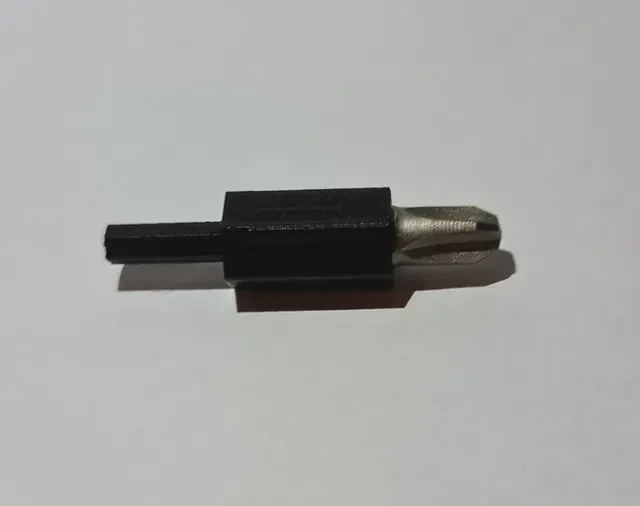

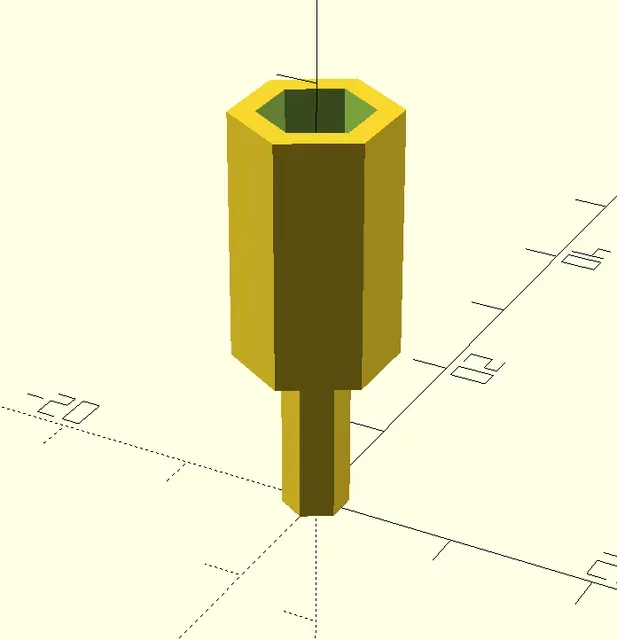

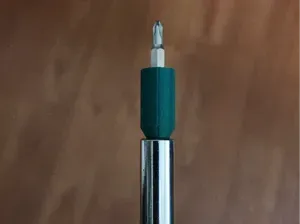
A bit adapter to allow larger bits in a smaller driver socket.
I created it when I bought an iFixit (with 4 mm socket) and wanted to use my older bits (6.35 mm or ¼ inch). It can be configured for any sizes but it doesn't make much sense to configure it for larger socket with smaller bits - while it will work it's kinda wasteful and it would be better to have the adapter fully inside the larger socket which this design doesn't do.
It also includes a configurable hole for a magnet (which can be completely disabled).
If you don't know how to use the OpenSCAD customizer, it's really simple:
- Download & Install OpenSCAD - Download the ScrewdriverBitAdapter.scad file here from the Files tab and open it in OpenSCAD - Configure the options on the right side of OpenSCAD as you see fit - Press F6, wait until it renders and press F7 to export the STL file - Continue as usual by opening the STL file in your slicer Print settings
Best used with PETG (while this will print in PLA without a problem, using PLA for mechanical parts is not the best idea), 0.2mm height. Increase infill to 100%.
If you use a magnet, add a pause in the slicer before the layer that will close the magnet hole.
There is a 3mf file with pause already added at the height and configuration that works for my iFixit so if that one works for you you can just slice and you're ready to go.
What can you configure?
Pretty much everything, but in general:
- the bit hole width (and tolerances) - the driver socket width (and tolerances) - the wall width - the height of the bit hole and the driver socket - magnet configuration (whether to enable it, what's its diameter and height and tolerances) All configuration options have a documentation in the OpenSCAD customizer.




Названия используются только для указания источника результата. Polyzon не аффилирован с перечисленными площадками.