
Бесплатно 
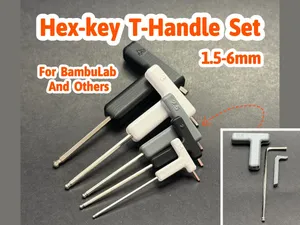
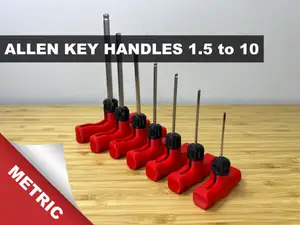
Hex-key L-Handle Set (metric - customize your tools)
Printables





Welcome to GlennovitS3D. Join the Club on Printables.com to support creation of new models , get access to exclusive models , and get commercial rights, to sell prints of my models. Join today - GlennovitS3D - or check out my model collection
Updates:
2. July 2024 - Updated 2 mm version sizes of the L-Handle (thanks for the feedback!)
2. July 2024 - Added 3.5 mm size (thanks for suggestion)
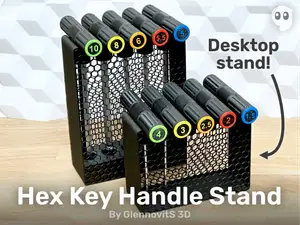
Want a stand for your hex-keys?: https://www.printables.com/model/902726-hex-key-t-handle-stand-simple-functional-multiple
Just like my T-Handle and L-Handle sets, this one will improve the joy of working with hex-keys. And with this set, you will have the option to customize them even more to your preference - all while supporting me designing new models. Thank you !
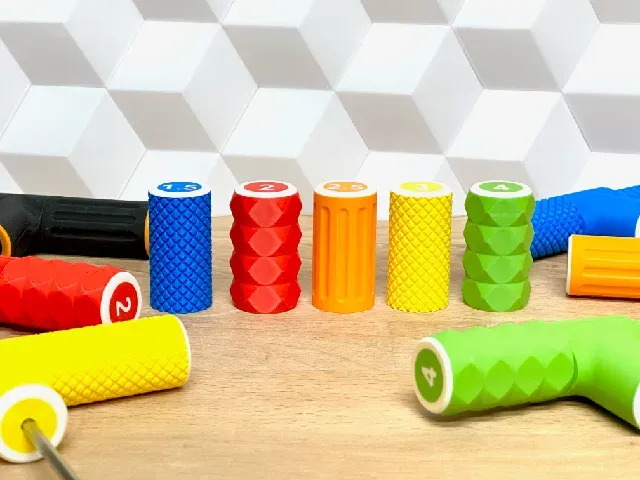
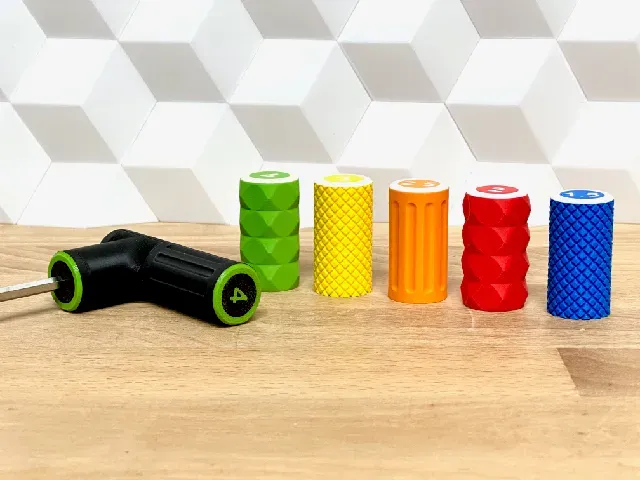
The grib instantly improves - feels great in the hand! And organizing the hex-keys and finding the right one is way easier. Use color, numbers or both to quickly find what you need, when you need it.
Overview
This set includes 3 different styles of Cap Handles:
- Classic - Knurled - Tiles The set is currently made for the following 11 sizes :
- 1.5 mm - 2 mm - 2.5 mm - 3 mm - 3.5 mm - 4 mm - 5 mm - 5.5 mm - 6 mm - 8 mm - 10 mm (If a specific size is missing - please let me know in the comments!)
For 1 hex-key handle, you need to print the following :
- 1x Part A - 1x Part B - 2x Cap Handle - 1x Cap Tip Assembly
It is easily assembled with the hex-key inside - no glue or other tools needed.
- Insert the hex-key in Part A - Place Part B on the opposite side - While pressing A and B together, screw on the Cap Handle on both ends - Screw on the Cap Tip around the hex-key Enjoy working with the hex-key from now on!
Multicolor prints
This is optional - but looks nice and help you take the right one in first try. You can do like this (in Bambu Studio):
- Insert the Cap Handle / Cap Tip in correct size - Right click on the model and click on Split > To parts - In the left pane Process click on Objects - Select individual parts of the Caps and choose filament for each. Print instructions
To make these strong enough for practical use, consider stronger-than-average print settings. Suggestions:
- Walls/perimeters : 3-5 - the more walls, the stronger - so test and see what you find the best. - Infill : 20-40% - the more infil, the stronger it will be. - Supports : No - the print-in-place hinge prints without supports! - Orientation : Press Auto Orient (in top bar in Bambu Studio. Should place Part A and B on the ‘cut’ side, and the Cap Handle and Cap Tip should be places with the opening up) More practical prints? I got you covered! Check out this collection of practical models - everything from tools to storage solutions. Or maybe see this collection of tool models
Filament
I printed these in filament sponsored by FormFutura - and they work great! To be sturdy enough for practical use I used their Tough PLA mostly - and their Easyfill PLA for color organizing. If interested, check out their products here:
- Tough PLA (aff): https://formfutura.com/product/tough-pla/?aff=11 - Easyfil PLA (aff): https://formfutura.com/product/easyfil-pla/?aff=11 Happy printing!




Названия используются только для указания источника результата. Polyzon не аффилирован с перечисленными площадками.