
Бесплатно ![ErgonoMouse [Free version] - 6DOF Controller Knob & Joystick with Wheel, Buttons & Keys](https://cache.polyzon.org/api/img?url=https%3A%2F%2Fmedia.printables.com%2Fmedia%2Fprints%2F973725%2Fimages%2F7443301_6431622c-6203-4049-abb5-c021b4241c1f_e177f1da-39c9-4328-8e49-8818ce495155%2Fpromo-knob-free.png&w=300)
ErgonoMouse [Free version] - 6DOF Controller Knob & Joystick with Wheel, Buttons & Keys
Printables


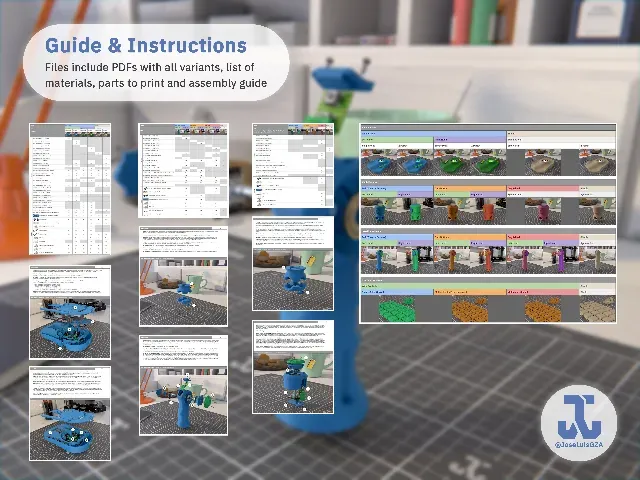


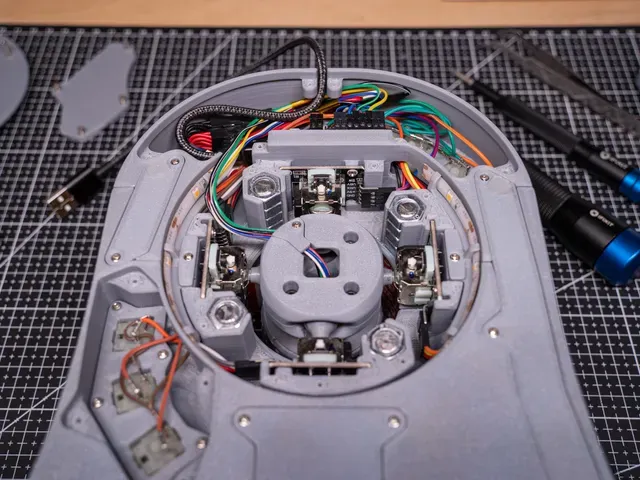


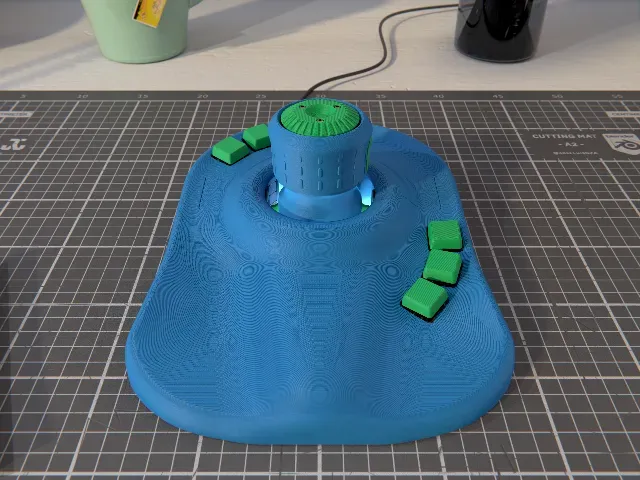


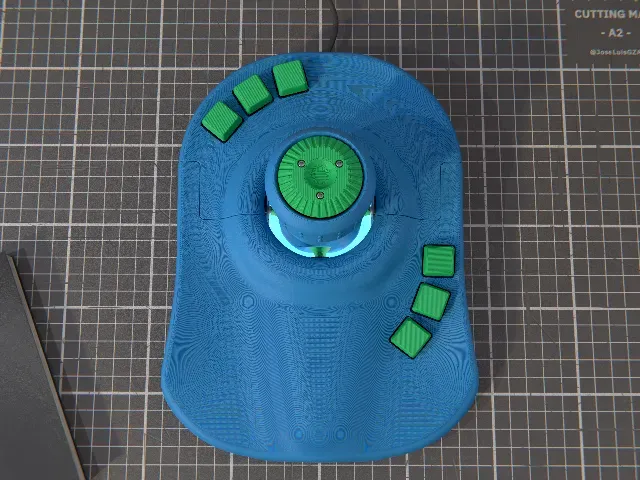


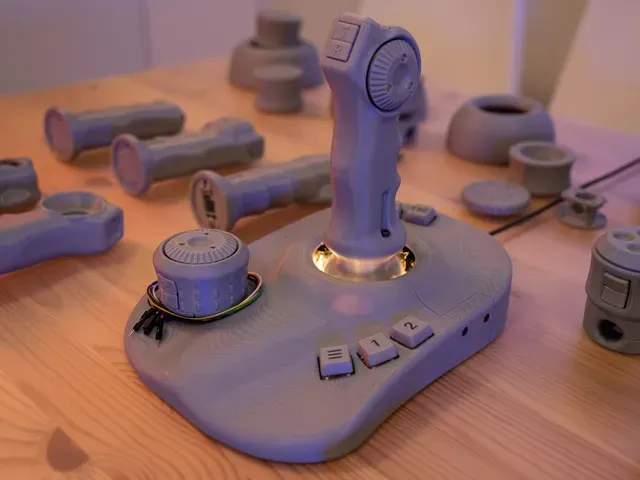


ErgonoMouse is a do-it-yourself 6DOF Controller (6 Degrees Of Freedom) based on Arduino. Or commonly known as "space mouse".
It uses commonly available hardware (see “Required Hardware” 🡣) and it requires intermediate printing, electronics and software skills. A fun, DIY project that would make every maker's delight!
It comes in many flavors: ErgonoMouse offers multiple options with different features for the Base, Knob and Joystick, with all variants available for both Left and Right Hands.
---------------------------------------------------------------------
Note:
You can test the free version of ErgonoMouse here . It includes the “Simple” variants for the Base, Knob and Joystick assemblies (see “Variants” 🡣).
With the paid version, you get all variants for all features and assemblies.
---------------------------------------------------------------------
New!
ErgonoMouse SW released! You can now download and use the ErgonoMouse SW from GitHub . It's an intuitive, web-based interface to install the firmware, setup and tune your controller.
New axis mod inspired by Kempy's Steel Balls + Hall Effect Joysticks for smooth control.
---------------------------------------------------------------------
Bonus:
You can now test your printer capabilities with my QuBenchy - 3D Printing Torture Test Cube :
---------------------------------------------------------------------
Function
So what does the "6DOF" mean? It means you can move a camera or object in 6 different ways: Rotation on X, Y, and Z axis, as well as Translation on X, Y, and Z axis. This makes the ErgonoMouse ideal for CAD and 3D Design tasks, or even videogames.
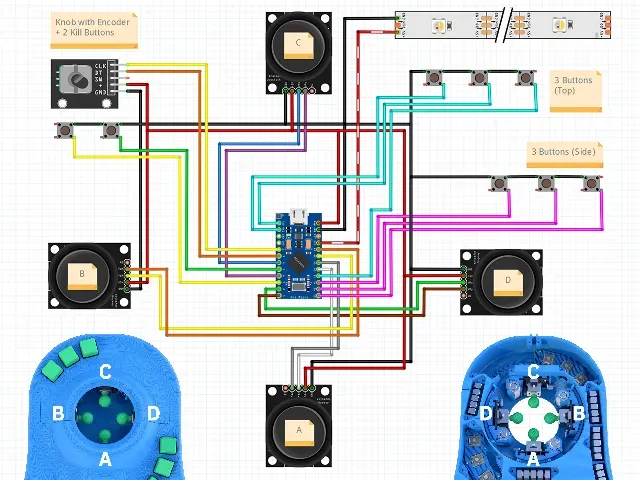
The controller uses analogue sensors (KY-023 Joysticks) to register your movements. The ErgonoMouse design also adds new features such as:
- A wheel to simulate one of the axis (i.e. Zoom, like a mouse wheel),
- Two buttons on the Knob and Joystick that can limit the movements to only rotation or only translation. This provides a more precise control by preventing undesired movements on some axis from bleeding into the intended ones.
- 6 Keys on the Base for macros and shortcuts.
- The two buttons on the Knob and Joystick can be used as 2 additional keys, instead of the Kill Button functionality.
My personal preference is Left Hand, 6 Keys Base, Full Joystick (with Wheel for zoom and 2 Kill Buttons).
The project is based on Arduino and is compatible with the 3DConnexion software (see “Software” 🡣).
Overview
This project was inspired by @TeachingTech and his SpaceMouse v2 . I had been looking for space mouse DIYs and commercially available options for a while when I stumbled across his video, and I finally decided to get one myself. While recognizing and appreciating his work, I wanted a more sleek, refined design.
“It will be just a few hours worth of CAD”, “I will save money”, “I'll be proud of designing my own”, I said to myself. Now I know that only one was true, and it wasn't the time or money.
Let's just say that it got out of hands:
So after 3 months, a few orders to Amazon, a bunch of new tools including a new TS101, a new A1 Mini for rapid prototyping, a fair share of hardware, 5Kg of PLA, 20 iterations from MK I to MK XX, and 1.159 saved versions later (I did count them), I present to you: the ErgonoMouse MK XX!
As a side note, most of the time and iterations went into miniaturizing the design while keeping it user and assembly friendly with still commonly available hardware, and adding the new features, variants and layouts.
Variants
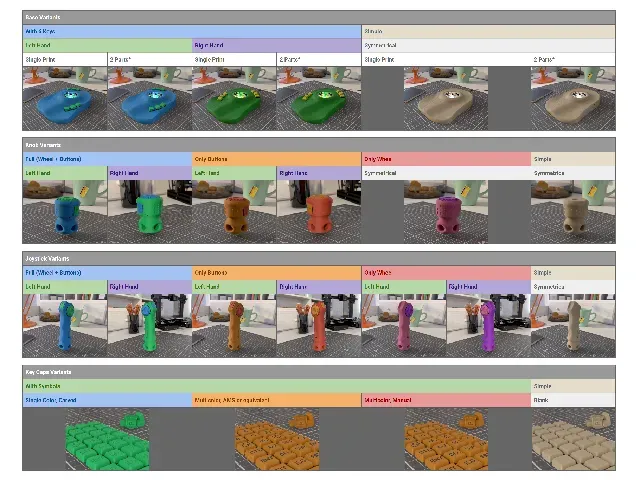
The ErgonoMouse offers multiple variants based on desired features and orientation for both right and left hands. The complete pack contains 73 3D parts (list of assembly options and parts needed per option included in the PDFs). With them, you can build the following variants:
- Base Assembly :
- 6 Keys Variant:
- Left Hand, Single Print
- Left Hand, 2-Part print for A1 Mini / Prusa MINI+
- Right Hand, Single Print
- Right Hand, 2-Part print for A1 Mini / Prusa MINI+
- Simple Variant:
- Symmetric, Single Print
![ErgonoMouse [Free version] - 6DOF Controller](https://cache.polyzon.org/api/img?url=https%3A%2F%2Fmakerworld.bblmw.com%2Fmakerworld%2Fmodel%2FDSM00000001062479%2Fdesign%2F2025-02-02_72w8d5f5ma03.png&w=300)
![ErgonoMouse MK XX [Free version] - 6DOF Controller Knob & Joystick with Wheel, Buttons & Keys](https://cache.polyzon.org/api/img?url=https%3A%2F%2Fresize.thingiverse.com%2F%3Furl%3Dhttps%3A%2F%2Fcdn.thingiverse.com%2Fassets%2F4d%2F27%2F33%2F71%2Fa8%2F4fc60be8-f741-4a8d-b0d3-33a184d3f2e5.png%26w%3D1024%26h%3D1024%26fit%3Dcontain%26cbg%3Dwhite%26n%3D-1&w=300)



Названия используются только для указания источника результата. Polyzon не аффилирован с перечисленными площадками.