
Бесплатно 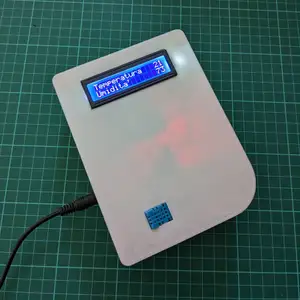
Arduino Temperature & Humidity sensor case (DHT11)
MakerWorld


Summary
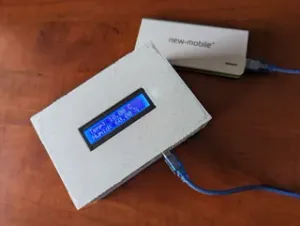
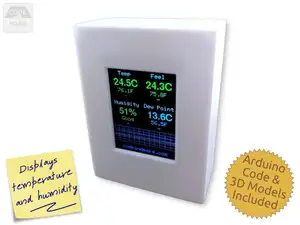
A case for a temperature and humidity sensor powered by an Arduino uno board.
The case fits:
- an Arduino uno - a small breadboard - a 16x2 LCD display - a DHT11 temperature and humidity sensor The parts are locked in place by melting the plastic pins with a soldering iron. The DHT11 is glued in place with hot glue.
Credits: The project is inspired by: https://www.progettiarduino.com/11-temperatura-e-umiditagrave-dht-11.html
Parts needed
3D Printed parts:
- 1x Top part of the case (Front_cover.stl) - 1x Bottom part of the case (Back_cover.stl) - 4x Feet (Feet.stl) Electronics:
- Arduino uno - a small breadboard - a 16x2 LCD display - a DHT11 temperature and humidity sensor - jumper cables (make sure they're long enough to reach) - 10k ohm potentiometer - a power brick / a 9v battery / usb cord to power the board Assembly:
- 4x M3 screws - Soldering Iron - Hot glue or other glue Software:
- Arduino IDE - LCD display library (LiquidCrystal.h library, see: https://docs.arduino.cc/learn/electronics/lcd-displays/ ) - DHT11 library from adafruit (DHT.h library, see: https://learn.adafruit.com/dht ) Code (the .ino file is in the download section):
#include <DHT.h>
#include <LiquidCrystal.h>
#define DHTPIN 8 // what digital the DHT11 is connected to
#define DHTTYPE DHT11 // DHT 11
DHT dht(DHTPIN, DHTTYPE); //set dht
LiquidCrystal lcd(12, 11, 5, 4, 3, 2); //set display (pin)
void setup() {
lcd.begin(16, 2);//initialise screen
lcd.print("Temperature");
lcd.setCursor(0,1);
lcd.print("Humidity");
Serial.begin(9600);
Serial.println("Arduino DHT11 Humidity and Temperature sensor");
dht.begin();//inizialise dht
}
void loop() {
// Wait a few seconds between measurements.
delay(5000);
//read temperature and humidity
float h = dht.readHumidity();
float t = dht.readTemperature();
// Check if any reads failed and exit early (to try again).
if (isnan(h) || isnan(t) ) {
Serial.println("Failed to read from DHT sensor!");
lcd.setCursor(0, 0);
lcd.print("FAIL ");
lcd.setCursor(0, 1);
lcd.print("FAIL ");
return;




Названия используются только для указания источника результата. Polyzon не аффилирован с перечисленными площадками.
Комментарии