
Ücretsiz 
Universal Ultimaker 2(+) Spool Holder
Thingiverse
This collection gathers STL files tied to the Ultimaker 2 extruder: mounts, housings, drive upgrades, filament-path parts and conversion projects. The extruder sits at the centre of 3D printing, so changes there affect feeding, retraction and cooling. The list is live, and what appears depends on what makers have uploaded. Polyzon does not confirm whether models are free, their price, license, official status, affiliation, safety or fitness. Check the current terms at the source.
Bu koleksiyonun metni İngilizce; arama ise her dilde çalışır.
 Bir Polyzon koleksiyonu · 48 model 4 siteden
Polyzon bu koleksiyonu bağlı sitelerdeki arama sonuçlarından oluşturur. Tekrarlar ve önizlemesi olmayan modeller çıkarılır, zayıf eşleşmeler sona alınır, geri kalanlar arama sırasını korur. Modeller yazarlarına aittir; her modelin sayfasındaki koşulları kontrol edin.
Seçim kuralları: Polyzon editör ekibi · Metin güncellendi: 14.10.2026

%2Fhttps%3A%2F%2Ffbi.cults3d.com%2Fuploaders%2F13550170%2Fillustration-file%2Fb4c8e39b-eb70-49ab-88c9-c41ae05e1cb7%2FIMG_8316.JPG&w=300)


%2Fhttps%3A%2F%2Ffbi.cults3d.com%2Fuploaders%2F14324891%2Fillustration-file%2F87d19c9e-f9f0-43f6-a14d-ca227f622713%2FIMGP7603.jpg&w=300)


%2Fhttps%3A%2F%2Ffbi.cults3d.com%2Fuploaders%2F13550170%2Fillustration-file%2Fbaca05dd-4a1e-4b26-98b1-2ffbbadcbd82%2Fee4866beecea8bd17fd0dfa880010c8c_display_large.JPG&w=300)


%2Fhttps%3A%2F%2Ffbi.cults3d.com%2Fuploaders%2F22237716%2Fillustration-file%2F604c9abe-80f7-452a-9947-eae28e2702d3%2Ffront_angle.png&w=300)

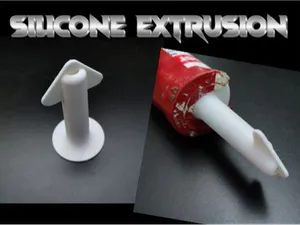

%2Fhttps%3A%2F%2Ffbi.cults3d.com%2Fuploaders%2F131%2Fillustration-file%2Fb43140a5-3714-4c1f-bf37-97624b3e0048%2FCapture%2520d%25E2%2580%2599e%25CC%2581cran%25202016-12-22%2520a%25CC%2580%252010.10.51.png&w=300)

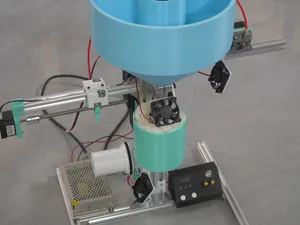

%2Fhttps%3A%2F%2Ffbi.cults3d.com%2Fuploaders%2F13640021%2Fillustration-file%2F749db5dc-4084-43ea-b06f-7f35b610057e%2FIMG_1319.jpg&w=300)



%2Fhttps%3A%2F%2Ffbi.cults3d.com%2Fuploaders%2F19330599%2Fillustration-file%2F598fd797-edd3-4fd7-97db-50b8d930b26e%2FIMG_20180916_132814.jpg&w=300)

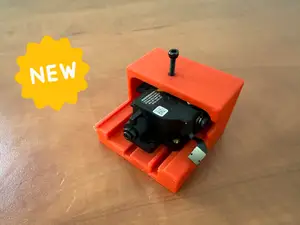

%2Fhttps%3A%2F%2Ffbi.cults3d.com%2Fuploaders%2F14480669%2Fillustration-file%2F79f3b363-4199-4d30-8d86-94ff98bca5c8%2Fnozzle_plate_V2.PNG&w=300)



%2Fhttps%3A%2F%2Ffbi.cults3d.com%2Fuploaders%2F14480669%2Fillustration-file%2F8c166f0d-712c-4bb7-a74d-23dd86e179a4%2FPLAx4.PNG&w=300)

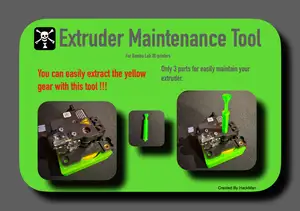

%2Fhttps%3A%2F%2Ffbi.cults3d.com%2Fuploaders%2F7410017%2Fillustration-file%2F2b412c9c-c159-41d2-a069-fe1ecc51dc40%2F11c.jpg&w=300)


%2Fhttps%3A%2F%2Ffbi.cults3d.com%2Fuploaders%2F27379030%2Fillustration-file%2F4fa5e0a9-c765-4580-88a6-81c59e90f0ba%2FMath-Spinner.jpg&w=300)

The models fall into a few groups. Mounts and housings hold the motor and hotend in place and often change how the fan duct is arranged. Bowden and direct-drive conversions move the motor closer to the nozzle or keep it on the frame, which changes the filament path. Drive and gear upgrades replace the feeding mechanism, while spool holders and filament guides deal with how material reaches the extruder.
When choosing a model, read the author's page before printing. Check the stated size and scale, the number of parts and how they assemble, and whether the author lists supports, material and print settings. Look at photos of real prints to see how the part sits on the machine and whether the geometry matches your version of the printer.
To widen or narrow the search, try related terms such as extruder mount, fan duct, hotend adapter, Bowden tube, direct drive, drive gear or spool holder. Adding the printer name or the hotend type to a query usually brings back fewer, more relevant results. If a term returns little, drop the brand and search by the part function instead.


Ev ve günlük yaşamdan CNC'ye kadar tüm konuların kataloğu; bağlı sitelerin hepsinde arama yapabilirsiniz.
%2Fhttps%3A%2F%2Ffbi.cults3d.com%2Fuploaders%2F13499062%2Fillustration-file%2F836148cc-29ef-447f-ae12-7a60b30bdcd9%2FCapture%2520d%25E2%2580%2599e%25CC%2581cran%25202018-03-26%2520a%25CC%2580%252018.03.19.png&w=640)
