
Free 
3D Printed Linear Actuator - Linear motion
Thingiverse
This collection gathers robot-themed 3D models that owners of Creality machines tend to print: small walking robots, mascot figures, gears, servo mounts and a few add-ons for the printers themselves. It is useful when you want a project that combines 3D printing with simple mechanics or electronics. Most entries are STL files you slice yourself, so the result depends on the scale and settings you choose. Polyzon does not confirm whether models are free, their price, license, official status, affiliation, safety or fitness. Check the current terms at the source.
 A Polyzon collection · 48 models from 4 platforms
Polyzon assembles this collection from search results on the connected platforms. Repeats and models without a preview are removed, weak matches go to the end, and the rest keeps the search order. Models belong to their authors — check the terms on each model's page.
Selection rules: the Polyzon editorial team · Text updated 2026-10-14

%2Fhttps%3A%2F%2Ffbi.cults3d.com%2Fuploaders%2F33482039%2Fillustration-file%2Fe8e56a94-deb8-4e2b-800b-14e5b1d898d7%2F_1_Cuva_Make_Cover_1.png&w=300)



%2Fhttps%3A%2F%2Ffbi.cults3d.com%2Fuploaders%2F14740664%2Fillustration-file%2F1f2e2ced-ad34-4849-ac6e-543fcb1b7766%2FMighty-Robot-F-111-Man.jpg&w=300)


%2Fhttps%3A%2F%2Ffbi.cults3d.com%2Fuploaders%2F14758128%2Fillustration-file%2F55daa4fe-27aa-4039-bc29-91301e23a19a%2F12.jpg&w=300)

%2Fhttps%3A%2F%2Ffbi.cults3d.com%2Fuploaders%2F36292245%2Fillustration-file%2Fbb1e5efd-9f93-408c-b88e-99bf6c501f6b%2FElmer.png&w=300)
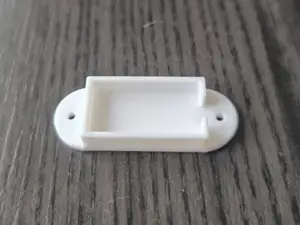

%2Fhttps%3A%2F%2Ffbi.cults3d.com%2Fuploaders%2F39246089%2Fillustration-file%2Fe540e32a-6f2b-4a25-a8c5-88b32362202d%2FScreenshot-2025-01-26-140204.png&w=300)
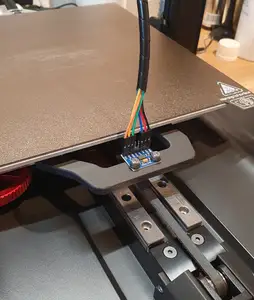

%2Fhttps%3A%2F%2Ffbi.cults3d.com%2Fuploaders%2F14264381%2Fillustration-file%2F191441d7-d20b-4a24-98b7-6e2485e25503%2F20190317_112237_-_Kopie.jpg&w=300)
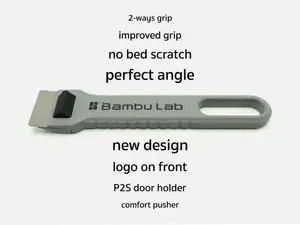

%2Fhttps%3A%2F%2Ffbi.cults3d.com%2Fuploaders%2F18072211%2Fillustration-file%2Fd8d9dff5-49b4-4c45-81a6-ea8c03bd6e69%2FDSC_0019_2.JPG&w=300)



%2Fhttps%3A%2F%2Ffbi.cults3d.com%2Fuploaders%2F14740664%2Fillustration-file%2F5a6fcd52-93ef-4f7f-a431-4dc65fdbf597%2FMachine-Men-Bulldozer-Man-MR-11-Dozer-Robot.jpg&w=300)
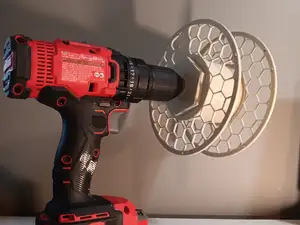

%2Fhttps%3A%2F%2Ffbi.cults3d.com%2Fuploaders%2F41996824%2Fillustration-file%2F30366eb4-2e74-4def-8c88-a67cd7c95c29%2FPXL_20251008_130925426.jpg&w=300)
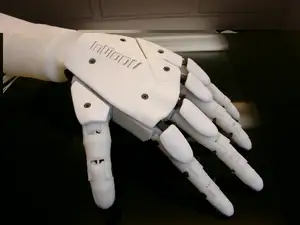

%2Fhttps%3A%2F%2Ffbi.cults3d.com%2Fuploaders%2F14367901%2Fillustration-file%2F8ae40183-cf91-4514-88c1-c19801725de8%2Fbaston.png&w=300)


%2Fhttps%3A%2F%2Ffbi.cults3d.com%2Fuploaders%2F41996824%2Fillustration-file%2F28b7588b-d1a4-4920-88aa-d74e9b18c258%2FFight_Robot_Lamp_2.png&w=300)
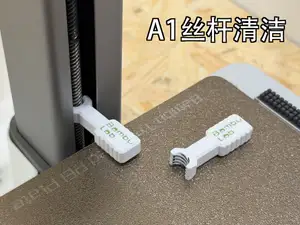

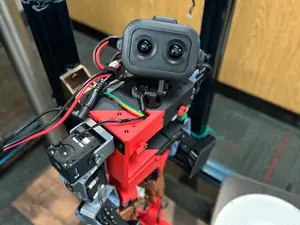

%2Fhttps%3A%2F%2Ffbi.cults3d.com%2Fuploaders%2F15435335%2Fillustration-file%2F454fd00a-848c-4d52-804a-adad4ad44564%2FScreenshot%2520from%25202020-03-18%252020-51-17.png&w=300)
%2Fhttps%3A%2F%2Ffbi.cults3d.com%2Fuploaders%2F14740664%2Fillustration-file%2Fa13a057e-a023-4ec2-879d-8dba8f1d79d1%2FMighty-Robot-Model-T-Man.jpg&w=300)
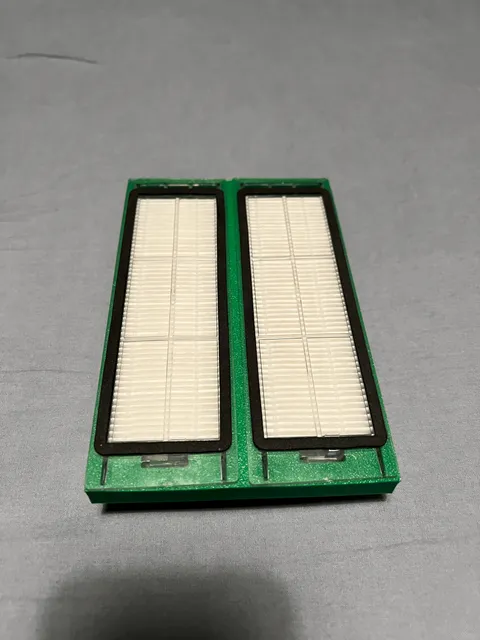
The models fall into a few groups. Walking and educational robots are built from several printed parts plus servos or a small controller, while mascot and figurine robots are usually single-piece or snap-together prints with no electronics. Mechanism parts such as linear actuators, gears and servo mounts sit in between: they are printed as functional components and often get reused in other builds. Printer-side items, like hotend covers or filter housings, are printed for the machine rather than as a robot.
When choosing a model, open the author's page and read what is listed there: overall size and scale, the number of separate parts, whether supports are needed, and the material and settings the author used. For anything that moves, check the tolerances and clearances noted in the description, since print-in-place joints depend on how well your printer holds dimensions. Look at photos of real prints to judge surface quality and how the parts fit together before you commit filament.
To narrow the results, search by function rather than by name: walking robot, line follower, servo bracket, gear set, robot arm, chassis. Related terms such as actuator, drivetrain, bracket, mount or mascot often surface models that a plain robot query misses. If you print on a Creality machine, adding your printer series to the query helps find parts sized for that build volume.
Servo-driven builds are the most common way to add motion, so it helps to decide early which servo size you have on hand and search for mounts and arms that match it. Purely decorative robots are easier to start with: fewer parts, no wiring, and a scale you can adjust in the slicer. Whichever route you take, print a small test piece first to confirm fits before running the full set.



The full catalog of topics — from home & household to CNC, searchable across the connected sources.
%2Fhttps%3A%2F%2Ffbi.cults3d.com%2Fuploaders%2F14100429%2Fillustration-file%2F0d19a9a5-2794-4e89-a7c9-fbeb40002c0a%2Fbbbff.jpg&w=640)