
免费 
3D Printed Linear Actuator - Linear motion
Thingiverse
This collection gathers robot-themed 3D models that owners of Creality machines tend to print: small walking robots, mascot figures, gears, servo mounts and a few add-ons for the printers themselves. It is useful when you want a project that combines 3D printing with simple mechanics or electronics. Most entries are STL files you slice yourself, so the result depends on the scale and settings you choose. Polyzon does not confirm whether models are free, their price, license, official status, affiliation, safety or fitness. Check the current terms at the source.
本合集的文字为英文,搜索本身支持任何语言。
 Polyzon合集 · 48个模型 来自4个平台
此合集由Polyzon根据已接入平台的搜索结果整理而成:去除重复项和没有预览图的模型,匹配度低的排在最后,其余按搜索结果顺序排列。模型归作者所有——请在各模型页面查看使用条款。
筛选规则:Polyzon编辑部 · 文字更新于2026年10月14日

%2Fhttps%3A%2F%2Ffbi.cults3d.com%2Fuploaders%2F33482039%2Fillustration-file%2Fe8e56a94-deb8-4e2b-800b-14e5b1d898d7%2F_1_Cuva_Make_Cover_1.png&w=300)



%2Fhttps%3A%2F%2Ffbi.cults3d.com%2Fuploaders%2F14740664%2Fillustration-file%2F1f2e2ced-ad34-4849-ac6e-543fcb1b7766%2FMighty-Robot-F-111-Man.jpg&w=300)


%2Fhttps%3A%2F%2Ffbi.cults3d.com%2Fuploaders%2F14758128%2Fillustration-file%2F55daa4fe-27aa-4039-bc29-91301e23a19a%2F12.jpg&w=300)

%2Fhttps%3A%2F%2Ffbi.cults3d.com%2Fuploaders%2F36292245%2Fillustration-file%2Fbb1e5efd-9f93-408c-b88e-99bf6c501f6b%2FElmer.png&w=300)

%2Fhttps%3A%2F%2Ffbi.cults3d.com%2Fuploaders%2F39246089%2Fillustration-file%2Fe540e32a-6f2b-4a25-a8c5-88b32362202d%2FScreenshot-2025-01-26-140204.png&w=300)

%2Fhttps%3A%2F%2Ffbi.cults3d.com%2Fuploaders%2F14264381%2Fillustration-file%2F191441d7-d20b-4a24-98b7-6e2485e25503%2F20190317_112237_-_Kopie.jpg&w=300)

%2Fhttps%3A%2F%2Ffbi.cults3d.com%2Fuploaders%2F18072211%2Fillustration-file%2Fd8d9dff5-49b4-4c45-81a6-ea8c03bd6e69%2FDSC_0019_2.JPG&w=300)



%2Fhttps%3A%2F%2Ffbi.cults3d.com%2Fuploaders%2F14740664%2Fillustration-file%2F5a6fcd52-93ef-4f7f-a431-4dc65fdbf597%2FMachine-Men-Bulldozer-Man-MR-11-Dozer-Robot.jpg&w=300)
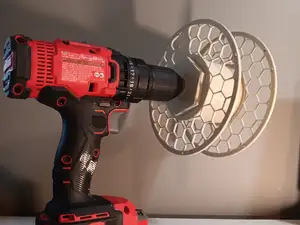

%2Fhttps%3A%2F%2Ffbi.cults3d.com%2Fuploaders%2F41996824%2Fillustration-file%2F30366eb4-2e74-4def-8c88-a67cd7c95c29%2FPXL_20251008_130925426.jpg&w=300)
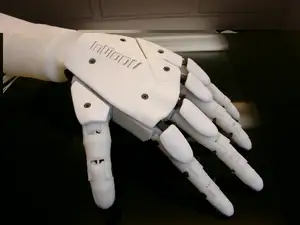

%2Fhttps%3A%2F%2Ffbi.cults3d.com%2Fuploaders%2F14367901%2Fillustration-file%2F8ae40183-cf91-4514-88c1-c19801725de8%2Fbaston.png&w=300)
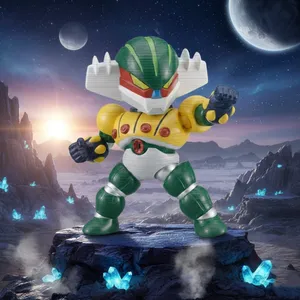

%2Fhttps%3A%2F%2Ffbi.cults3d.com%2Fuploaders%2F41996824%2Fillustration-file%2F28b7588b-d1a4-4920-88aa-d74e9b18c258%2FFight_Robot_Lamp_2.png&w=300)
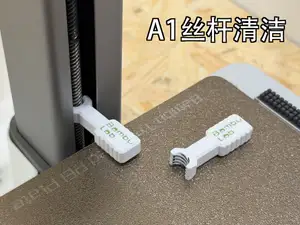

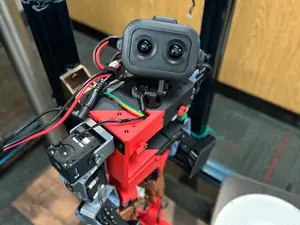

%2Fhttps%3A%2F%2Ffbi.cults3d.com%2Fuploaders%2F15435335%2Fillustration-file%2F454fd00a-848c-4d52-804a-adad4ad44564%2FScreenshot%2520from%25202020-03-18%252020-51-17.png&w=300)
%2Fhttps%3A%2F%2Ffbi.cults3d.com%2Fuploaders%2F14740664%2Fillustration-file%2Fa13a057e-a023-4ec2-879d-8dba8f1d79d1%2FMighty-Robot-Model-T-Man.jpg&w=300)
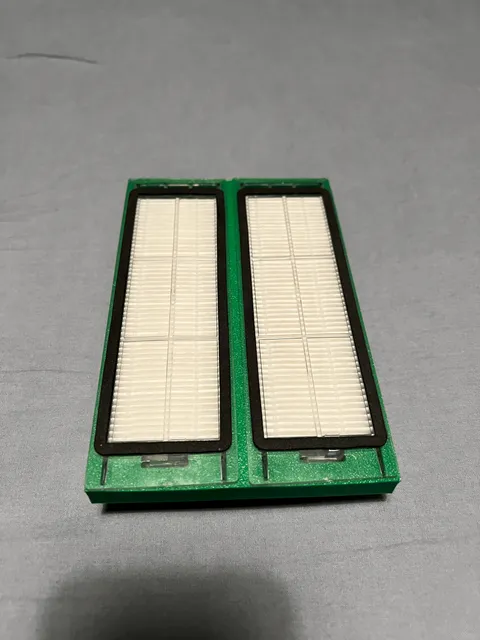
The models fall into a few groups. Walking and educational robots are built from several printed parts plus servos or a small controller, while mascot and figurine robots are usually single-piece or snap-together prints with no electronics. Mechanism parts such as linear actuators, gears and servo mounts sit in between: they are printed as functional components and often get reused in other builds. Printer-side items, like hotend covers or filter housings, are printed for the machine rather than as a robot.
When choosing a model, open the author's page and read what is listed there: overall size and scale, the number of separate parts, whether supports are needed, and the material and settings the author used. For anything that moves, check the tolerances and clearances noted in the description, since print-in-place joints depend on how well your printer holds dimensions. Look at photos of real prints to judge surface quality and how the parts fit together before you commit filament.
To narrow the results, search by function rather than by name: walking robot, line follower, servo bracket, gear set, robot arm, chassis. Related terms such as actuator, drivetrain, bracket, mount or mascot often surface models that a plain robot query misses. If you print on a Creality machine, adding your printer series to the query helps find parts sized for that build volume.
Servo-driven builds are the most common way to add motion, so it helps to decide early which servo size you have on hand and search for mounts and arms that match it. Purely decorative robots are easier to start with: fewer parts, no wiring, and a scale you can adjust in the slicer. Whichever route you take, print a small test piece first to confirm fits before running the full set.



完整的主题目录:从家居日用到CNC,均可在已接入的来源平台中搜索。
%2Fhttps%3A%2F%2Ffbi.cults3d.com%2Fuploaders%2F14100429%2Fillustration-file%2F0d19a9a5-2794-4e89-a7c9-fbeb40002c0a%2Fbbbff.jpg&w=640)