
Free 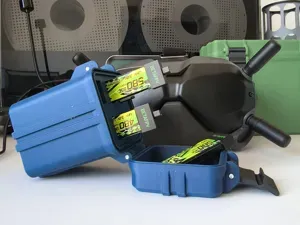
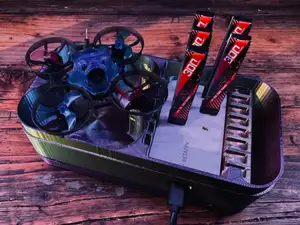
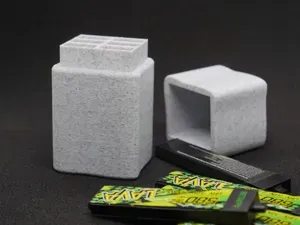
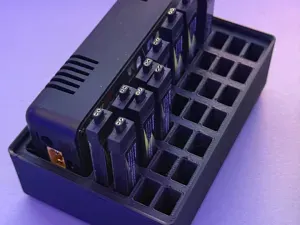
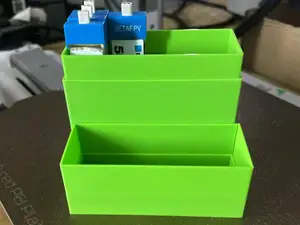
Rugged Case for 6× BetaFPV LAVA II 1S Batteries
MakerWorld


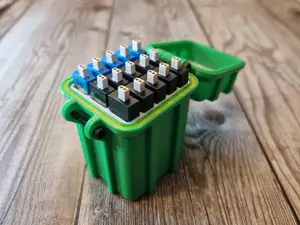
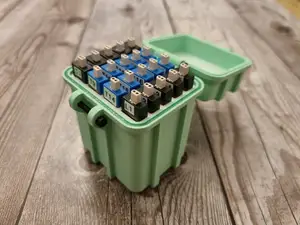
Designed this holder because 12 packs seem to be the sweet spot for a solid rip session on my Meteor75 Pro. The dual-color design helps track your charge status: Green side = Charged, Black side = Flown.
Compatibility:
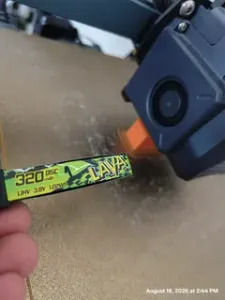
Verified: BetaFPV Lava II 1S 680mAh (BT2.0).
Other Batteries: Not tested. While the plastic connector cap dimensions are likely standard and should fit the slot profile, the length of the battery is the main variable.
Warning: Shorter batteries will be very difficult to remove because they won't protrude enough to grab. Longer batteries might stick out too far. Use with non-680mAh packs at your own risk since I don't have them on hand to measure.
Design Features:
Snug Fit: Calculated for a tight friction fit so batteries don't fly out, but not so tight that they get stuck.
Push-to-Eject: The batteries protrude slightly from the casing. You push with your finger from the bottom/back side to pop the connector up, then grab and pull.
Print Settings:
Printer: Printed on Creality K1C.
Material: TPU (Highly recommended for durability and grip, but PLA also works).
Layer Height: 0.2mm – 0.24mm. (Thicker layers help speed up slow TPU printing without sacrificing function).
Walls/Perimeters: 2 walls.
Infill: 5-10% (Low infill keeps the case soft and lightweight).
How to get the Two-Tone Color (Without AMS/MMS): You don’t need a multi-material system for this. The model is a single part.
Slice the model.
Add a pause in your slicer (e.g., OrcaSlicer, Cura) approximately 10 layers before the top.
Print. When the printer pauses, manually unload your base color (e.g., Black) and load your accent color (e.g., Green or Red).
Resume print.
Tip: The more layers you leave for the top color, the more visible the band will be. If you have Red and Green TPU, you could technically print two separate batches to have a "Red/Stop" side and a "Green/Go" side for maximum organization!
Calibration Note: The tolerances are designed to be precise. Ensure your printer and filament profile are well-calibrated (Flow rate, Pressure Advance, Retraction, Temperature). If your printer is over-extruding, the slots might be too tight.



Names are used only to indicate the source of a result. Polyzon is not affiliated with the listed sites.
Comments