
Gratuit 
Victorian Light Switch Cover
Thingiverse
This collection gathers STL files for covers and cases that sit around laser engravers, switches, outlets, and small devices. You will find enclosures, side panels, protective shells, and parametric boxes with lids. It helps when you need a replacement panel or a custom cover for a 3D printing project. Polyzon does not confirm whether models are free, their price, license, official status, affiliation, safety or fitness. Check the current terms at the source.
Le texte de cette collection est rédigé en anglais ; la recherche, elle, fonctionne dans toutes les langues.
 Une collection Polyzon · 47 modèles sur 3 plateformes
Polyzon compose cette collection à partir des résultats de recherche des plateformes connectées. Les doublons et les modèles sans aperçu sont retirés, les correspondances faibles sont placées à la fin, et le reste suit l’ordre de la recherche. Les modèles appartiennent à leurs auteurs : consultez les conditions sur la page de chaque modèle.
Règles de sélection : la rédaction de Polyzon · Texte mis à jour le 14/10/2026

%2Fhttps%3A%2F%2Ffbi.cults3d.com%2Fuploaders%2F16483427%2Fillustration-file%2Fdf3e38a1-652d-481c-94b2-049de1968f53%2F188e3367-8b39-4682-b9c8-2d2f7d9781d6.jpg&w=300)

%2Fhttps%3A%2F%2Ffbi.cults3d.com%2Fuploaders%2F40183389%2Fillustration-file%2F756bb592-94d6-437d-bff6-2748e8eb7b5f%2Fcase_front_left.jpg&w=300)

%2Fhttps%3A%2F%2Ffbi.cults3d.com%2Fuploaders%2F14471952%2Fillustration-file%2F8b986689-2e7a-4b09-adcd-7095c76a3f73%2FIMG_6353m.jpg&w=300)

%2Fhttps%3A%2F%2Ffbi.cults3d.com%2Fuploaders%2F26043980%2Fillustration-file%2F7f2a5785-5de1-44d5-9f45-a94f676751b8%2FIMG_6916.jpg&w=300)
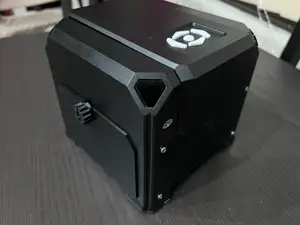

%2Fhttps%3A%2F%2Ffbi.cults3d.com%2Fuploaders%2F15785726%2Fillustration-file%2Fd12af599-6b35-4f14-ae61-917646e54416%2FIMG_16.png&w=300)
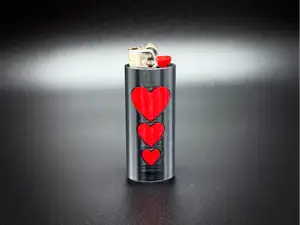

%2Fhttps%3A%2F%2Ffbi.cults3d.com%2Fuploaders%2F15263472%2Fillustration-file%2F26655a1f-beed-41ff-a89d-089744e386d3%2F20250817_145816.jpg&w=300)


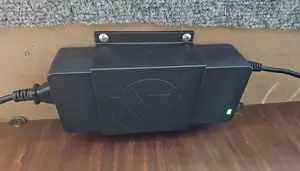

%2Fhttps%3A%2F%2Ffbi.cults3d.com%2Fuploaders%2F33274145%2Fillustration-file%2Fc1967530-5535-4523-be6a-ced645bb2ab8%2FIMG_20260204_124705.jpg&w=300)
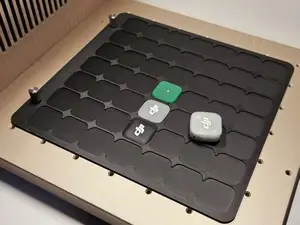

%2Fhttps%3A%2F%2Ffbi.cults3d.com%2Fuploaders%2F19904955%2Fillustration-file%2Ff174ed1a-8b7d-421e-946b-c9a49ba196ea%2FIMG_1522.jpg&w=300)
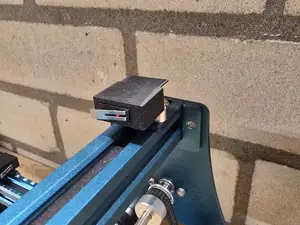

%2Fhttps%3A%2F%2Ffbi.cults3d.com%2Fuploaders%2F17338157%2Fillustration-file%2Ff2251f6c-66fd-41f9-814a-81c25da47a85%2FIntake_with_fan.jpg&w=300)


%2Fhttps%3A%2F%2Ffbi.cults3d.com%2Fuploaders%2F41125020%2Fillustration-file%2F03ba2268-ccb7-446f-9d36-d54d0deeb253%2FIMG_3047.jpg&w=300)
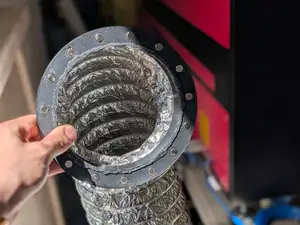

%2Fhttps%3A%2F%2Ffbi.cults3d.com%2Fuploaders%2F31616346%2Fillustration-file%2Ff9abfbfe-b46b-40bf-9f79-792d0d8d6a4a%2F20210410_120659_Large.jpg&w=300)
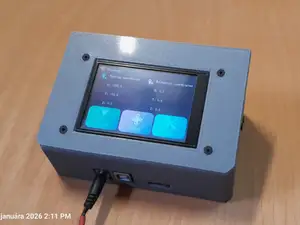

%2Fhttps%3A%2F%2Ffbi.cults3d.com%2Fuploaders%2F25262321%2Fillustration-file%2F6f9aa4aa-f265-465f-bda4-d56a2ed4d450%2FDiode_Laser_Control_Board_Cover.png&w=300)


%2Fhttps%3A%2F%2Ffbi.cults3d.com%2Fuploaders%2F16463677%2Fillustration-file%2Ffff36577-8209-47c1-ab45-0232f8ef7e43%2FzbaituLaserM37_FF80_3DprintableUpgrades_SmokeExtractor.jpg&w=300)
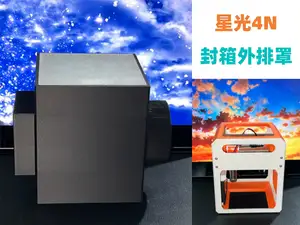

%2Fhttps%3A%2F%2Ffbi.cults3d.com%2Fuploaders%2F25262321%2Fillustration-file%2Fec028ff8-67fb-4215-8139-7347f770843b%2FVslotcover_DC.png&w=300)

Laser engraver covers range from full enclosures to side panels and small circuit-board guards. Some models are shaped for a particular machine frame, while others use parametric dimensions that you adjust before export. Switch and outlet covers follow a different logic: they are flat plates with cutouts and decorative faces. Protective cases for handheld meters or sensors add walls, latches, and openings for ports.
When choosing a cover, check the model page for the outer dimensions, wall thickness, and the number of separate parts. Look at whether the author shows the cover installed, because clearance around screws, cables, and switches is easier to judge from photos than from a render. If the design uses screws or magnets, confirm what hardware the author lists and how the parts join. Material and layer height matter for thin panels and for parts that flex during assembly.
To refine a search, try terms such as enclosure, housing, panel, guard, lid, or bezel instead of cover alone. Related searches include laser cutter accessories, control board covers, switch plates, outlet plates, and parametric boxes. You can also combine a machine series or device type with words like snap-on, bolt-on, or replacement. If results are too broad, add the part you need to cover, such as a display, rail, or sensor.




Le catalogue complet des thèmes, de la maison à la CNC, avec une recherche sur tous les sites connectés.
%2Fhttps%3A%2F%2Ffbi.cults3d.com%2Fuploaders%2F15394319%2Fillustration-file%2F398cb741-40ce-40ae-a4d7-148869625d49%2FP1020587.JPG&w=640)